GENERAL OPTIONS
11
SECTION 3
GENERAL OPTIONS
SEARCH AND LOOKUP
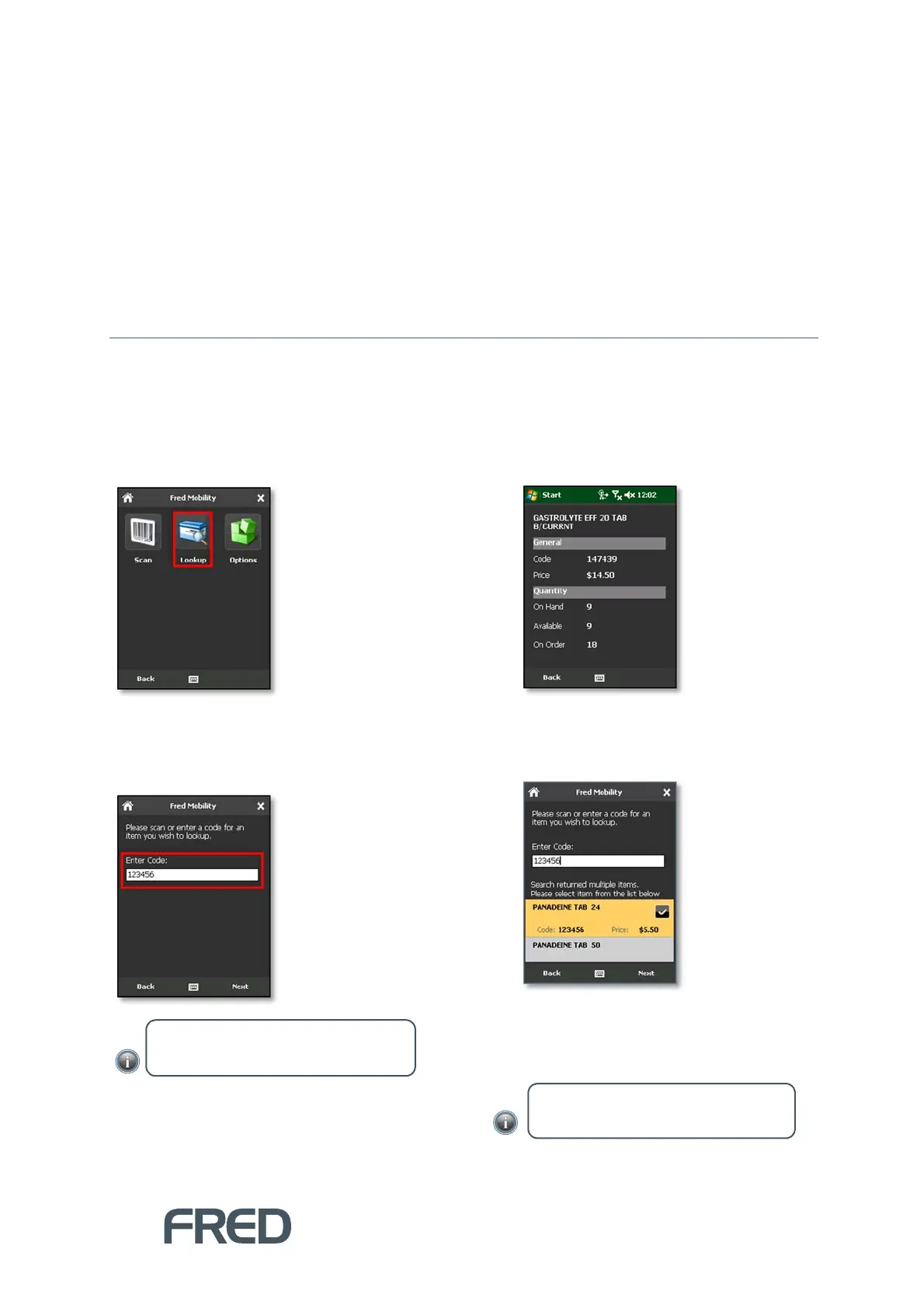
The Lookup option in the General screen allows you to search for items by Code and view their
properties. These properties an read-only and cannot be edited.
To search an item:
1. Tap [Lookup].
The Item Search screen is displayed.
2. Enter or scan the Code of the item you wish
to lookup.
If the search retrieves a single item for the
search criteria, the Item Lookup screen
displays basic information about the item.
If the search retrieves more than one
match for the search criteria, Fred Mobility
displays a list of all matching results.
3. Select one item from the list to display Item
Lookup screen.
4. Tap [Back] to return to the Search screen.
NOTE: Items can be searched by Code or
Alias.
NOTE: Click [Back] to return to the
General screen.



 To Next Page