ORDERING
5
SECTION 2
ORDERING
WORKING WITH ORDERS
Ordering allows you to receive orders, create new orders, and edit existing orders that are still open. You
can also check and update the stock on hand before ordering items.
Creating New Orders
To create new orders:
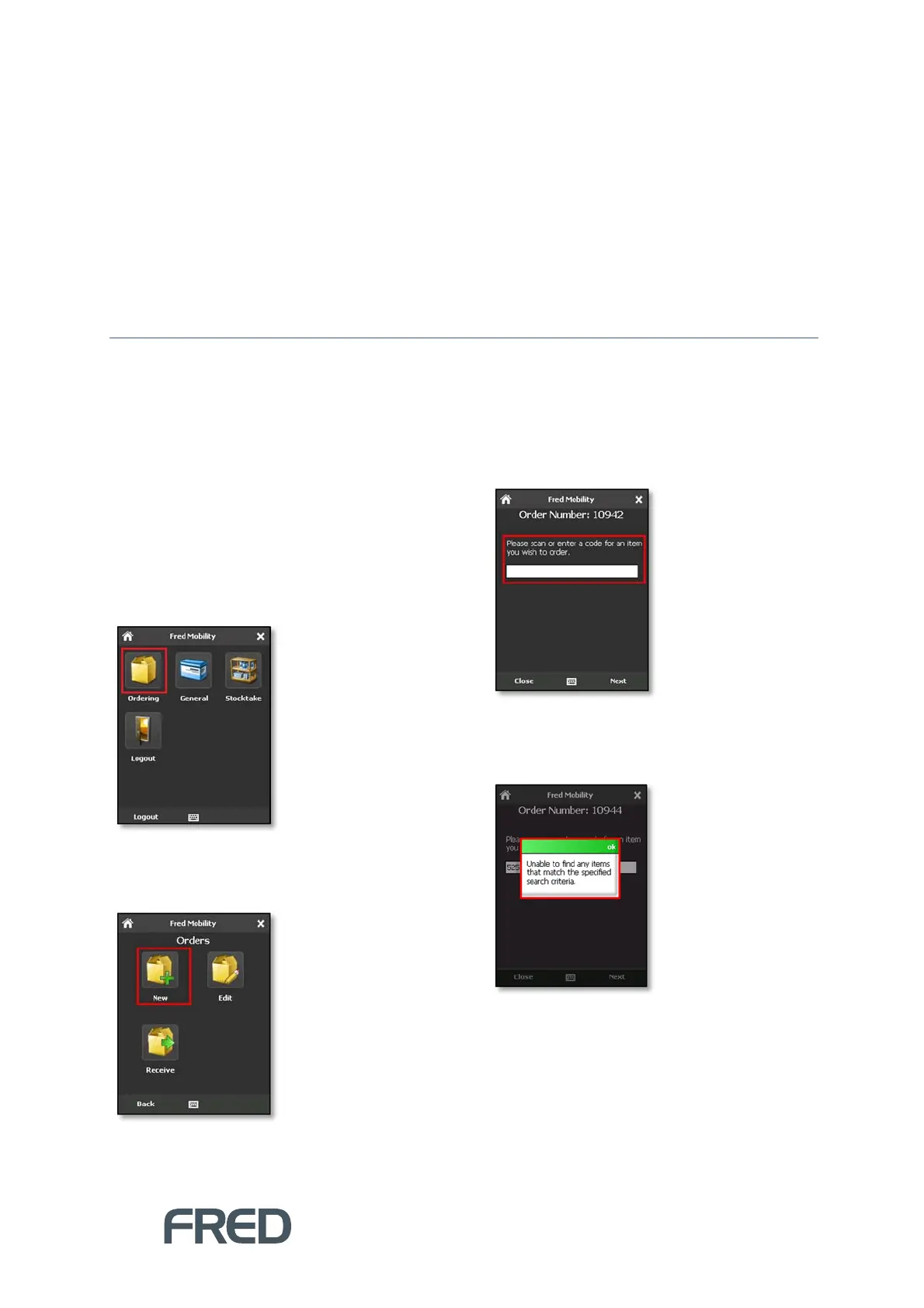
1. Login to Fred Mobility using your Fred POS
username and password.
The Fred Mobility main screen appears.
2. Tap [Ordering].
The Orders screen appears.
3. Tap [New].
4. In the Search screen, scan the item or enter
a code to search for an item you wish to
order.
If the code scanned or input is not found in
the database, Fred Mobility displays an
Error message.



 To Next Page