STOCKTAKE OPTIONS
20
SECTION 4
STOCKTAKING
STOCKTAKE OPTIONS
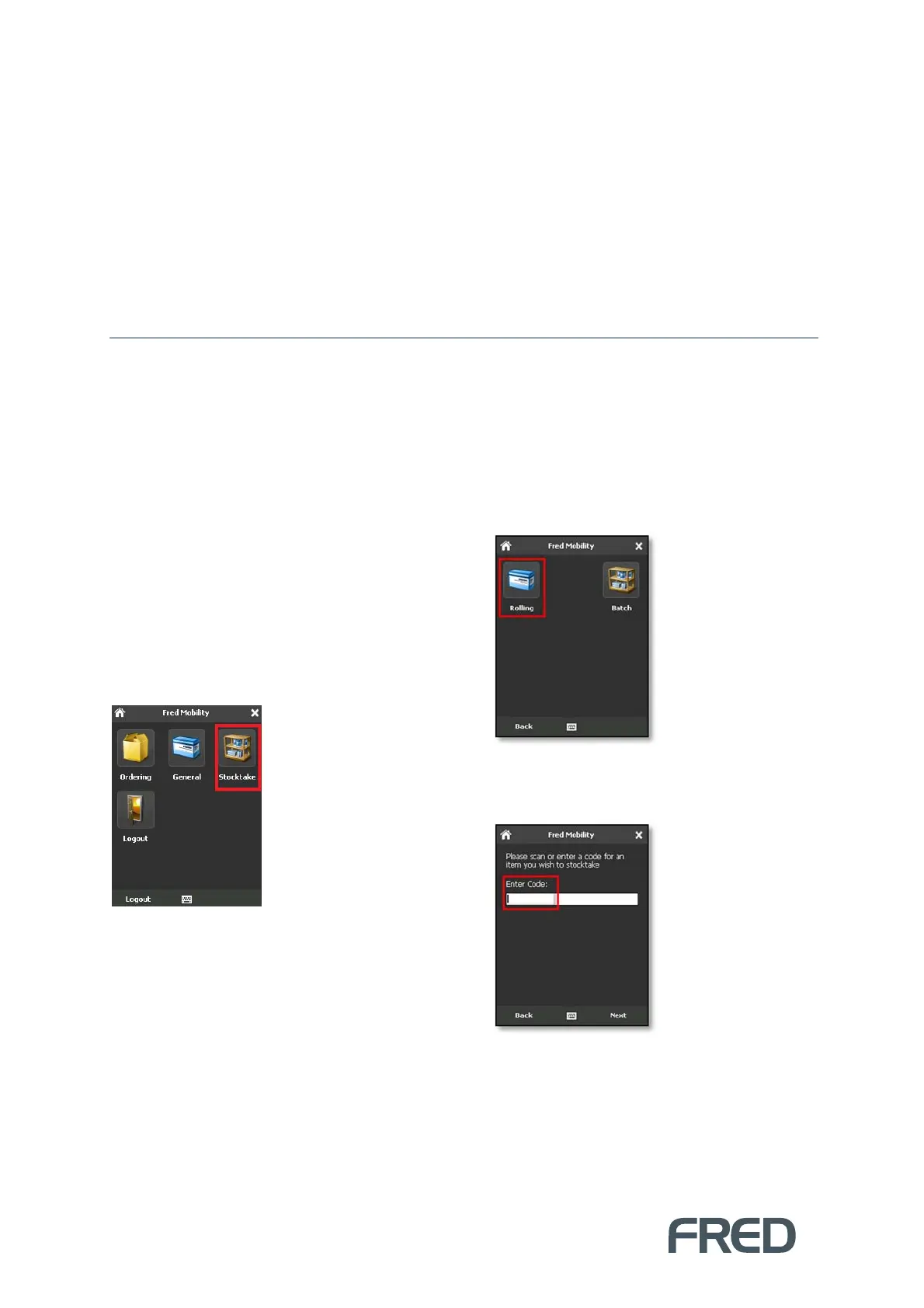
The Stocktaking option on your Fred Mobility device allows you to perform either a:
Rolling Stocktake This option allows you to perform an ad-hoc stocktake. This feature is not
recommended if you wish to perform Stocktake Reporting.
Batch Stocktake. This option allows for detailed reporting. If you wish to perform Stocktake
reporting after your stocktake, use the Batch stocktake feature as it provides the most detailed
analysis and reporting via Fred NUHQ.
Using Rolling Stocktake
To use Rolling Stocktake:
1. Login to Fred Mobility using your Fred
POS username and password.
The Fred Mobility main screen appears.
9. Tap [Stocktake].
10. Tap [Rolling].
The Item Search screen is displayed.
11. Scan or enter an Item Code (or Alias).



 To Next Page