GENERAL OPTIONS
13
SCAN
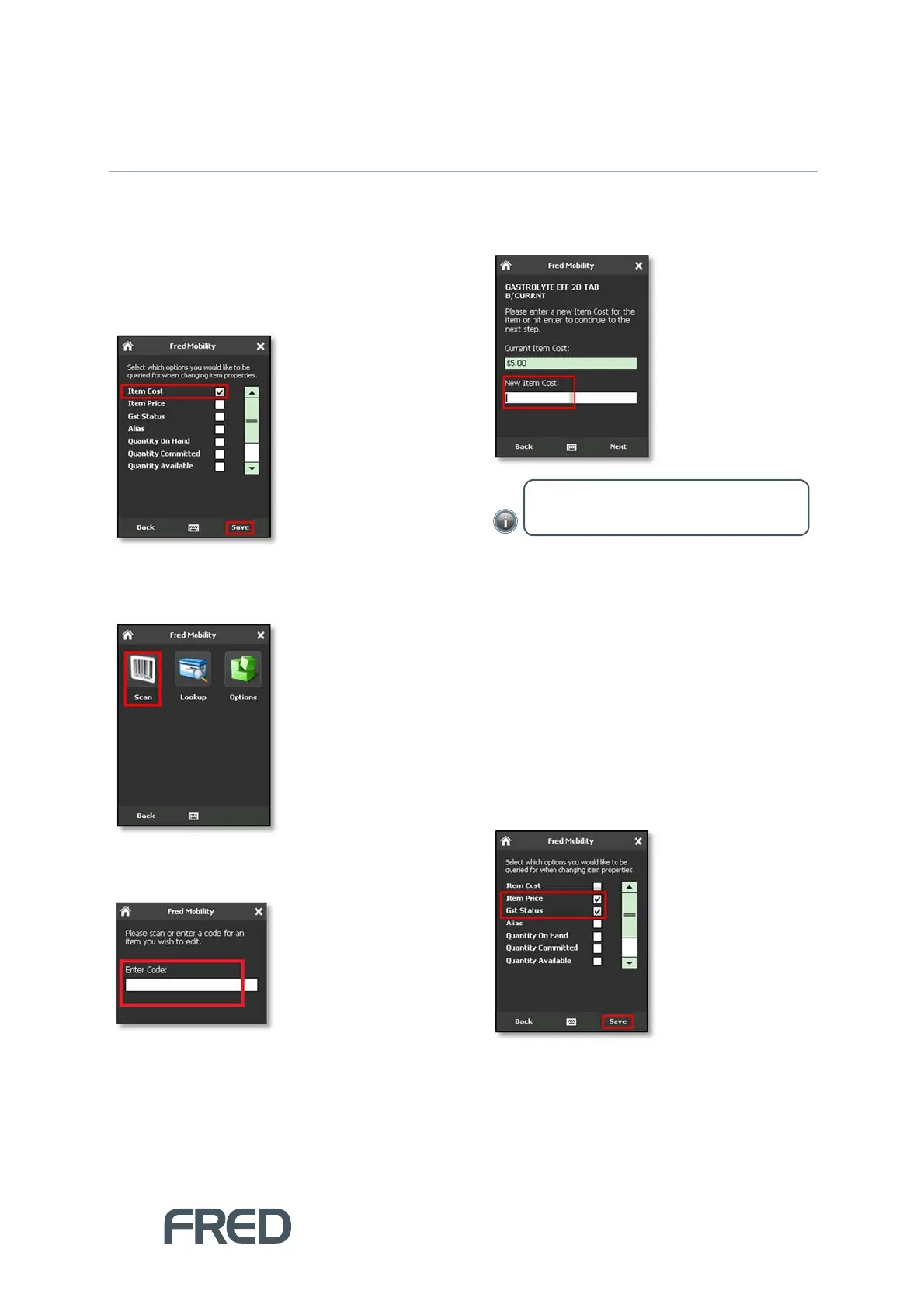
Changing Item Cost
To update the cost of an Item:
1. Ensure that Item Cost is selected in the
[Options] menu.
2. To finish tap [Save].
3. Tap [Scan].
4. In the Search screen, scan the item or enter
a code for an item you wish to scan.
5. Enter the New Item Price and press the
[E
NTER
] key on your Fred Mobility device.
6. Tap [Next] and repeat the process for all
items to be updated.
7. Once complete logout of Fred Mobility and
return your device to the charger.
Changing Retail Prices
To update the price of an Item:
1. Ensure that Item Price is selected in the
[Options] menu.
2. You may want to update the GST Status of
this item at the same time.
3. To finish, tap [Save].
NOTE: If no figure is entered, the Current
Item Cost is maintained.



 To Next Page