Configuration of the Freecom Network Drive
Modify
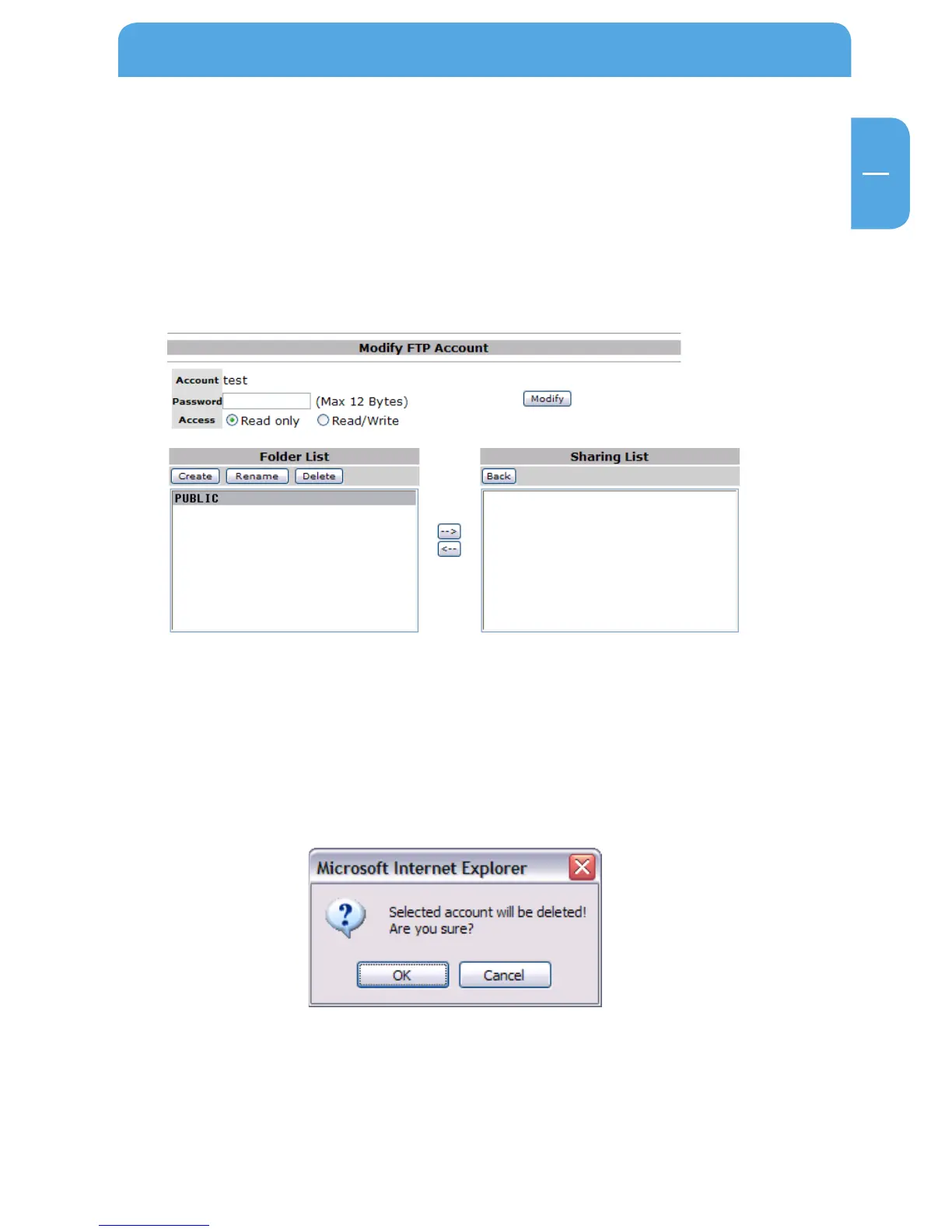
Click on “Modify” to change the user access rights. You can
- set or change the user password
- give the user read-only or read/write access
- select folder the user is allowed to access
After changing the settings, click on “Modify” to apply settings.
En/Disable
Click on “En/Disable” to enable or disable the user access for the selected user.
Delete
Click on “Delete” to delete a user from the list. Confirm with “OK” to delete the user.



 To Next Page