Automated/Automatic
Transmission Shift Control
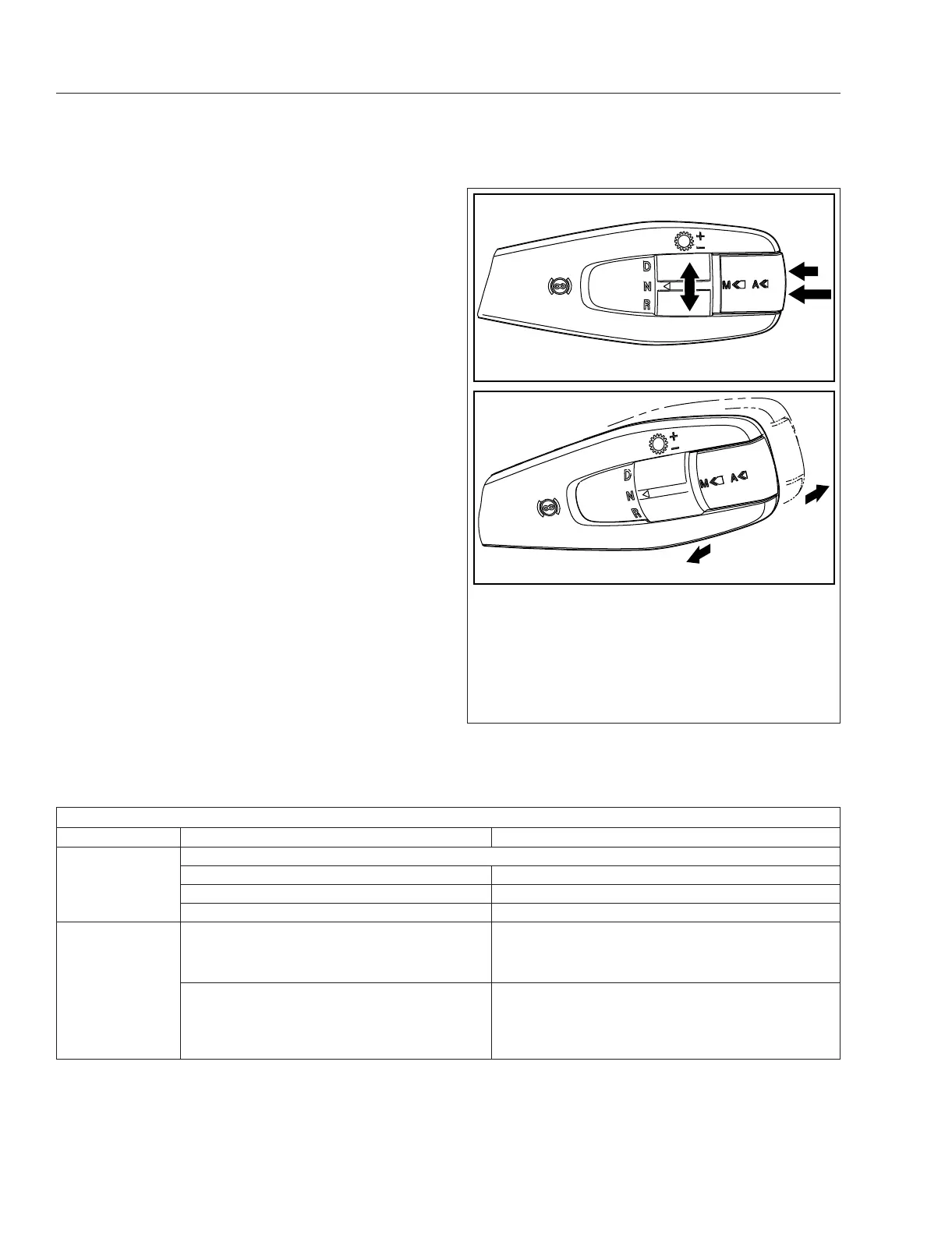
Vehicles with automated or automatic transmissions
use the multifunction stalk switch control shown in
Fig. 14.1 and Fig. 14.2. This control can be used to
request manual shifts, change driving mode, and set
engine brake levels. See
Table 14.1 for an overview
of control functionality.
Direction Switch
Use the direction switch to request drive (D), neutral
(N), or reverse (R). See
Fig. 14.1, Ref. A.
Mode Switch
The driving mode can be changed using the Mode
switch on the shift control. See Fig. 14.1, Ref. B and
C.
Gear Switch
For automated and automatic transmissions, gear
shifts can be requested manually; push the lever
away to request a downshift, or pull the lever toward
you to request an upshift, shown in
Fig. 14.1, Ref. D
and E. See
Table 14.1 for more information about
upshift and downshift requests.
Functionality, Automated/Automatic Transmission Shift Control
Function/Switch Action/Position Request
Direction All Transmissions
D Forward gears
N Neutral
R Reverse gears
Mode Short press Detroit and Eaton: Activate the automatic drive
mode, or switch between available modes
Allison: Switch between available shift modes.
Long press Detroit and Eaton: Activate the manual drive mode
(if available)
Allison: Switch between automatic and manual drive
mode.
f270163b06/30/2017
( + )
(−)
A
E
D
B
C
See Table 14.1 for a description of control functionality.
A. Rotate for drive (D), neutral (N), or reverse (R).
B. Short press for automatic mode or switch between
available modes.
C. Long press for manual mode.
D. Pull for upshift (+) request.
E. Push for downshift (-) request.
Fig. 14.1, Automated/Automatic Transmission Shift
Control
Automated and Automatic Transmissions
14.1














 To Next Page