33
SECTION 4 - COMPONENT TEAR DOWN
4 - 3
Control Panel Removal and Tech/Data Sheet Location
A wiring diagram and technical data sheet are located inside
the washer console.
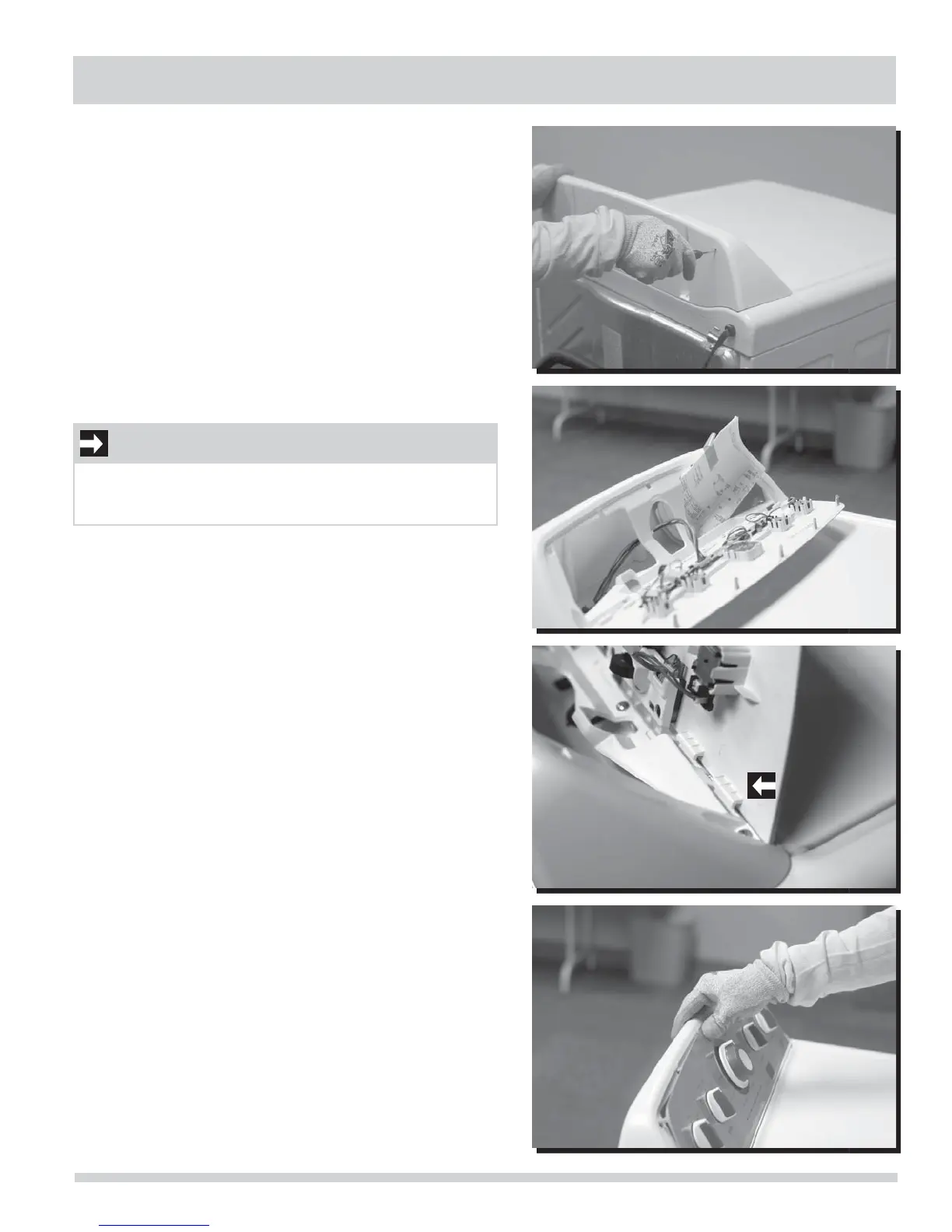
To remove the control panel faceplate:
1. Disconnect washer from electrical source.
2. Insert a small, straight blade screwdriver to gently pry
downward on each faceplate retaining tab.
3. Gently lay the console faceplate forward without pulling
wires to access technical/wiring diagram.
4. The tech/data sheet is taped inside the rear console
housing.
5. When fi nished with repair, return sheet inside console,
snap faceplate to console housing.
IMPORTANT
Ensure lower tabs on console faceplate are hooked
correctly into the slots of the rear housing before pressing
the upper locking tabs into place.




 To Next Page