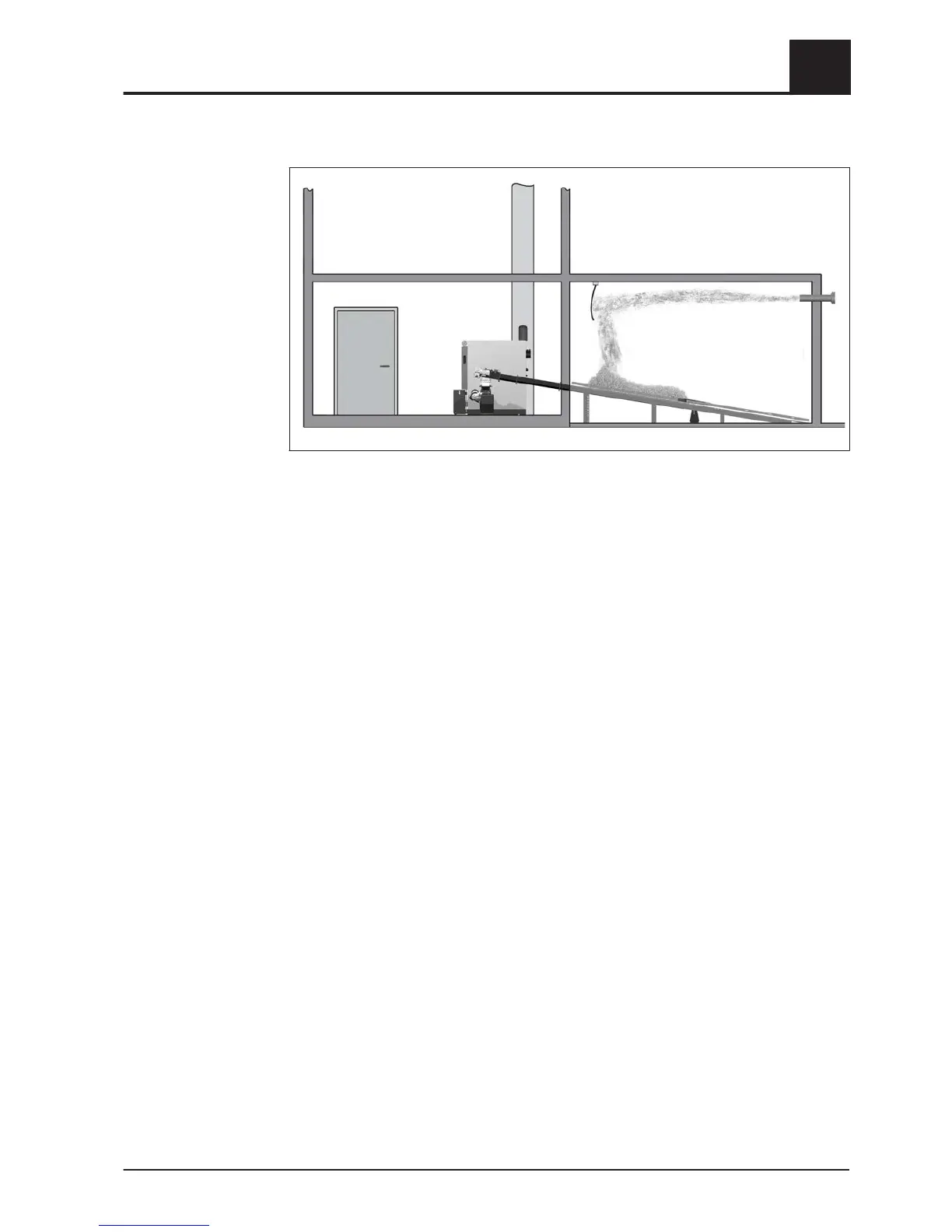
3.2.5 Blowing in fuel for an empty store with rotary agitator
NOTICE! If the head of the rotary agitator is already free of material and the arms /
spring blades are extended, then the store must not be filled until the following actions
have been taken:
❒
Switch off the boiler by tapping “Boiler off” at the mode icon and switch off main
switch
❒ Turn off the main switch on the expansion switch cabinet (if installed)
❒ Distribute any fuel remaining in the store (in corners, against walls) over the head
of the rotary agitator with your hands
➥ Follow the instructions on working in the fuel store!
NOTICE! Refer to the notice (supplied with the boiler) at the entrance to the store
After working in the store:
❒ Turn on the main switch on the boiler and on the expansion switch cabinet (if
installed)
❒ Activate “Extra heating” mode in the quick menu
❒ Wait until the arms / spring blades are touching the head of the rotary agitator
(approx. 2 revolutions)
❒ Switch off the boiler by tapping “Boiler off” at the mode icon and allow to cool for at
least two hours
❒ Close all openings to the store to seal out dust
❒ Blow the fuel into the store
If the fuel store is completely empty and there is no residual fuel to redistribute:
❒ Contact Froling and seek advice before filling the fuel store
⇨ See "Address of manufacturer" [page 55]
Operating the System
3
Filling/refilling the store with fuel
Operating Instructions TX 200-250 | B1060217_en 25





 To Next Page