14
Copying all or part of this manual in any way or form is strictly prohibited without written permission from its author © 2015
website: www.fromm-pack.com
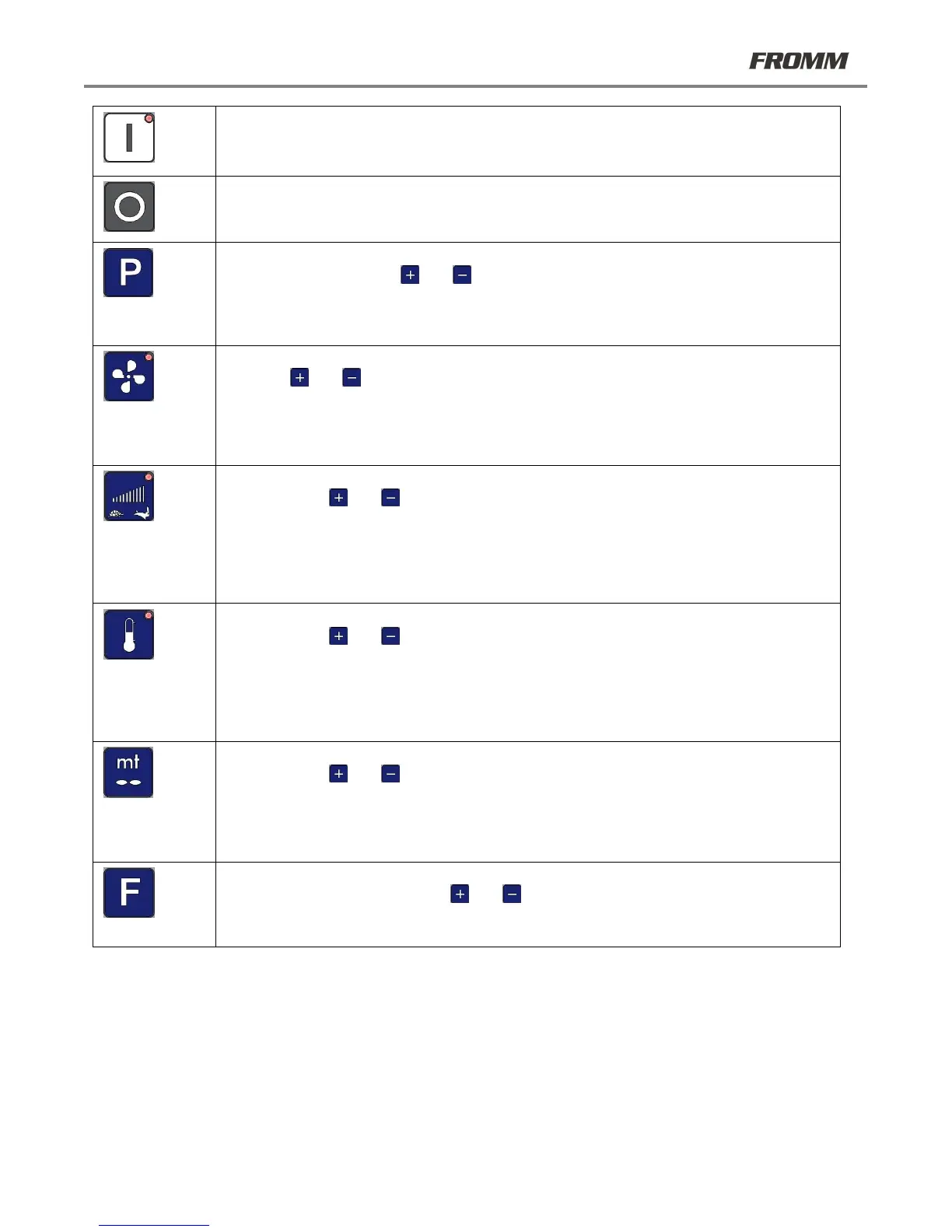
START - press the button and the red LED will illuminate. The automatic cycle will begin and
the machine will execute the active program.
STOP - press the STOP button to stop the automatic cycle (STOP BUTTON)
PROGRAM SELECTION - press the button. The letter "P" on the display flashes. Select the
desired program using the and keys.
After approximately 4 seconds, the value selected is saved and stops flashing.
CAUTION: The available programs are set according to the film used. Further modifications
may only be made by authorized personnel.
FAN POWER - press the button and the red LED will illuminate. Select the desired value
using the and keys.
After approximately 4 seconds, the selected value is saved and the screen displays the first
page.
CAUTION: the allowed variation interval is limited to prevent the proper machine functioning
from being affected.
SPEED SELECTION - press the button and the red LED will illuminate. Select the desired
value using the and keys.
After approximately 4 seconds, the selected value is saved and the screen displays the first
page.
CAUTION: the allowed variation interval is limited to prevent the proper machine functioning
from being affected.
POWER SELECTION - press the button and the red LED will illuminate. Select the desired
value using the and keys.
After approximately 4 seconds, the selected value is saved and the screen displays the first
page.
CAUTION: the allowed variation interval is limited to prevent the proper machine functioning
from being affected.
METER SELECTION - press the button. A value will appear on the screen. Select the desired
value using the and keys.
After approximately 4 seconds, the selected value is saved and the screen displays the first
page.
Each time the machine is started, the machine will produce a length of pillows equal to the
number of meters selected. This function is disabled when the value 0 is selected.
FUNCTION KEY - press the button. The letter "F" and a value will appear on the screen.
Select the desired value using the and keys.
Each value corresponds to an additional function (if activated).
By pressing F 0 all additional functions are disabled.



 To Next Page