22
Copying all or part of this manual in any way or form is strictly prohibited without written permission from its author © 2015
website: www.fromm-pack.com
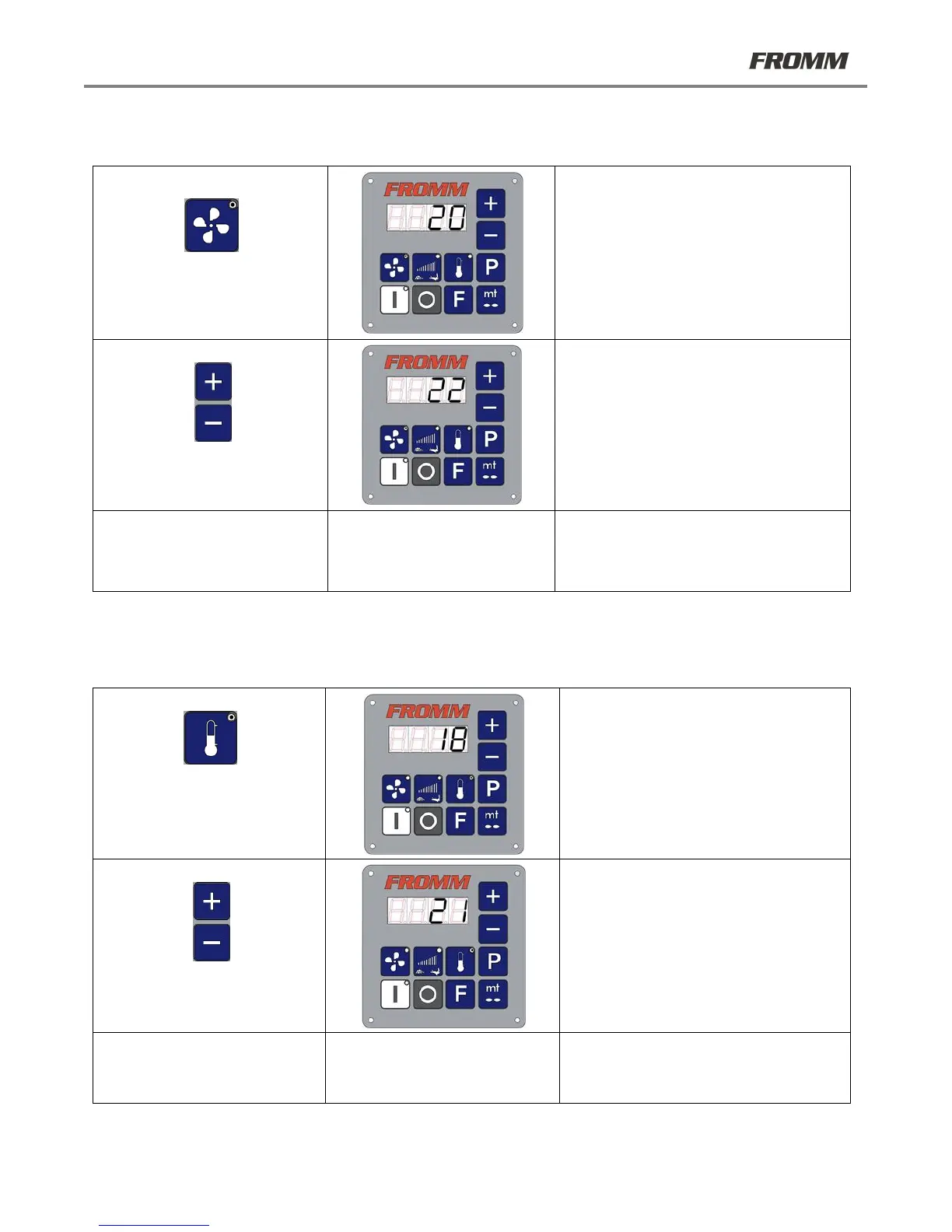
22.2 Adjusting filling
If during the production cycle, the air pillows are too full or not filled sufficiently, the fan speed may be adjusted.
This value may also be modified when the machine is in operation.
The LED on the button is lit and the
current value is displayed on the screen.
Select the desired value using the +/- keys
(this value may be modified by + 2 and -
10 with respect to the default value, and
always within the limits set by the
Manufacturer).
After approximately 4 seconds, the
selected value is saved and the screen
displays the first page.
22.3 Adjusting heat-sealing power
If during the production cycle, the heat seals are excessively sealed or not sealed enough, the heat-sealing power
may be adjusted.
This value may also be modified when the machine is in operation.
The LED on the button is lit and the
current value is displayed on the screen
Select the desired value using the +/-
keys (this value may be modified by + 3
and - 5 with respect to the default value,
and always within the limits set by the
Manufacturer).
After approximately 4 seconds, the
selected value is saved and the screen
displays the first page.



 To Next Page