EasyManua.ls Logo

Fromm AP100 - Shutdown; Film roll loading

Fromm AP100
26 pages
Print Icon
To Next Page IconTo Next Page
To Previous Page IconTo Previous Page
Loading...
16
Copying all or part of this manual in any way or form is strictly prohibited without written permission from its author © 2015
website: www.fromm-pack.com
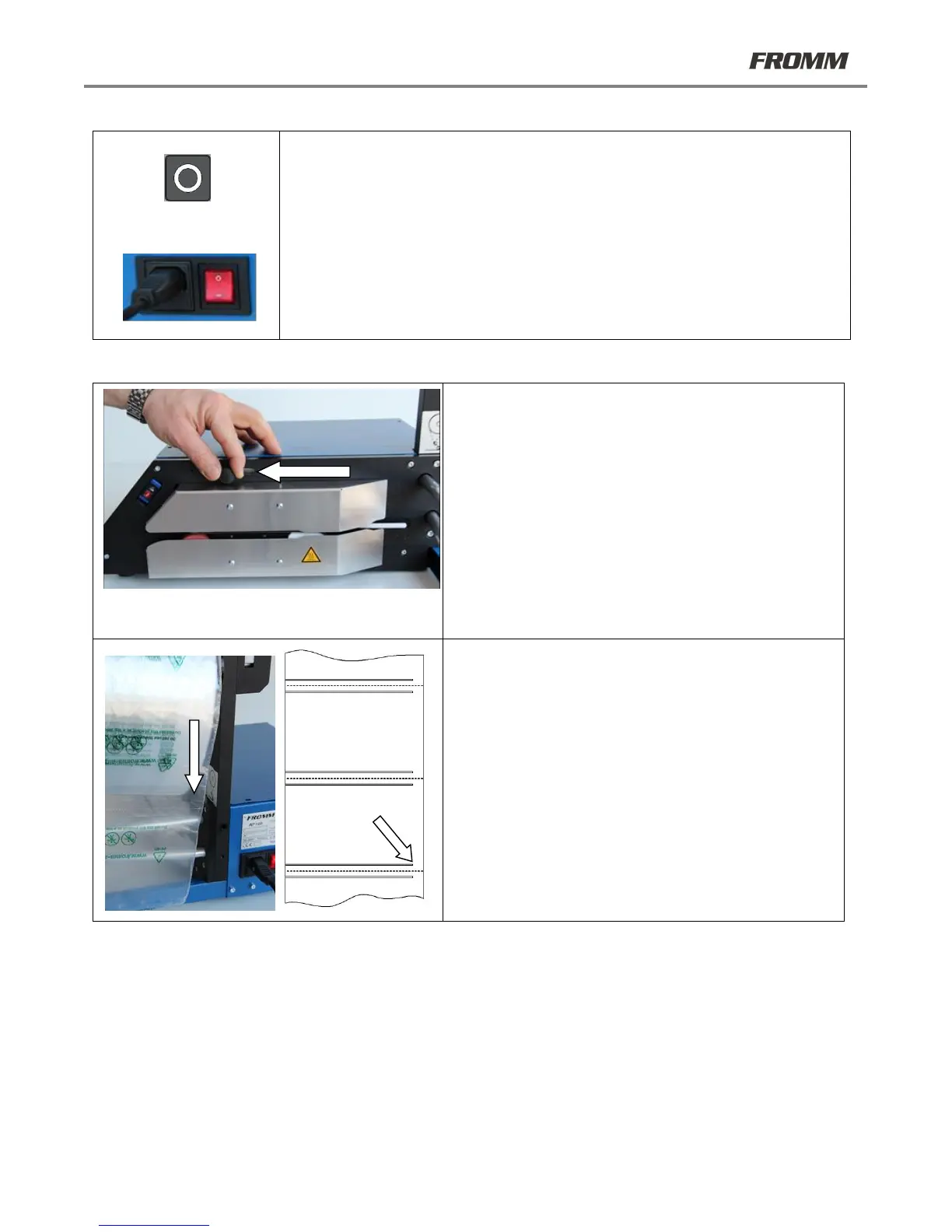
21.3 Shutdown
Press the STOP button
To end the active cycle.
Shutdown
Use the switch located on the back of the machine to completely shutdown the
machine. This same switch should be used in case of emergency. After the switch is
moved to the 0 position, the machine will stop immediately and power will be cut for
the main parts of the machine.
21.4 Film roll loading
21.4.1
Lift the top feed unit by pulling the knob in the direction
indicated by the arrow.
21.4.2
Insert the roll and ensure that the open channel end of the
film is on the inside.
Open channel
end