Quick guide PV Point & PV Point Comfort 1315
3.2 Activation of the PV Point [Comfort] at a later date
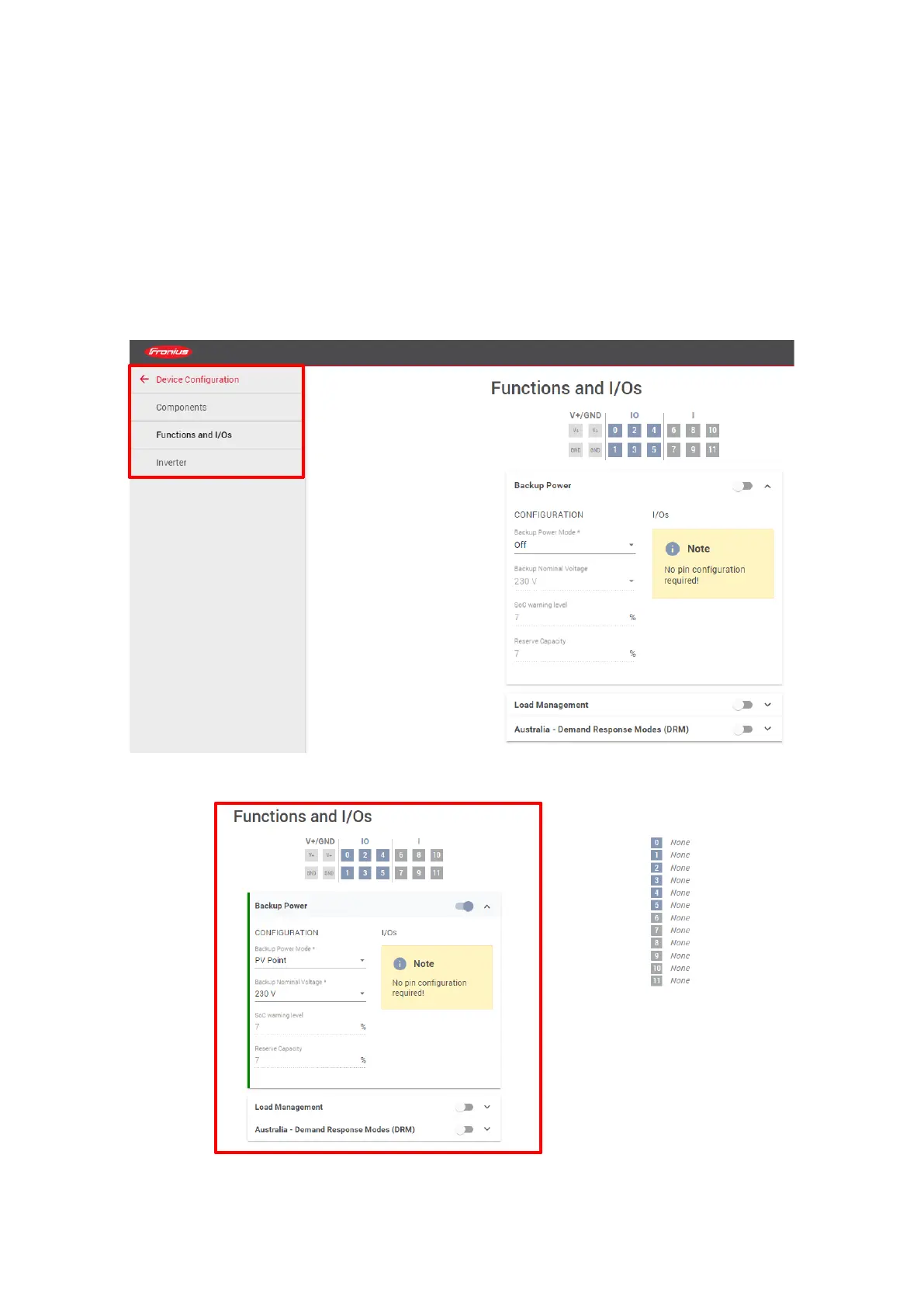
The PV Point [Comfort] can also be installed and activated retrospectively at any time. In this case, it is
also necessary to connect to the web interface of the inverter after installation. To activate, navigate
away from the start page via the "Device conguration" menu item to the "Functions and I/Os", where
you can again set the basic backup power function and the "PV Point" mode. Figure 11 shows the photo
gallery of the most important steps and settings:



 To Next Page