EasyManua.ls Logo

Fronius TransSteel 2200 - User Manual

Fronius TransSteel 2200
136 pages
Print Icon
To Next Page IconTo Next Page
Loading...
Fronius prints on elemental chlorine free paper (ECF) sourced from certified sustainable forests (FSC).
/ Perfect Charging / Perfect Welding / Solar Energy
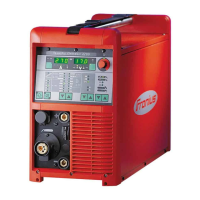
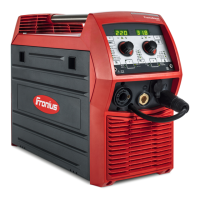
TransSteel 2200
EN-US
Operating instructions
MIG/MAG power source
42,0426,0241,EA 014-29042021

Table of Contents

Other manuals for Fronius TransSteel 2200

Questions and Answers

  • E
    Erica JohnsonAug 17, 2025
    Why does my Fronius TransSteel 2200 Power Supply have no welding current?
    • L
      Laura LinAug 17, 2025
      If your Fronius Power Supply has no welding current, it might be due to overloading. In this case, observe the duty cycle. Another cause could be that the thermal automatic circuit breaker has tripped. If so, wait for the power source to automatically come back on after the cooling phase. It could also be due to a limited supply of cooling air, so clean the air filter and ensure accessibility to the ventilation openings. If the fan in the power source is faulty, contact After-Sales Service.
  • S
    Sydney MarshallAug 20, 2025
    What to do if there is no welding current in my Fronius Power Supply?
    • S
      Steven HarrisAug 20, 2025
      If there is no welding current in your Fronius Power Supply, ensure that the ground connection is correct for polarity. Also, check for any damage to the power cable in the welding torch, and replace the welding torch if necessary.
  • A
    Aaron PhillipsAug 25, 2025
    How to troubleshoot a Fronius Power Supply that is not working?
    • F
      Fernando SheltonAug 25, 2025
      If your Fronius Power Supply is not working, start by checking the grid lead for any damage and ensure the grid plug is properly inserted. If the grid socket or grid plug is faulty, replace the faulty parts. Also, check and replace the grid fuse if necessary.
  • T
    Tammy HendersonAug 27, 2025
    Why does my Fronius TransSteel 2200 Power Supply produce poor-quality welds?
    • S
      Scott PittsAug 27, 2025
      If your Fronius Power Supply has poor-quality weld properties, check the welding parameters and ensure they are correct. Also, ensure a good ground connection with the workpiece. Check for sufficient shielding gas pressure, regulator, hose, and connections. Replace the welding torch if it leaks, and change the contact tip if it's worn or incorrect. Verify that the wire alloy and diameter are correct, and use the appropriate shielding gas for the wire alloy.
  • D
    danielle99Aug 30, 2025
    Why is there no shielding gas in my Fronius TransSteel 2200 Power Supply?
    • S
      sarahsanchezAug 30, 2025
      If your Fronius Power Supply has no shielding gas, ensure the gas hose is connected to the correct connection socket for the current welding process. If the gas cylinder is empty, change it. If the gas pressure regulator is faulty, replace it. Check the gas hose for any damage and fit or change it if necessary. If the welding torch is faulty, change it. If the gas solenoid valve is faulty, inform the service team.
  • A
    Anthony SchultzSep 2, 2025
    Why does my Fronius TransSteel 2200 Power Supply have irregular wire speed?
    • T
      Tammy LiSep 2, 2025
      If your Fronius Power Supply experiences irregular wire speed, the braking force may be set too high. Try loosening the brake. Also, the contact tip hole might be too narrow, so use a suitable contact tip. Check the inner liner in the welding torch for kinks or dirt, and replace it if necessary. Ensure that the feed rollers are suitable for the wire electrode being used, and optimize the contact pressure of the feed rollers.
  • J
    Johnny FullerSep 6, 2025
    What to do if nothing happens when I press the torch trigger on my Fronius TransSteel 2200?
    • J
      johnjonesSep 6, 2025
      If nothing happens when you press the torch trigger on your Fronius Power Supply, it could be that the welding torch or welding torch control line is faulty. Replace the welding torch to resolve this issue.
  • J
    Johnny LeeSep 9, 2025
    Why does the welding torch on my Fronius TransSteel 2200 Power Supply get very hot?
    • X
      xowenSep 9, 2025
      If the welding torch gets very hot while using your Fronius Power Supply, it might be inadequately sized. Observe the duty cycle and load limits to prevent overheating.
  • C
    cshawNov 13, 2025
    What to do if my Fronius TransSteel 2200 shows displayed service codes?
    • K
      Karen KellyNov 13, 2025
      If the Fronius Power Supply displays service codes, it could be due to various reasons. It could be an impermissible change of welding process during welding, in which case you should avoid making such changes and reset the error by pressing any button. It might also be due to mains undervoltage or overvoltage, requiring you to check the grid voltage. Other causes include faults in the wirefeed system, a sticking wirefeeder motor, or overtemperature on various PC boards or within the power source itself, in which case you should allow the power source to cool down, check and clean the air filter if necessary, and ensure the fan is running. Other reasons may include undertemperature, no saved program selected or an active "Ignition time-out" function. Follow the suggested solutions to resol...

Summary

Safety Instructions

Understanding Safety Symbols and General Precautions

Explains warning symbols and general safety principles for device use.

Operational Safety and Environmental Conditions

Covers intended use, environment, grid connection, operator responsibilities, and PPE.

Hazard Identification and Mitigation

Details risks from gases, fumes, noise, sparks, fire, electrical, EMC, EMF, and moving parts.

Gas Cylinder and Setup Safety Measures

Addresses shielding gas, cylinder safety, leak risks, and setup/transport precautions.

Maintenance, Inspection, and Disposal Procedures

Outlines safe operation, maintenance, inspection, disposal, and symbols.

General Information

Device Overview and Capabilities

Introduces the TransSteel 2200, its control, and supported welding processes.

Power Limitation and Application Areas

Explains the power limitation safety feature and illustrates typical welding applications.

Device Warning Notices and Symbols

Details safety labels and symbols affixed to the power source, warning against incorrect use.

Operating Controls and Connections

Control Panel Interface and Indicators

Explains control panel displays, indicators, and their functions.

Keylock and Parameter Selection Controls

Explains keylock functionality and parameter selection buttons/dials.

Device Connections: Front, Rear, and Side Views

Details torch connection, current sockets, TMC, ventilation, polarity reverser, and wire spool holders.

Installation and Initial Operation

General Setup, Safety, and Intended Use

Outlines general safety, intended use, and setup requirements, including IP protection.

Power Source Connection: Grid and Generator

Details grid connection requirements and using the power source with a generator.

Mains Fuse Protection and Carrying Strap Fitting

Explains mains fuse protection selection and fitting the carrying strap.

MIG;MAG Welding Procedures

MIG;MAG Torch and Wire Feed Setup

Guides on connecting the torch, inserting feed rollers, and installing wire spools.

Wire Feeding and Threading Process

Explains feeding the wire electrode, adjusting pressure, and the wire threading process.

Gas, Grounding, and Hosepack Setup

Covers gas cylinder connection, grounding, polarity reverser, and hosepack arrangement.

MIG;MAG Operating Modes Description

Details 2-step, 4-step, special 4-step, spot, and stitch welding modes.

Manual and Synergic Welding Procedures

Guides on performing manual and synergic MIG/MAG welding with parameter adjustments.

Spot and Stitch Welding Operations

Instructions for performing spot and stitch welding.

TIG Welding Procedures

TIG Welding Setup and Initial Operation

Guides on initial TIG setup and the basic welding process.

TIG Operating Modes Description

Details TIG operating modes like 2-step, 4-step, and pulse welding.

Rod Electrode (MMA) Welding

MMA Welding Preparation and Procedure

Steps for MMA welding preparation and the basic welding process.

Country-Specific Settings for MMA Welding

Explains how country-specific settings apply to MMA welding.

Optimizing Welding Process Functions

Arc-Force, HotStart, and Anti-Stick Functions

Explains functions to optimize arc stability, ignition, and prevent electrode sticking.

EasyJobs Functionality

Managing Saved Welding Jobs (EasyJobs)

Details how to manage saved welding parameter sets for quick recall.

Setup Menu Configuration

Setup Menu Level 1 Parameters

Details accessing and changing parameters in the first level of the setup menu.

Setup Menu Level 2 Parameters

Explains how to access and modify parameters in the second level of the setup menu.

Optimizing Weld Quality

Measuring Welding Circuit Resistance

Guides on measuring circuit resistance for consistent welding voltage regulation.

Displaying Welding Circuit Inductivity

Explains how to display and interpret welding circuit inductivity.

Troubleshooting and Maintenance

Displaying Service Parameters and Error Codes

Shows how to view service parameters and understand error codes.

Troubleshooting Common Operational Issues

Provides guidance on diagnosing and resolving common operational issues and errors.

Maintenance, Cleaning, and Disposal Procedures

Details routine maintenance, cleaning, and disposal procedures.

Fronius TransSteel 2200 Specifications

General IconGeneral
BrandFronius
ModelTransSteel 2200
CategoryPower Supply
LanguageEnglish

Related product manuals