LOV
™
Technical Reference
20
Loading Software from an SD card to an M2007 Computer and ATO Board
To update M2007 computer software in the fi eld, follow these steps:
1. Switch all computers to OFF. With the computer displaying
OFF, press the TEMP button to
check current M2007/MIB/AIF/ATO software version.
2. With the computer displaying
OFF, remove the two screws on the left side cover plate of the
M2007 board.
3. With the computer folded down and the MIB displaying
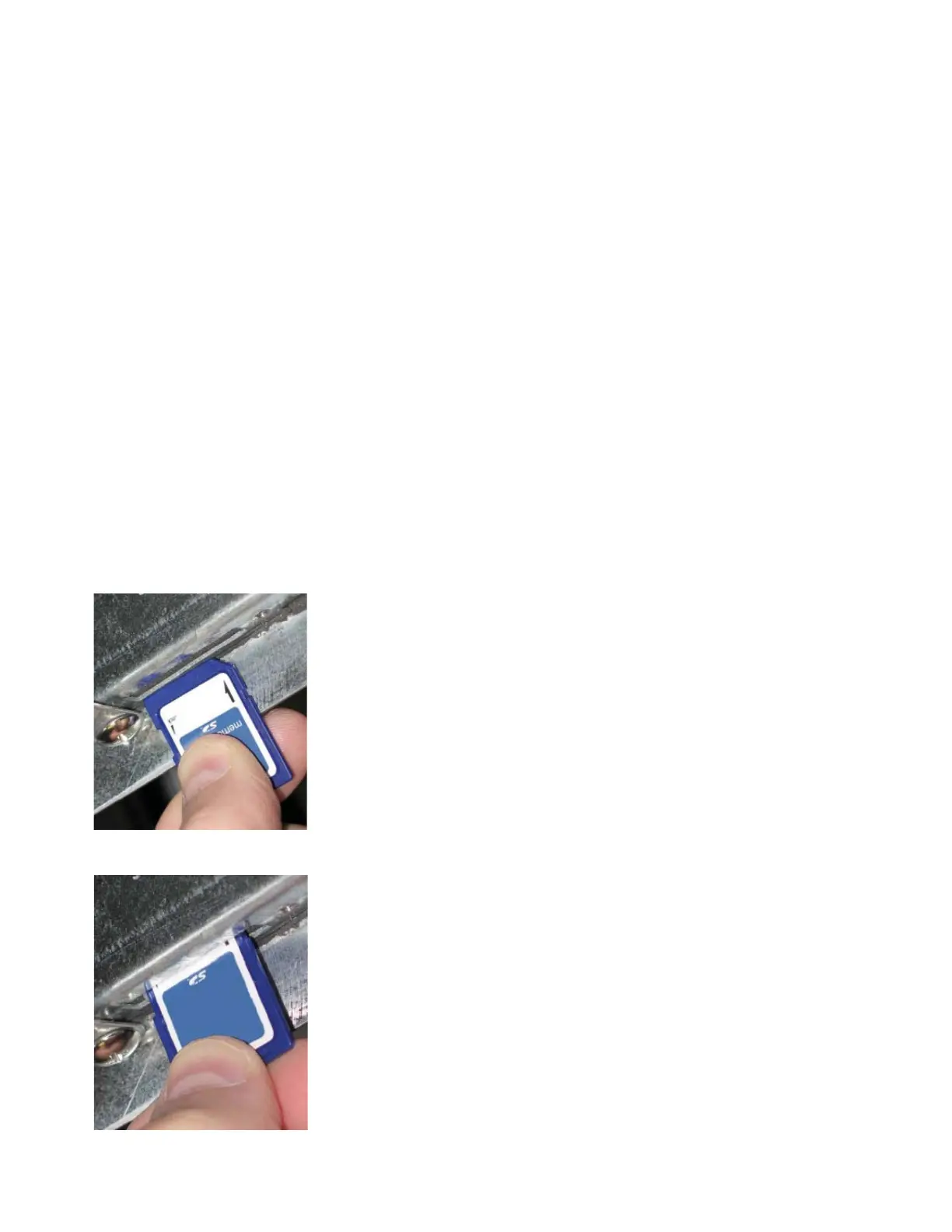
, insert the SD card, with the con-
tacts facing down and the notch on the bottom right (see images below), into the slot on the
left side of the M2007.
4. Once inserted,
FWUPD appears on the left display and
SCCRCOK appears on the right.
Numbers count up on the right display.
5. The display then changes to
FWLOAD on the left; numbers count up on the right.
6. The computer displays
OBFCRC. If updating ATO software the computer will display
FWU
ATO on the left and will count down from 2500 on the right.
7. When the update is complete the M2007 displays
DONE on the left
and
RM SDCRD on the right.
8. Remove the SD card using the fi ngernail slot on the top of the SD
card.
9. If updating the M2007 or ATO board, remove power to the M2007
by removing the 20-pin J2 plug on the rear of the computer, or re-
move power to the fryer to reboot the computer. If updating all the
software update the MIB and then the M2007 and then remove all
power from the fryer using the fi ve-pin control power cord on the
rear of the unit.
10. Restore power to the M2007 – There is short delay prior to the
computer powering up and displaying
OFF.
11. Repeat steps 1-10 for all computers.
12. With the computer displaying
OFF, verify software update by
pressing the TEMP button to check updated M2007/MIB/AIF/
ATO version.
13. If the software is adding fi elds that require passwords, enter Level 2
mode and change passwords.
Insert the SD card with con-
tacts facing down.
Remove the SD card using the
fi ngernail slot on the top of the
card.















 To Next Page