© 2021 Flanders Scientic, Inc.
17
Return to Table of Contents
Function Menu
DSLR Zoom (continued)
Safety Broadcast
Safety Broadcast is a special monitoring mode designed for Control Room and QC station environments. With Safety
Broadcast mode activated you can have simultaneous display of two audio level meters, Enhanced Source ID display (large
overlay, remotely or manually set), Enhanced Alarm Window Display (large window, red background), and
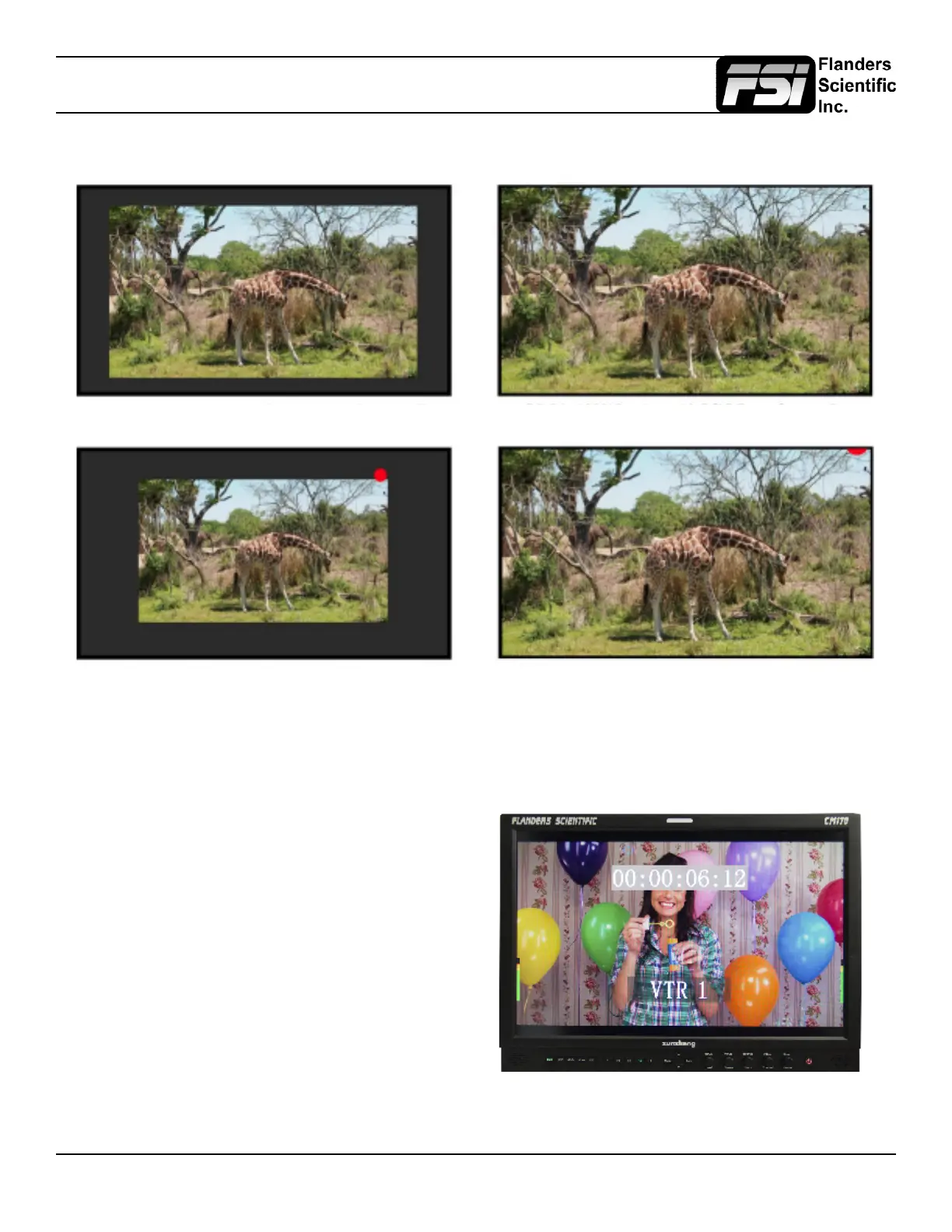
DSLR in 1080i Preview with DSLR Zoom feature Off DSLR in 1080i Preview with DSLR Zoom Feature On
DSLR in 480p Record Mode with DSLR Zoom feature off DSLR in 480p Record Mode with DSLR Zoom feature On
enhanced timecode display (large timecode overlay
window). Please note that as with the standard Alarm
Monitoring feature the monitor may respond slowly
to user toggles/inputs if a constant alarm condition is
occurring. Toggles for UMD Display, Color, and
Position are found in the Alarm Menu. Vertical or
Horizontal Safety Broadcast Audio Meter selection
is also found in the Alarm Menu.



 To Next Page