Section 4 Service, Configuration & Test
40 FT722 & FT742 (RS485) – FF & PM Sensors – User Manual
4.4 The Acu-Test Evaluation Kit
FT can provide Acu-Test Evaluation Kits and power supplies to assist users with connection, development and
test of the FT sensors. The kit connects the sensor to a power supply and a Windows PC using virtual COM ports.
The USB test cables converts RS485HD to USB.
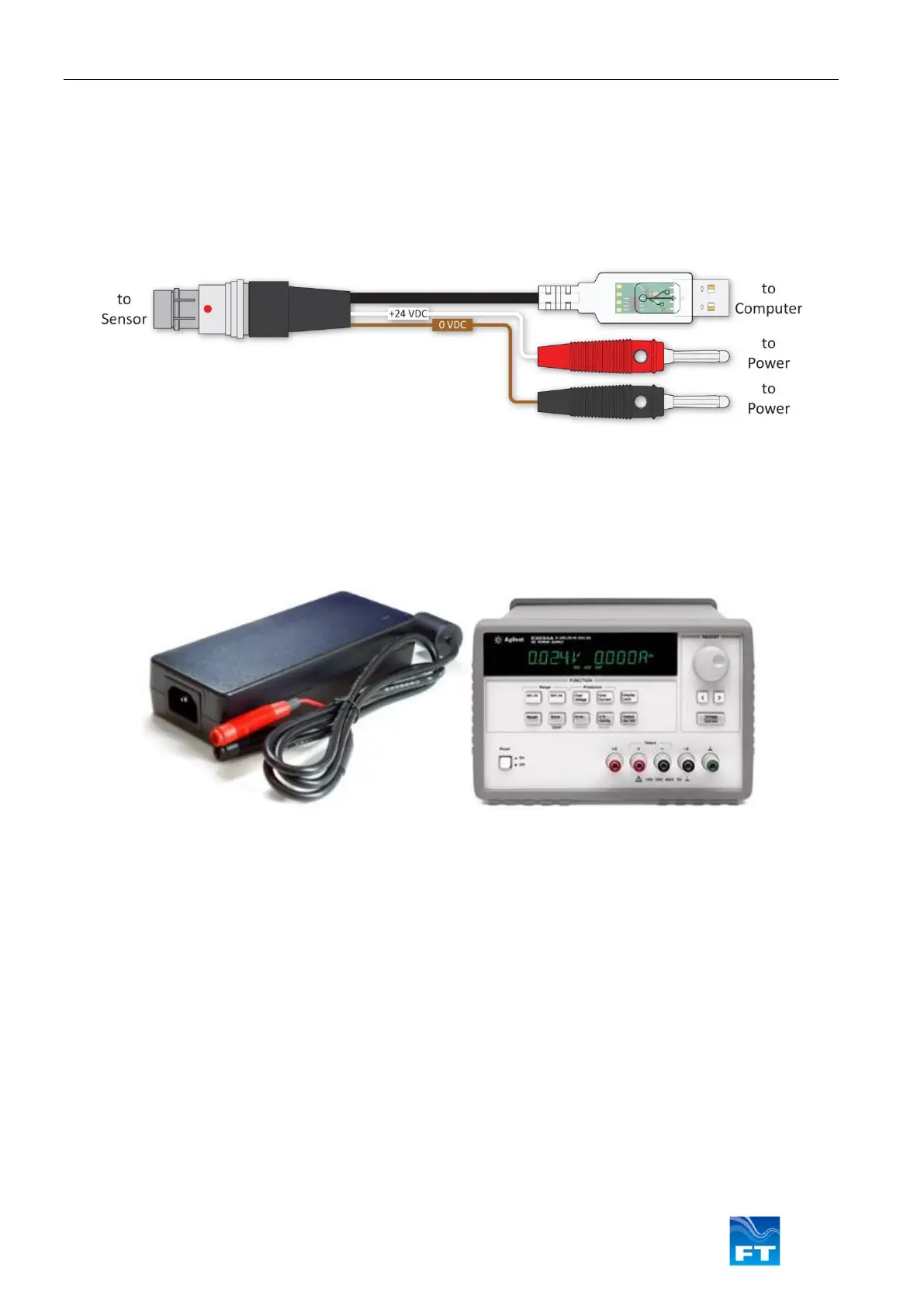
The models described in this user manual use the FT054 Acu-Test cable:
Figure 33: FT054 Acu-Test Evaluation Cable
The Acu-Test Evaluation Kit includes a USB test cable and a CD containing the Acu-Vis software installation files
and user manuals. An external power supply capable of 6-30VDC and 4A is necessary, the FT062 power supply
may be used where the use of a benchtop electronics power supply is unsuitable.
Note: The FT062 power supply requires a regional C13-style adaptor for mains connection. See Figure 34.
Figure 34: The FT062 Power Supply (left) & Benchtop Electronic PSU Example (right)
The Acu-Test kit allows the user to view and modify configuration settings. The Acu-Test cable is not intended for
long-term datalogging use.
Acu-Vis 2.0 software will work on a PC running Microsoft Windows 7, 8, 8.1 and 10.
Note: RS485 half-duplex sensors running in Continuous Update (CU) mode can be difficult to
communicate with due to the limitations of half-duplex topology. Contact FT Technologies for assistance
or disable CU mode using Acu-Vis 2.0
Caution: Live connection/disconnection of the power and/or sensors during live operation, or miswiring
of the power leads could damage the Acu-Test cable and is not covered by FT’s standard warranty terms
Warning: Modifying settings may alter the performance of FT wind sensors, ensure the user understands
the potential risks
Warning: Users should perform a risk assessment and be suitably trained before attempting to use any
electrical equipment. Personal injury may result from unsuitable working practices



 To Next Page