700-Bubbler-Man Rev 12 13 Feb 2020
Page 26/51
Setting Custom Unit (Slope)
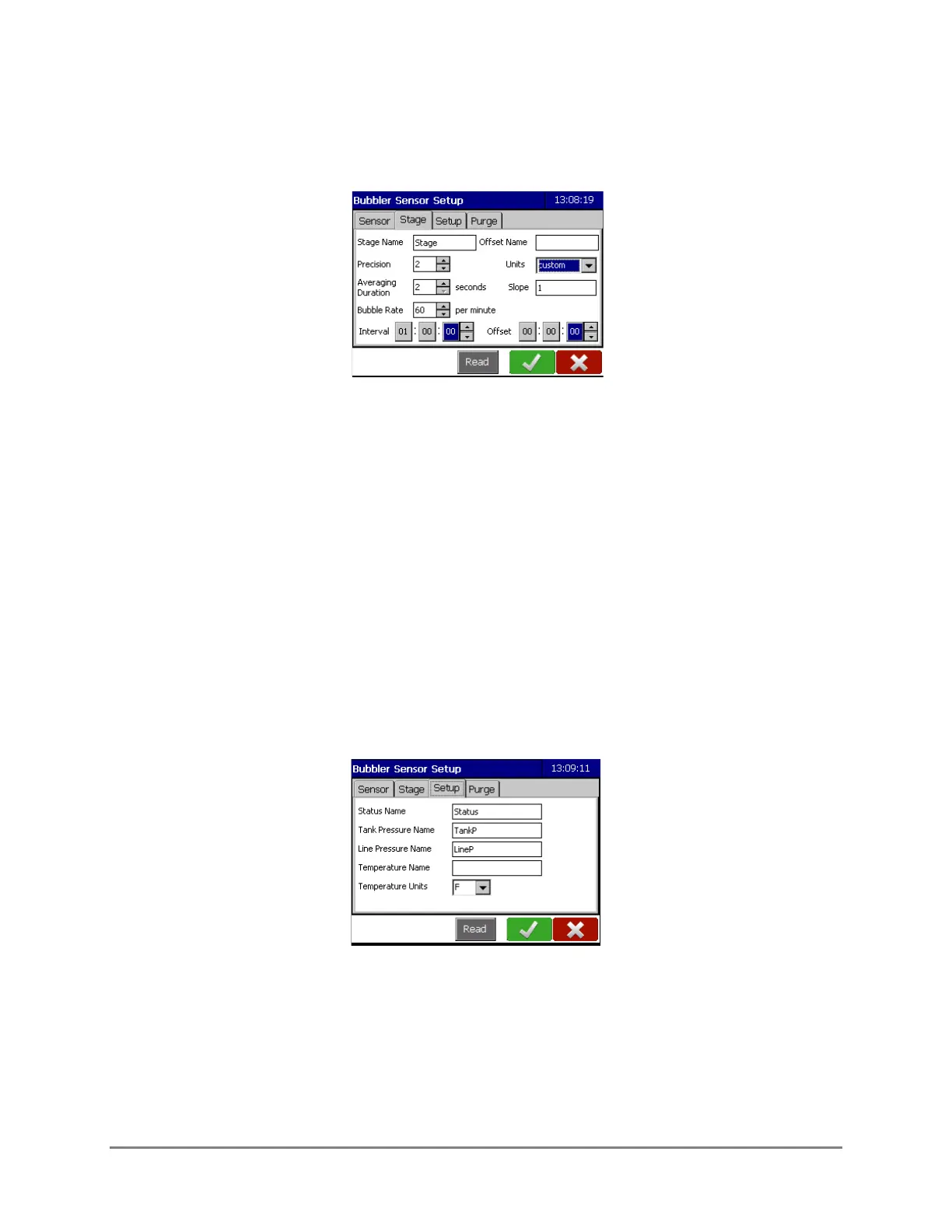
Select Custom to input a slope. Once Custom is selected in the drop-down menu, a blank
field will appear in which the desired slope can be input.
Averaging Duration: The period of time over which the samples taken. This will be used to
calculate the displayed stage value. It takes approximately 2 seconds to take a sample. The
average duration range is from 2-60 seconds.
Bubble Rate: This determines the number of bubbles per minute which will be released. The rate
can be set from 30-120 bubbles per minute.
Interval: This is how often a measurement will be taken. It is in HH:mm:ss format.
Offset: This determines the starting time the measurement will be taken based on time after
midnight.
For example: An interval of 01:00:00 and an offset of 00:15:00 means a measurement will be
taken every hour commencing at 15 minutes after midnight (00:15:00, 01:15:00, 02:15:00, etc.).
4.4 SETUP TAB
Status Name: The default name is Status and can be changed if desired.
Tank Pressure Name: The default name is TankP and can be changed if desired. Units are in psi.
Line Pressure Name: The default name is LineP and can be changed if desired. Units are in psi.
Temperature Name: Insert the desired name for the temperature variable.



 To Next Page