700-Bubbler-Man Rev 12 13 Feb 2020
Page 32/51
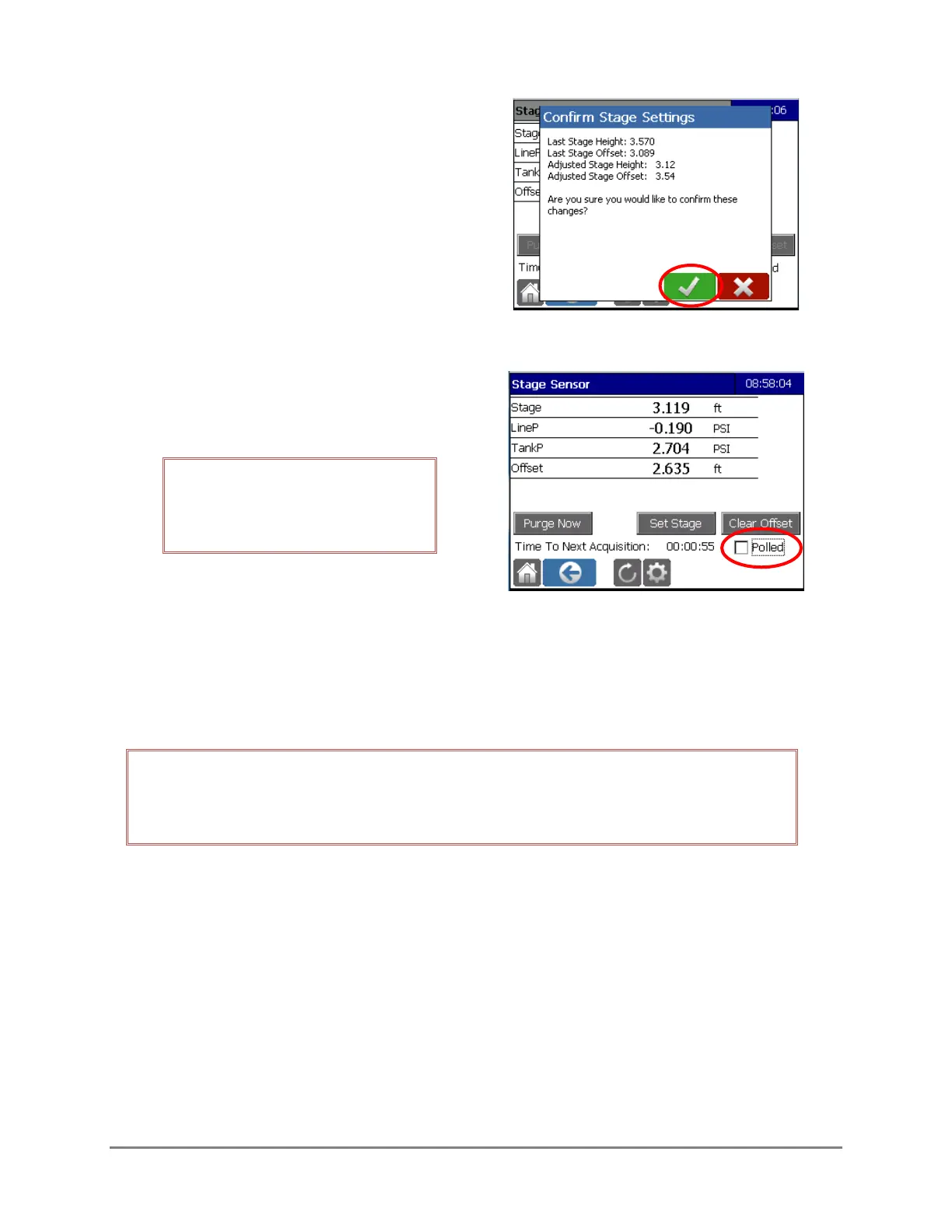
7. Confirm the new Stage Settings
8. De-select the Polled box. The new Stage
Offset will be calculated.
IMPORTANT! You MUST de-select
the polled box for the stage
calculation to be implemented.
4.8 SETTING THE BUBBLER’S TIME
On power cycle, the Bubbler’s date and time will be set automatically by the Axiom Datalogger.
Should the Datalogger and Bubbler’s times fall out of synchronization, the Bubbler’s date and time
can be reset using the XDT command (see section 5.2.3)
NOTE: The Bubbler’s time is used to timestamp the service and log entries stored on the
SD card. Transmitted data will be timestamped in accordance with the Datalogger’s
clock.



 To Next Page