700-Bubbler-Man Rev 12 13 Feb 2020
Page 31/51
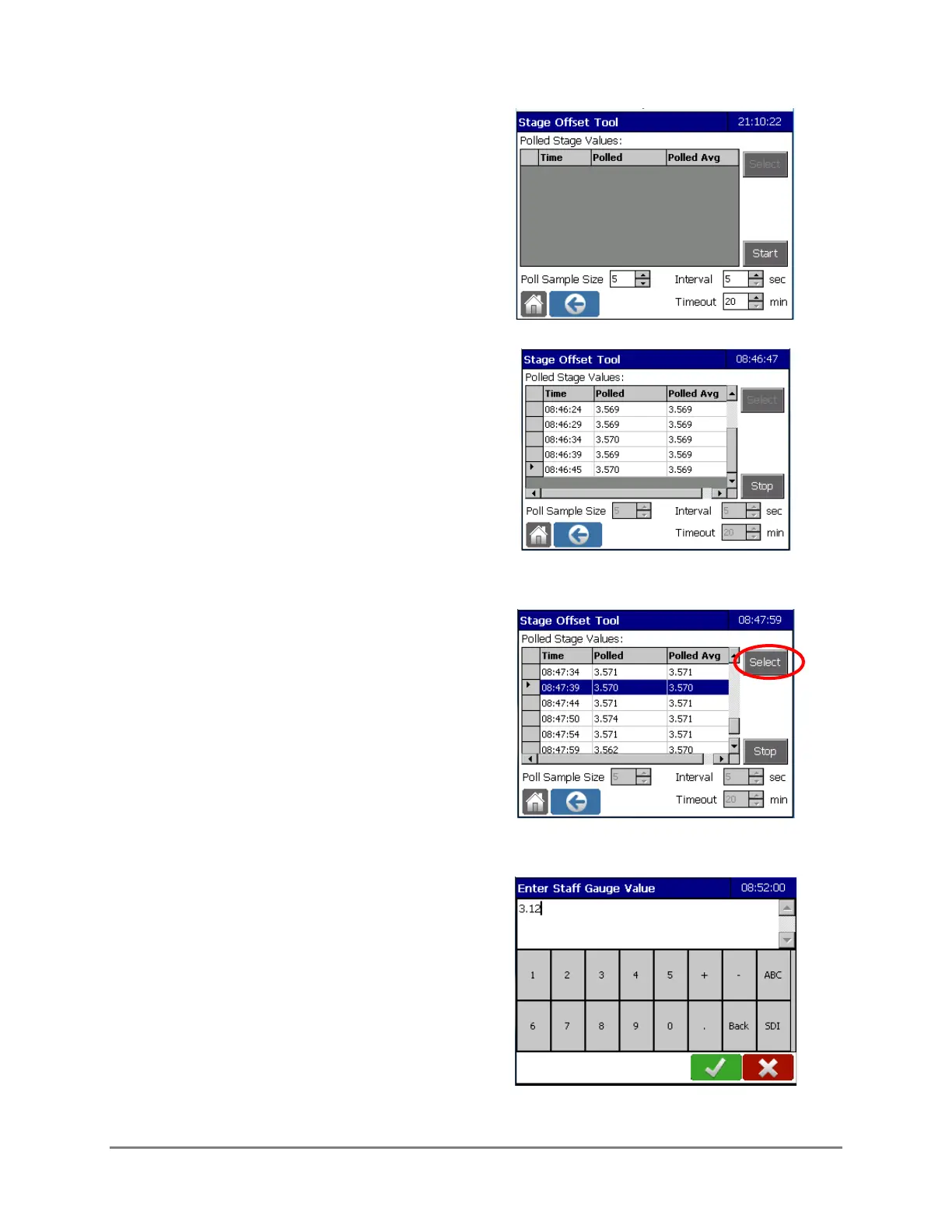
2. The Stage Offset Tool screen is displayed.
Enter the desired Interval and Timeout
times.
Interval is the polling interval and Timeout
is the period of time over which polling will
take place. The Poll Sample Size refers to
how many readings will be averaged per
interval.
3. Synchronize your timepiece to the
Datalogger and select Start.
The screen is displayed in view only mode
and polling commences. Polling values will
be displayed until the Stop button is
selected.
4. Go read the staff gauge. Note the time
(hour, minute and second) and the
observed value.
5. When you return to the Datalogger select
STOP, scroll through the stage sensor
readings and tap on the time that
corresponds to your reading of the staff
gauge. Press Select.
6. The Enter Staff Gauge Value screen
appears. Enter the observed value and
confirm.



 To Next Page