10 Rev 007, 04/12
© SP Scientific 2012
Installation
Add Fluid
CORROSIVE CHEMICAL!. WEAR SUITABLE GLOVES, SAFETY GLASSES, AND PROTECTIVE
CLOTHING.
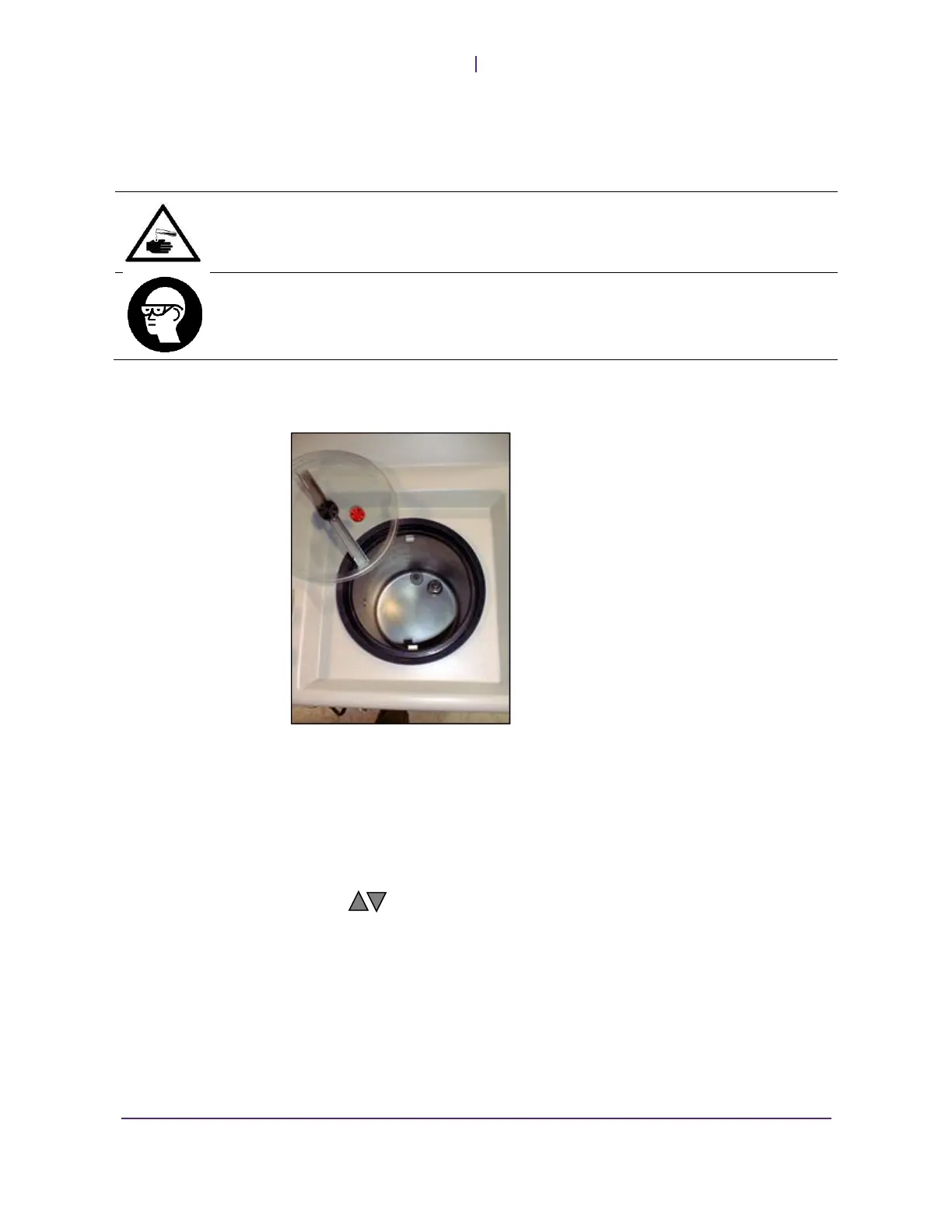
Remove reservoir lid 1.
Fill reservoir to 1” (2.5cm) from the top 2.
Replace and tighten lid. 3.
Move the rocker switch on the front panel to the ON (I) position, the amber 4.
POWER light should illuminate.
Press the I/O button to start the unit 5.
Use the buttons to adjust the display to +20°C. 6.
Run the unit continuously for 3 to 4 hours with the short circuit hose hooked up and
the panels off.
If there are any fluid leaks in the system, they will be highlighted by the 1.
cardboard.
Also, measure the wall voltage while the unit is running to be sure that it is in 2.
an acceptable range (compare with voltage listed on serial tag on back of the
unit)
Call SP Scientific Service if there is a problem. 3.


 To Next Page