Rev 007, 04/12 27
© SP Scientific 2012
CPb
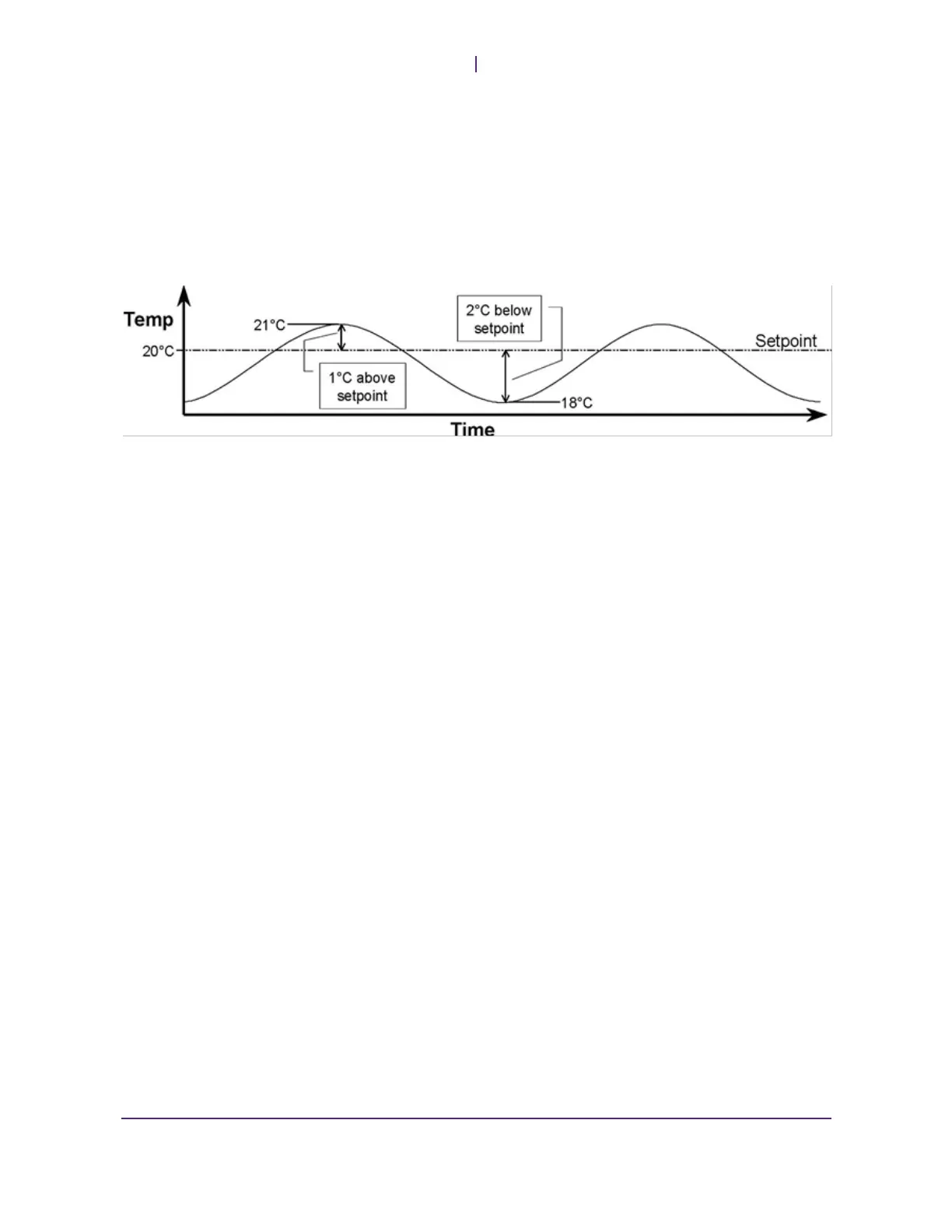
Note the amount the temperature swings above and below the setpoint. The
temperature swing is used to figure the proportioning band.
Cool Proportioning Band (CPb) = Temperature swing below setpoint + 10% of that
temperature swing
Example:
CPb = 2°C + 10% of 2°C = 2 + 0.2 = 2.2
Note: New values for CPb are only processed with a new setpoint. Therefore, after entering
new values for CPb it is necessary to get out of the Program Mode (successive I/Os ESC) and
change the setpoint. Once in the Operation Mode, change the setpoint (press the key twice
and then I/O), then you can change it back (press the key twice, and press ENTER). The
new values will now be used.


 To Next Page