SeaSTAR 3610 USER MANUAL
MENUS AND DISPLAYS
General
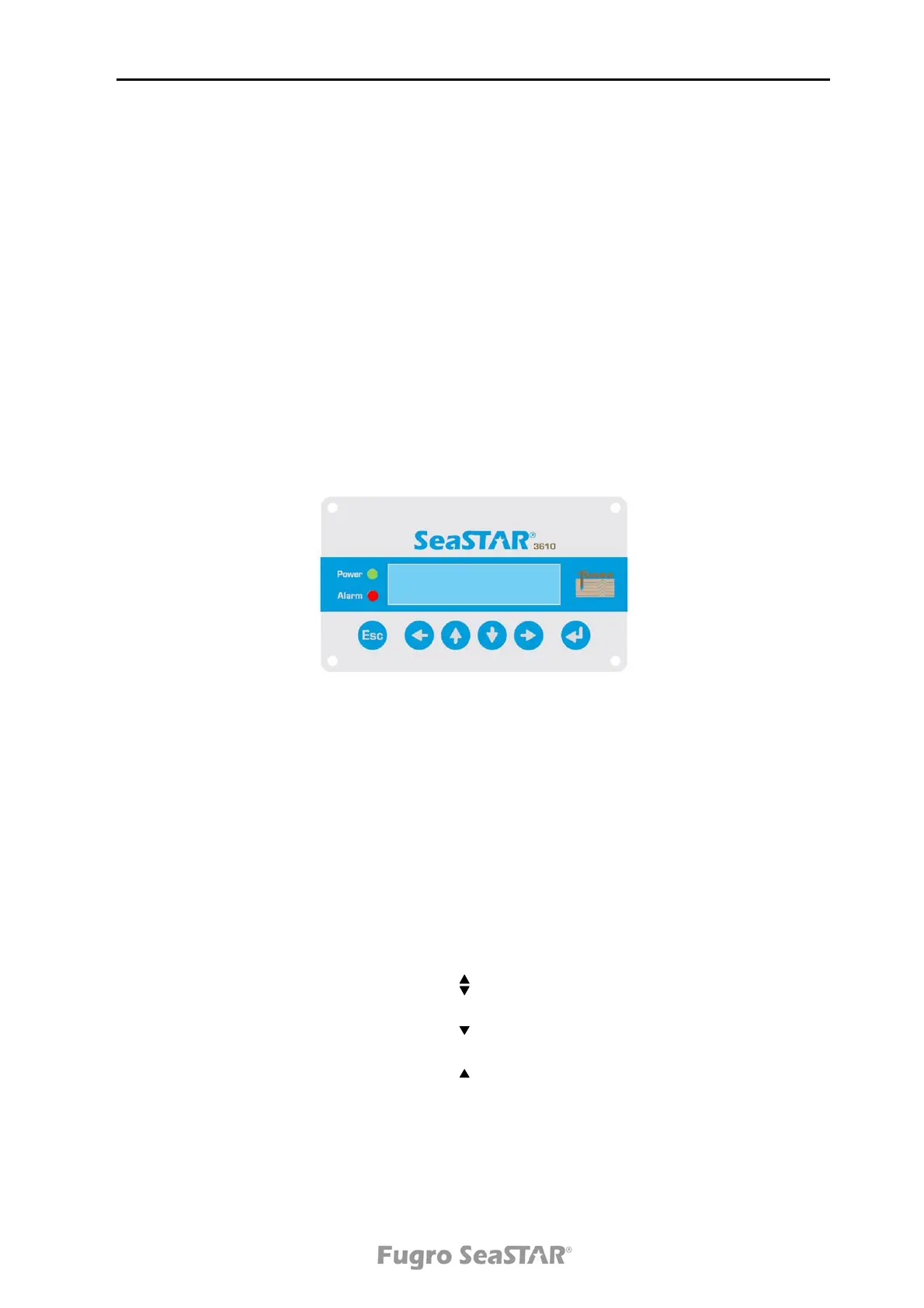
The 3610 DGNSS receiver has an internal display with 2 lines x 16 characters. There
are six buttons on the keypad; ESC, , , , and (Enter).
The button is used to confirm user input and settings. It is also used to select a
page. The ESC button is used to exit pages without changing settings, while the
Arrow buttons are used to turn pages and to set parameters.
Pressing the ESC and buttons simultaneously for 3 seconds will reboot the
receiver.
There are two LED indicators on the 3610 DGNSS receiver, one green and one red.
The green LED indicator is lit when the unit is powered on. The red LED indicator is lit
or flashes when the 3610 DGNSS receiver unit has an alarm situation.
Figure 5. The 3610 DGNSS receiver front panel
There are seven main pages in the 3610 DGNSS receiver menu structure: Status
menu, Set pos/Ch menu, Port Cfg menu, Set GPS sites menu, Set Glo sites menu,
Display cfg menu and About menu. In addition to the main pages, a Signal status
page (top level page) is displayed.
When the 3610 DGNSS receiver unit starts, the Signal status page is displayed
showing indication of signal strength, satellite name and lock status.
On the display pages there are arrow indicators at the bottom right side of the display.
The arrows indicate the possibility to turn pages up or down.
Possible to turn page up or down
Possible to turn page down
Possible to turn page up
Step into sub-menu
►
Issue 2.0 02/10
11



 To Next Page