SeaSTAR 3610 USER MANUAL
Bars filled C/N
No bars <1.0
1 bar 1.0 – 1.5
2 bars 1.5 – 2.0
3 bars 2.0 – 3.0
4 bars 3.0 – 4.0
5 bars 4.0 – 5.0
6 bars 6.0 – 7.0
7 bars 7.0 – 8.0
8 bars > 8.0
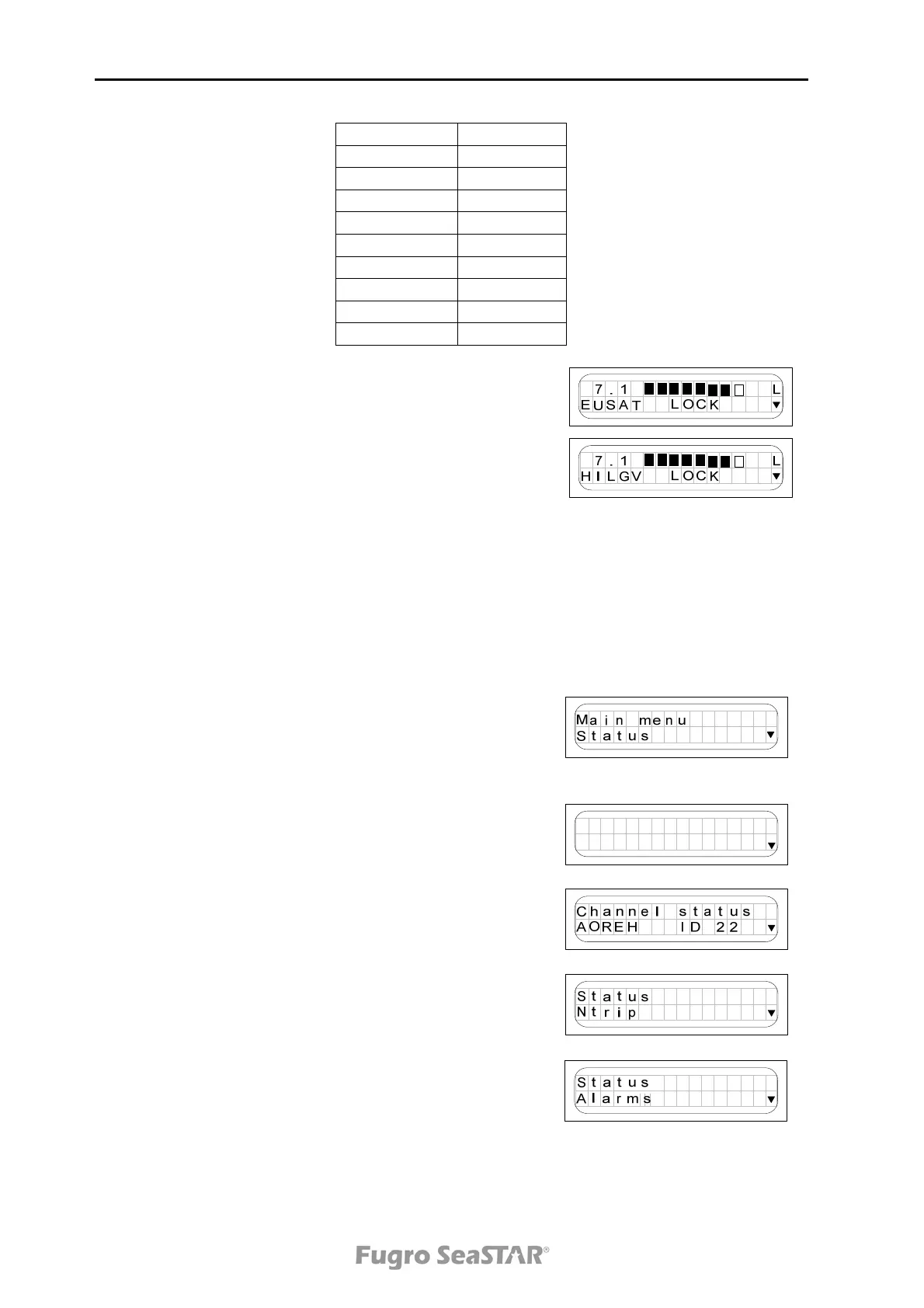
At the bottom left, the text alternates between showing
configured satellite and available subscriptions. The
subscription indications are as follows:
H : HP
L : L1
I : Iono
G : GLONASS
V : VBS
R : RAW (SCF)
Status menu
When pressing arrow down in the Signal status page,
the Main menu with its main pages appears.
When pressing the Enter button from the page
displayed to the right, the Status menu with Channel
status, Alarms, Position status, Port A and B and
Antenna power on/off is displayed.
The Channel status page displays DGNSS satellite
status. When selecting a channel status page and
using the and buttons to toggle up and down, the
satellite ID, service ID, actual frequency, symbol rate,
last lock time, good counts, bad counts, C/N and C/N
0
are displayed.
S
t
eCa
n
u
sa
l
t
hn
The NTRIP page displays if the NTRIP is active or not,
the NTRIP IP-address, the NTRIP port and the NTRIP
mountpoint (satellite).
From the Alarms page current and/or previous alarm
situations can be accessed.
Issue 2.0 02/10
14



 To Next Page