SeaSTAR 3610 USER MANUAL
Selecting the Position status page displays the
position input by the user. If no position is input, --- is
displayed.
23
36
.
51
6N
0
Po s i t i on
LAT
From the Port A and Port B pages you can access the
port baud rate, GPS enable/disable, VBS enable/
disable, HP/XP enable/disable, GLO enable/disable,
IONO enable/disable, RAW (SCF) enable/disable and
Debug enable/disable. If there is no subscription to
these services, "No Subsc" will be displayed.
The Ant.power on/off displays if the antenna voltage
is turned on or off.
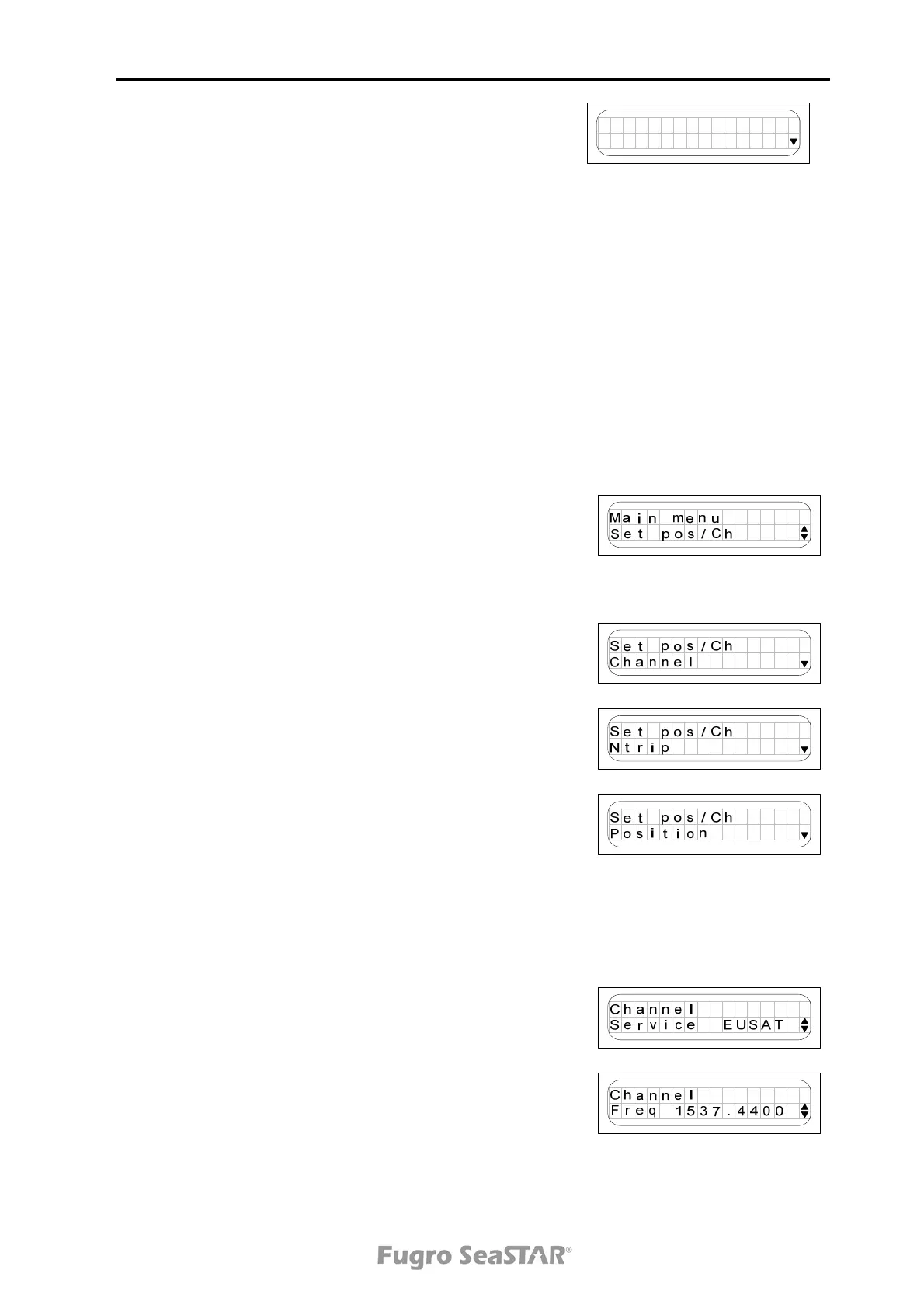
Set position/channel menu
When pressing the Enter button from the page
displayed to the right, the Set pos/Ch menu with
Channel settings, Position settings and Antenna power
on/off settings is displayed (12 VDC).
From the Channel page it is possible to set the satellite
service, the frequency and the symbol rate.
From the Ntrip page it is possible to set Ntrip
enable/disable, IP-address to server and user name and
password.
From the Position page it is possible to manually set the
latitude and longitude. Press to enter selection mode.
Press and to move to correct digit and press and
to change the numbers. Press to save the change.
Position
N 11°11.1111’ E 22°22.2222’
is converted to
LAT 1111.1111N LON 2222.2222E
To set channel service (Satellite), press and toggle
the arrows up and down until the desired satellite is
displayed. Press to save this change.
From the Freq page it is possible to manually set the
frequency on which the 3610 DGNSS receiver should
receive the differential signal. Press to enter selection
mode. Press and to move to correct digit and press
and to change the numbers. Press to save the
change.
Issue 2.0 02/10
15



 To Next Page