Fax
4
4 Fax
160
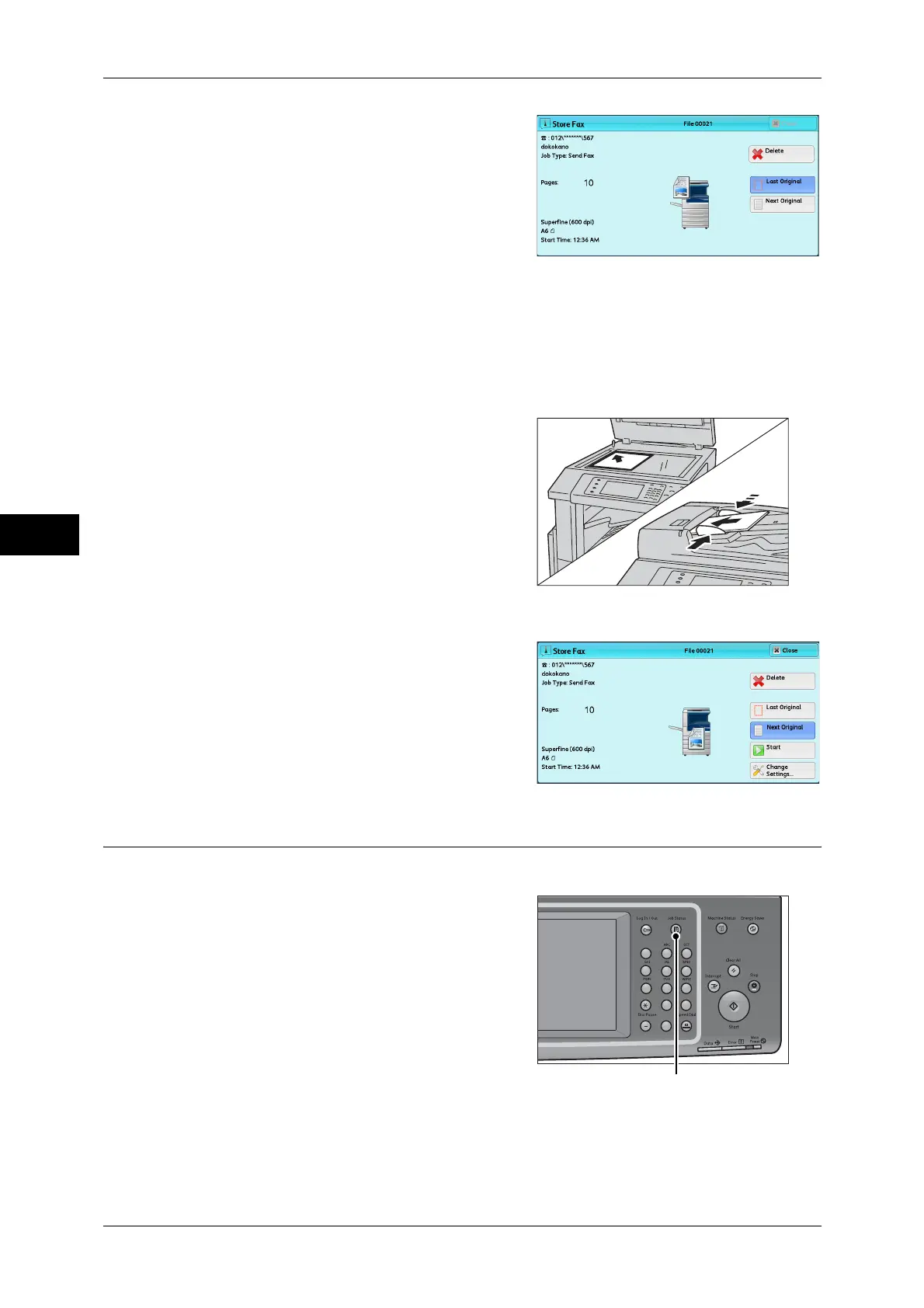
2 While documents are being scanned, select
[Next Original].
Note • When using the document feeder, load
the next document after the machine has
finished scanning the first document.
• When [Next Original] is displayed on the
screen shown on the right and no
operation is performed during a certain
period of time, the machine automatically
assumes that there are no more
documents.
• You can change the scan settings of the
next document by selecting [Resolution],
[Original Size], and [Lighten/Darken] that
are displayed after selecting [Next
Original].
3 Load the next document.
4 Press the <Start> button.
If you have more documents, repeat steps 3 and 4.
5 When all documents have been scanned,
select [Last Original].
Step 5 Confirming the Fax Job in Job Status
The following describes how to confirm the status of a fax job.
1 Press the <Job Status> button.
123
4
56
789
0#
C
<Job Status> button



 To Next Page
 Loading...