Fax/Internet Fax
193
Fax
4
Specifying a Line (Port)
You can specify lines using the keyboard screen. When the Additional G3 Port Kit 2
(optional) is installed, you can specify the line (port) and send faxes. Local terminal
information can be registered to each line. You can use each line for a different
purpose.
Important • When transmission to a certain recipient is prohibited in System Administration mode, the
[New Recipients] button cannot be used.
For information on how to set [Local Terminal Information], refer to "5 Tools" > "Fax Service Settings"
> "Local Terminal Information" in the Administrator Guide.
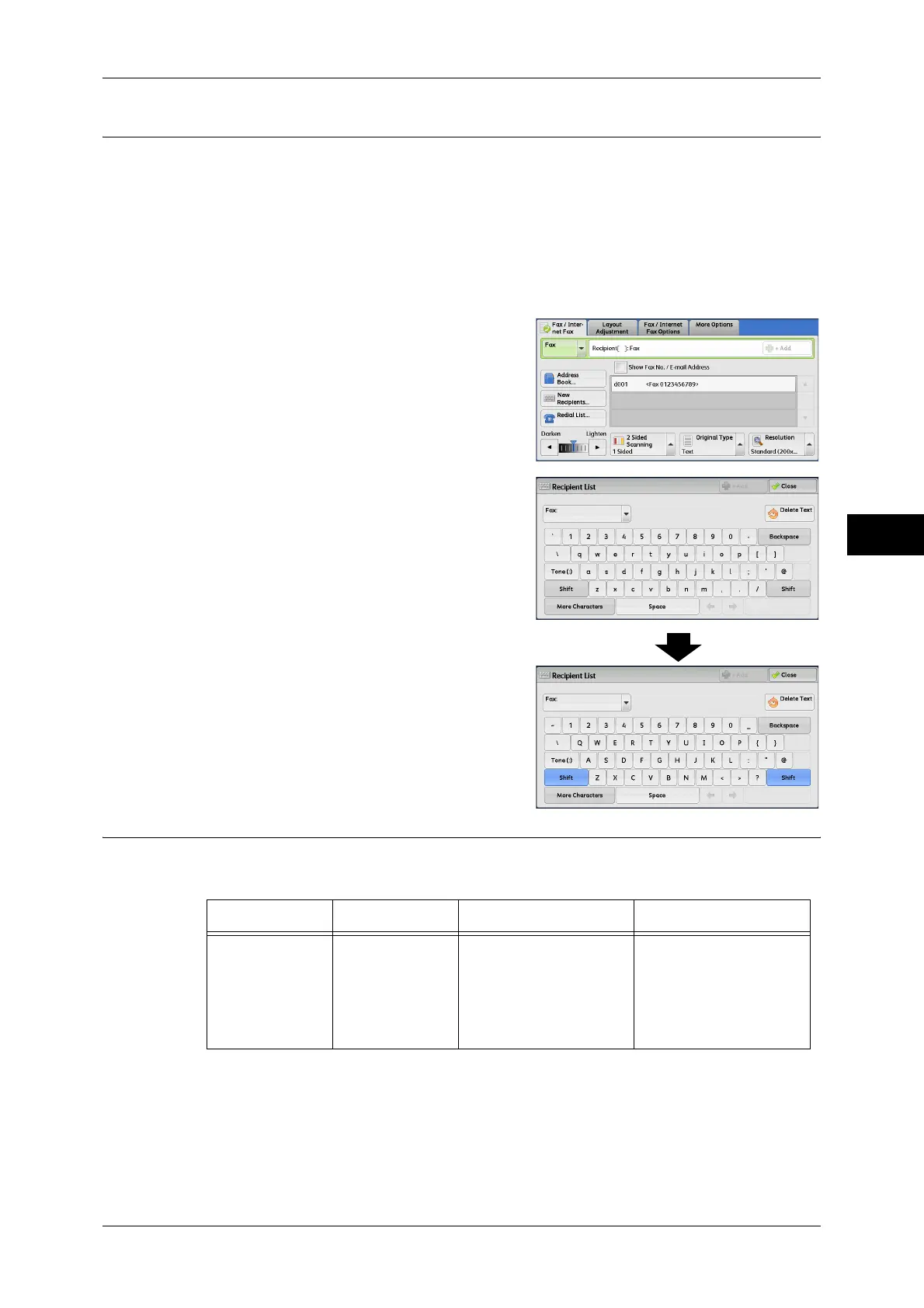
1 Select [New Recipients].
2 Select [Shift], and enter in the following
format: "<", "port number", ">", "recipient's
telephone number".
The following shows the corresponding lines
to each port:
<1>: Line 1
<2>: Line 2
<3>: Line 3
Example when using Line 1:
<1>XXXXXXXXXX
Entering Specific Symbols
When specifying a recipient, you can use the following features to enter specific
symbols on the touch screen.
Feature Button Function Input method
Enter pause - or
<Pause> (-)
Used to enter a pause.
One pause is 3 seconds.
You can enter pauses of
6 seconds, 9 seconds,
etc. by pressing the
button additional times.
Press the <Pause>
button.
(Example)
0-123 ...
0--123 ...



 To Next Page
 Loading...