Fax
4
4 Fax
250
Switching between Auto Receive and Manual Receive
1
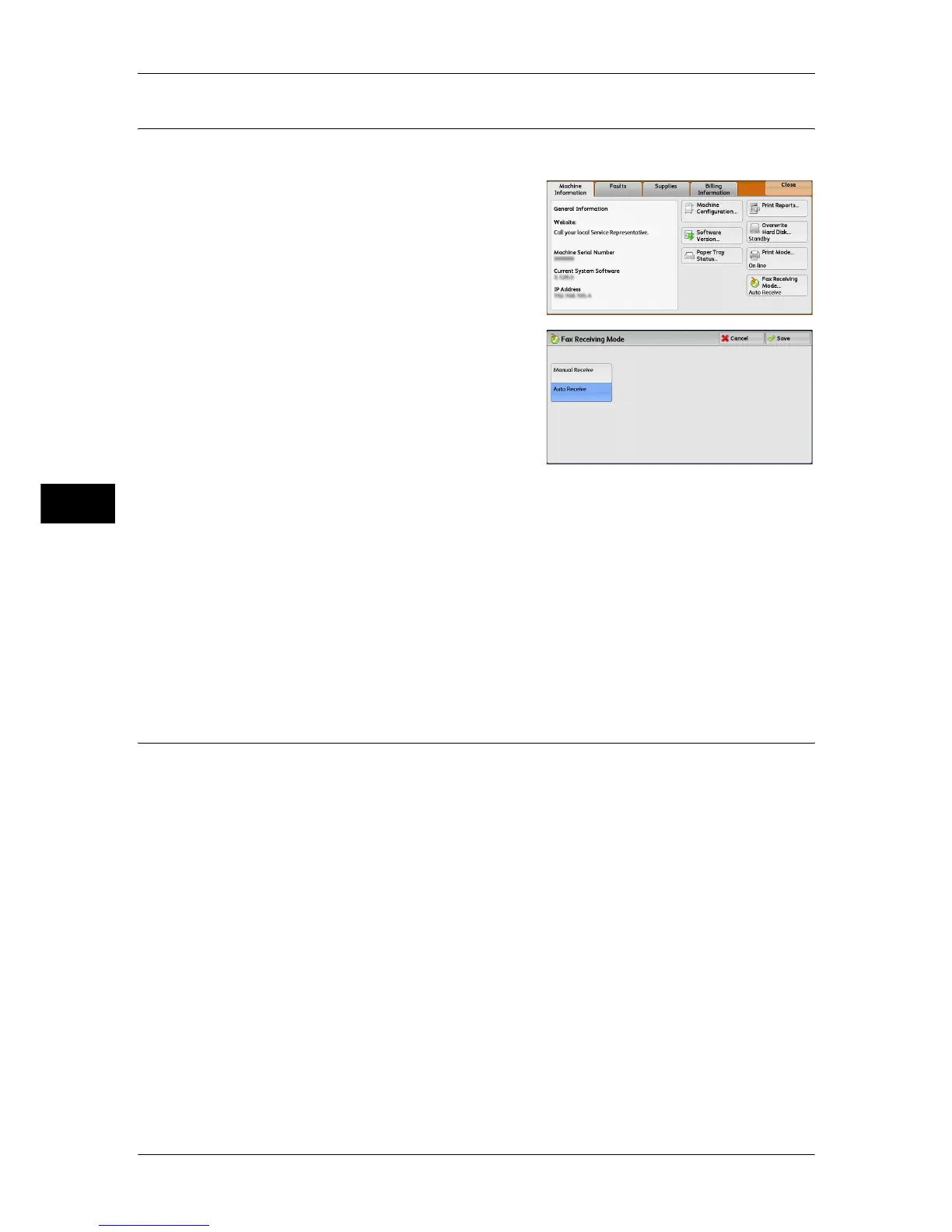
Press the <Machine Status> button.
2 Select [Fax Receiving Mode] on the
[Machine Information] screen.
3 Select [Manual Receive] or [Auto Receive].
Manual Receive
Reception of a fax from a remote machine is manual. This mode is convenient for
confirming the sender or using an external telephone to confirm whether it is a fax
before beginning reception.
When extra lines are added to the machine, [Fax Receiving Mode] is set to [Auto
Receive] even when [Manual Receive] is selected.
Auto Receive
Reception of a fax from a remote machine begins automatically.
Using Auto Receive
When [Fax Receiving Mode] is set to [Auto Receive] on the [Machine Information]
screen, the following two methods are available to receive a fax:
When the machine automatically switches to fax reception
When there is an incoming call, the machine automatically receives a fax after it rings
for a certain period of time.
When the machine automatically switches between a call and fax reception
When there is an incoming fax, the machine automatically receives a fax. When there
is an incoming call, pick up the telephone receiver to talk while the machine is ringing.



 To Next Page
 Loading...




