Getting started
1
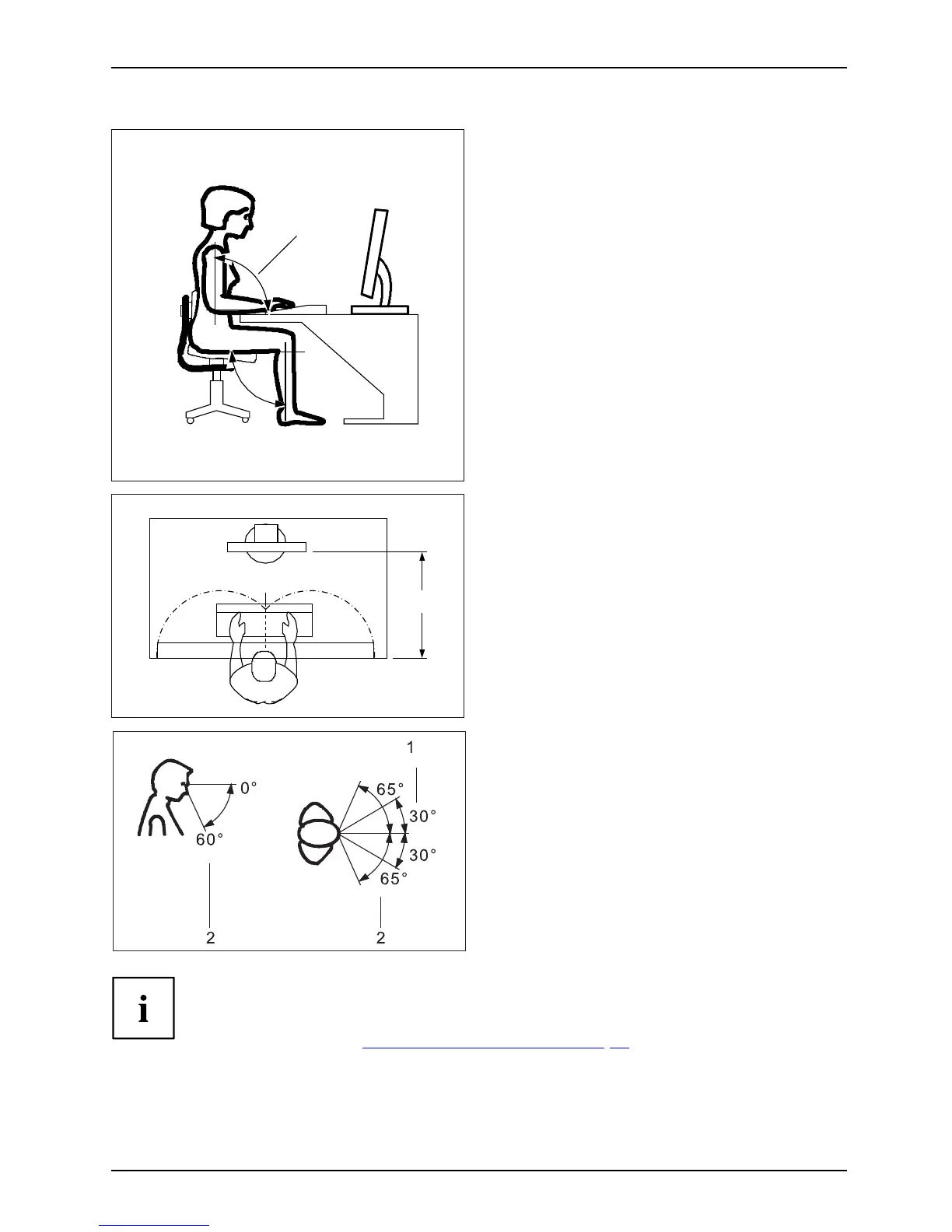
► Position the keyboard where it is
easiest to reach (1).
1
50 cm
► Position the monitor so that the eye distance
to the s creen (1) is a round 50 cm.
► Position the monitor for optimum viewing
(1). The monitor s hould und er no
circumstances fall outside the permissible
viewing space (2).
Depending o n the situation, it may be advisable to use a swivel arm or
a similar accessory (VESA FPMPMI), which are available from specialist
dealers. For this purpose the monitor base m ust be removed beforehand as
described in Chapte r "
Removing monitor base", Page 16.
13



 To Next Page
 Loading...








