Getting s tarted
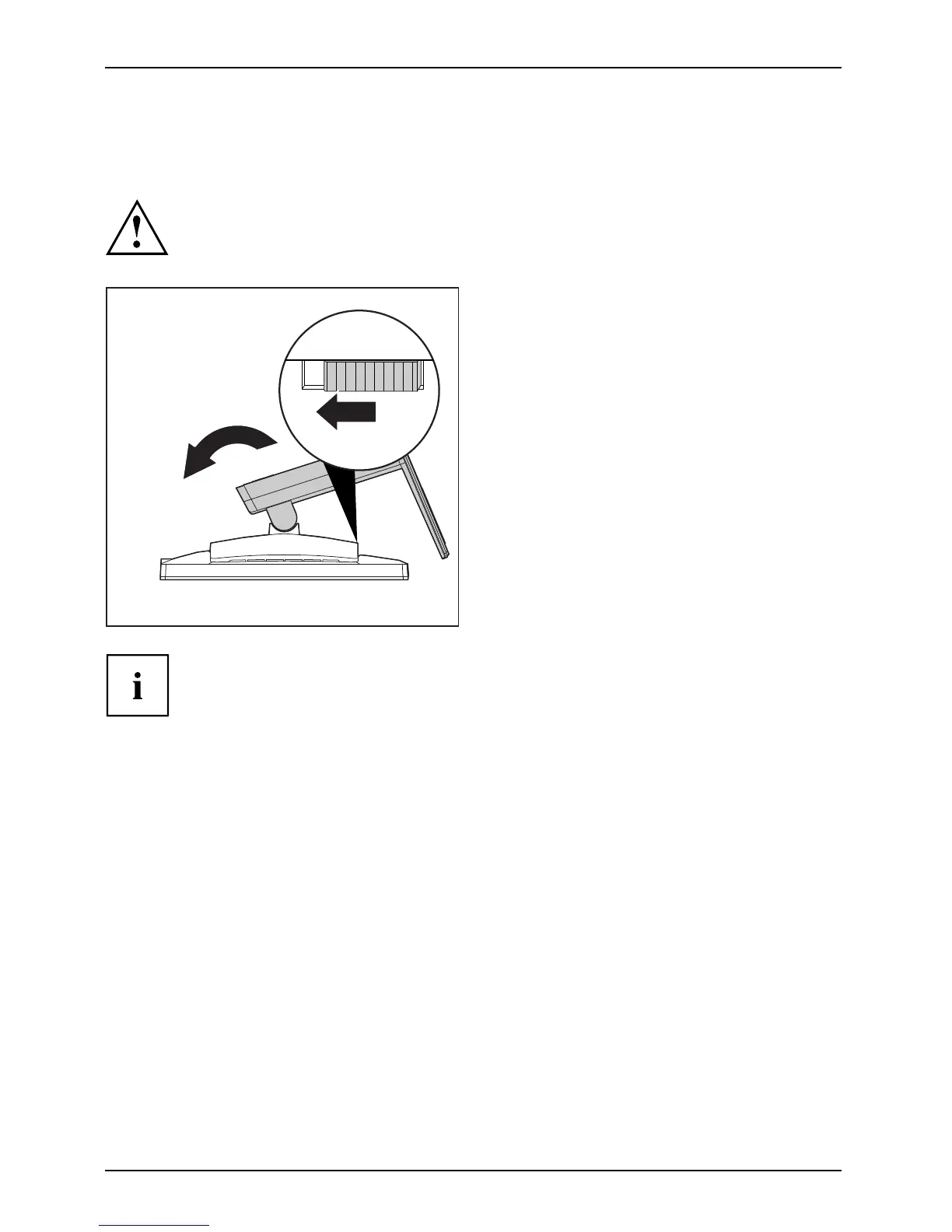
Removing monitor base
Before you can use a swivel arm or a similar accessory, you must remove the monitor b ase .
The display surface is susceptible to scratching!
1
2
► Switch off the monitor and pull the power
plug out of the power socket.
► Lay the monitor on its face on a soft surface.
► Disconnect all cables.
► Release the base stand by moving the slider
in the direction of the arrow (1) and hold it
while lifting the c omplete ba se stand up (2).
You can now mount a s wivel arm or a
similar accessory in accordance with VESA
FPMPMI using a hole spacing of 100 mm.
For instructions on how to mount the swivel arm or a similar accessory, please
see the documentation for th e swivel arm or a similar accessory.
16



 To Next Page
 Loading...








