Operation
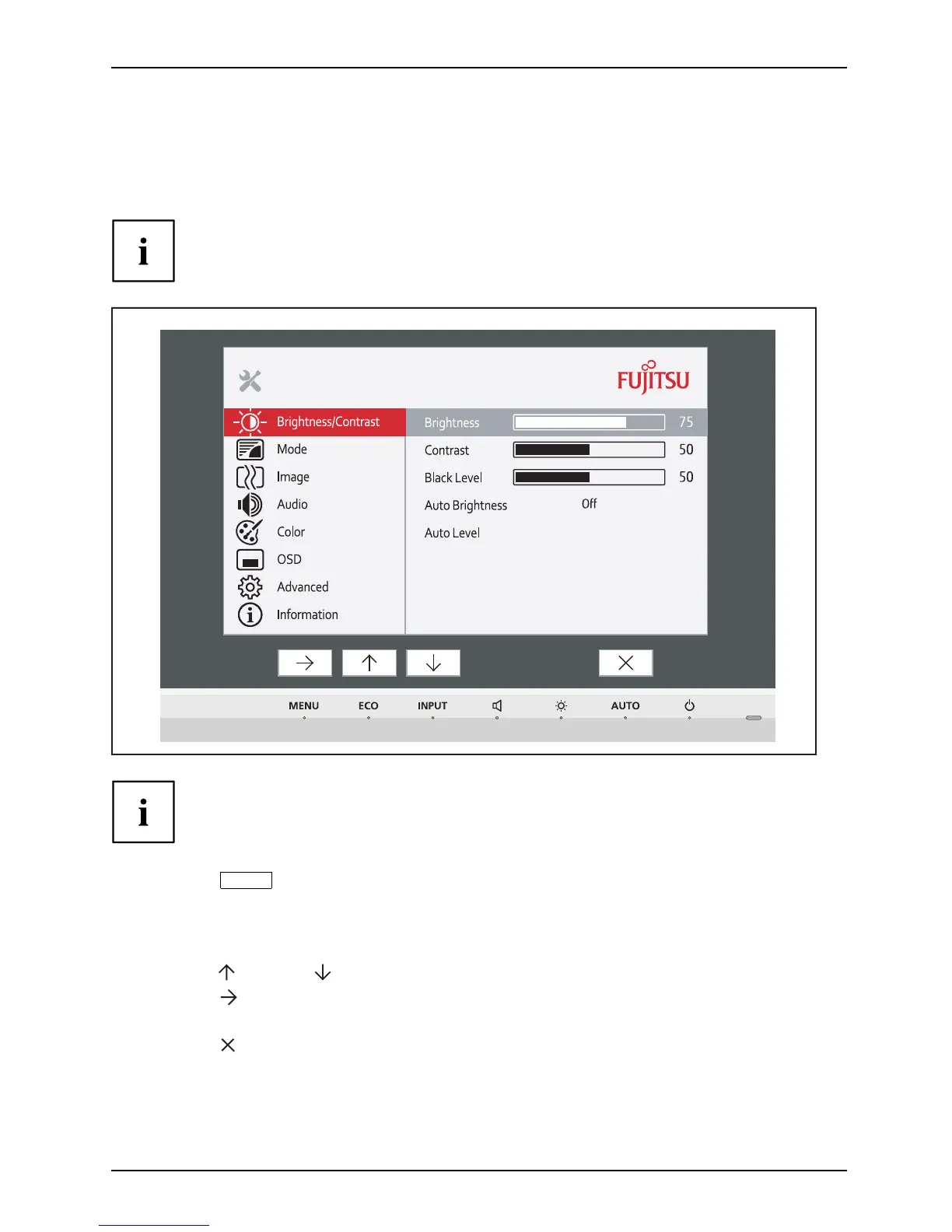
Changing the monitor settings using the OSD menu
With the bu ttons on the control panel, you can call up and use the integrated
OSD (On-Screen Display) menu.
The English menu names are used in the following description (default setting).
The OSD menu of your device may differ in several ways from
the functional scope described.
The softke
y icons may deviate from those shown here.
► Press the
MENU
button to activate the OSD menu.
The OSD me nu appears, with menu items for the setting functions.
The first menu item (Brightness/Contrast) is highlighted and the associated
functions are visible in the right-hand menu field.
► Press
the
button or button to highlight another icon (e.g . Image).
► Press the
button to select the highlighted icon .
The Image setting window will be displayed.
► Press the
button to close the OSD menu.
Fujitsu 25














 To Next Page