Mainboard D3488 English - 29
Remove the processor
i
The following steps only need to be completed when a processor is being replaced, and
not with an upgrade when a second processor is fitted.
1
1
1
1
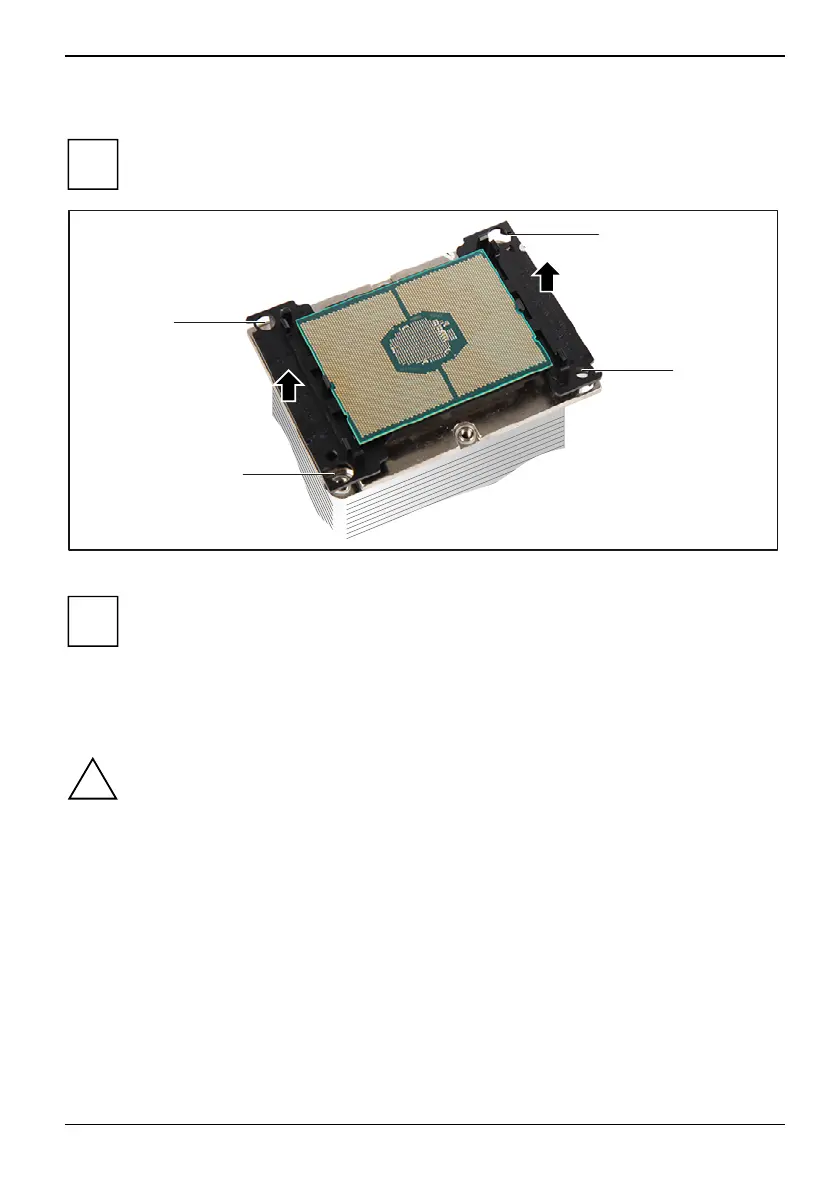
► Release the processor frame from its locking slots (1).
i
The processor can be stuck firmly to the heat sink by applying heat-conducting paste
between the processor and the heat sink.
► Carefully move the processor frame forwards and backwards until the processor frame is
detached from the heat sink.
► Remove the processor frame from the heat sink.
!
The processor must only be placed on a non-conductive, antistatic surface on its flat side.
Never move the processor around on the surface where it was placed.
Fujitsu 67


 To Next Page