30 – English Mainboard D3488
3
2
2
3
1
1
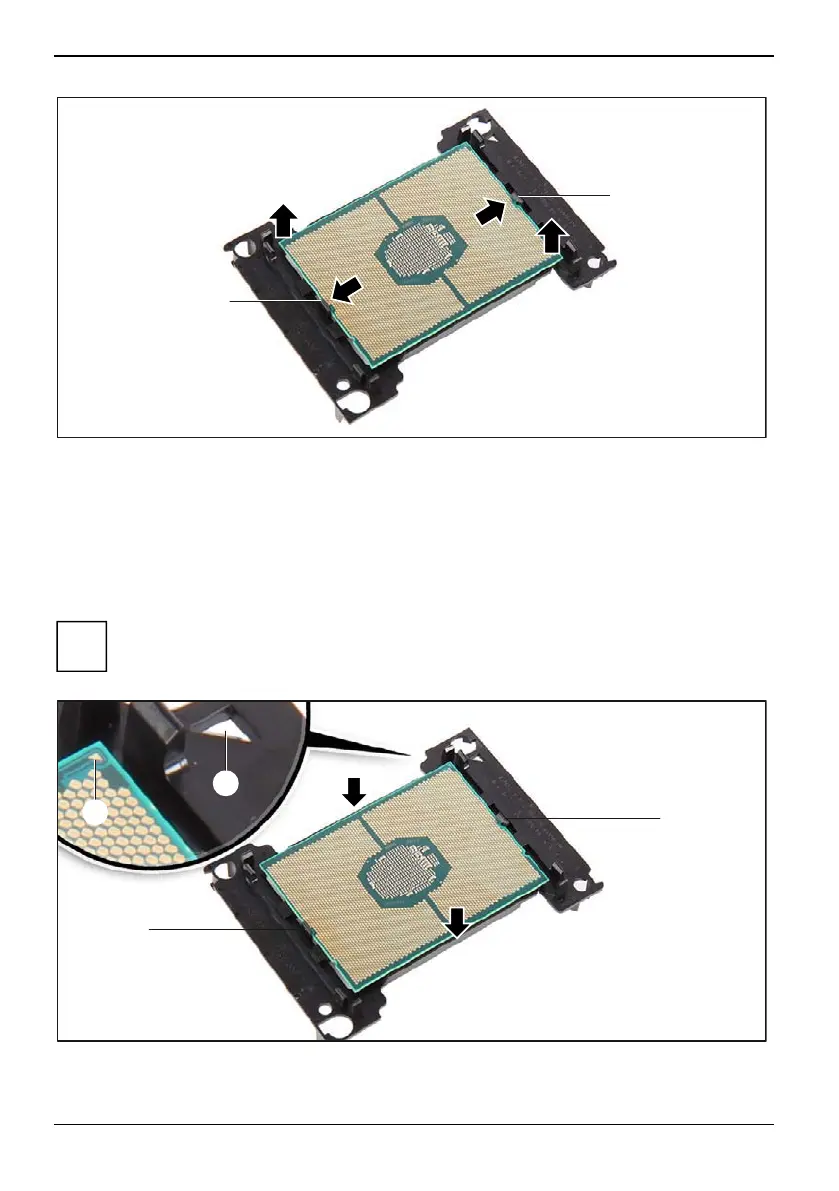
► Press the latches (1) in the direction of the arrow (2) and lift the processor out of the processor
frame (3).
► Use a lint-free cloth to remove any traces of old heat-conducting paste from the surface of the
heat sink and from the flat side of the processor.
► Keep the processor in a suitable place.
Fit the processor into the processor frame
i
Make sure that the model number printed on the outside of the processor complies with the
requirements: Both processors must be of the same type, i.e. the number of internal
processor cores, and the clock rate and Intel QuickPath Interconnect (QPI) frequency must
be identical.
1
1
a
b
► Hold the processor between your thumb and index finger and insert it into the processor frame
so that the marking on the processor (a) is aligned with the marking on the processor frame (b).
68 Fujitsu


 To Next Page