CONTENTS
Introduction
1 NAMES AND FUNCTIONS OF PARTS
2 BASIC SCANNER OPERATION
3 SCANNING VARIOUS TYPES OF DOCUMENTS
4 DAILY CARE
5 REPLACING CONSUMABLES
6 TROUBLESHOOTING
6.1 Removing jammed documents
6.2 Indications of operator panel for errors
6.3 Items to check before contacting the dealer where you
bought the scanner
6.4 Checking labels on the scanner
7 ONLINE SETUP
8 DOCUMENT SPECIFICATION OF ADF
9 OPTIONS
10 SCANNER SPECIFICATIONS
Appendix
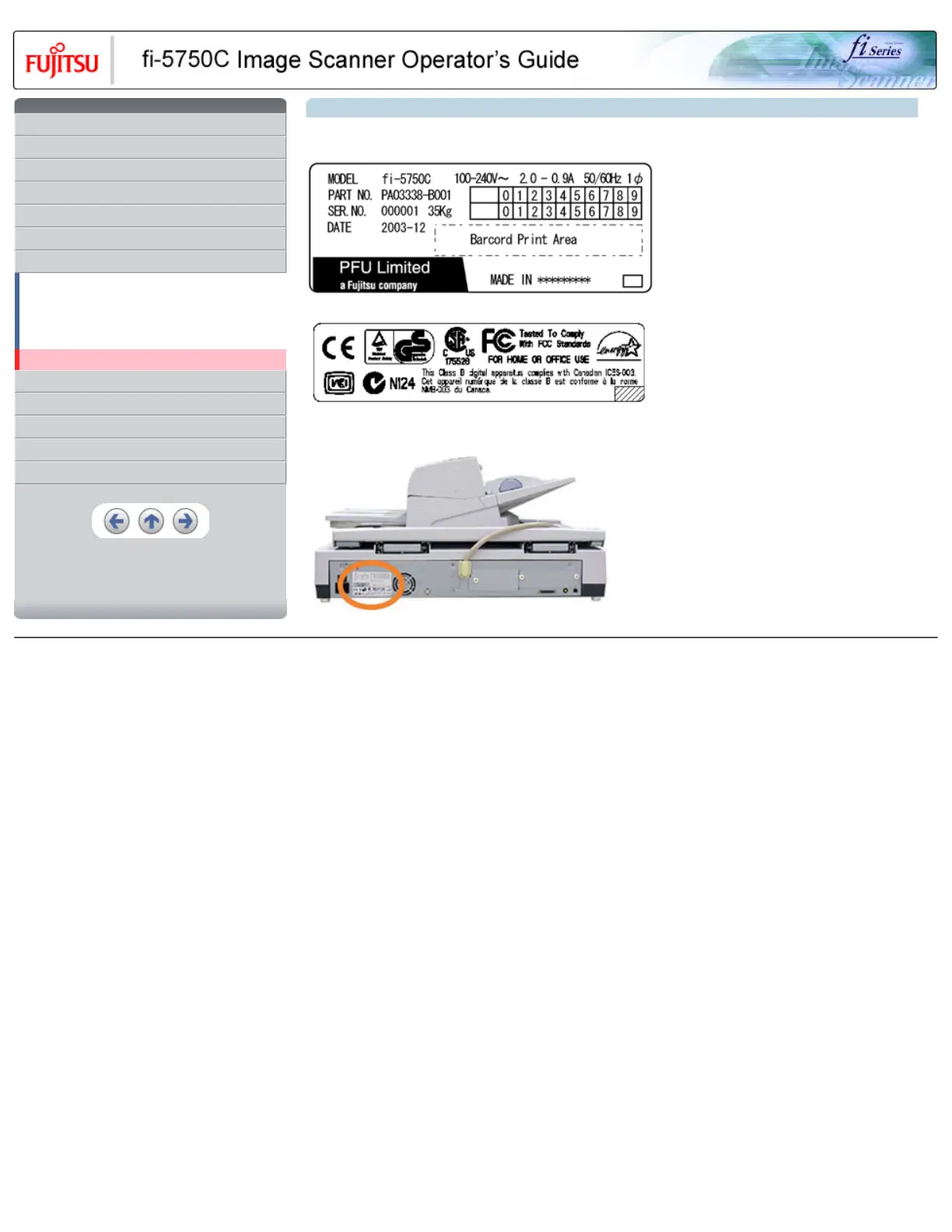
6.4 Checking labels on the scanner
The equipment labels of fi-5750C Image Scanner are as follows.
The label position is as below.
All Rights Reserved, Copyright (C) PFU LIMITED 2003










 To Next Page