CONTENTS
Introduction
1 NAMES AND FUNCTIONS OF PARTS
2 BASIC SCANNER OPERATION
3 SCANNING VARIOUS TYPES OF DOCUMENTS
4 DAILY CARE
5 REPLACING CONSUMABLES
6 TROUBLESHOOTING
7 ONLINE SETUP
8 DOCUMENT SPECIFICATION OF ADF
9 OPTIONS
10 SCANNER SPECIFICATIONS
Appendix
Appendix 1 Before using [Scan] button and [Send to] button
Appendix 2 Glossary (Not available in this manual.)
Appendix 1 Before using [Scan] button and [Send to] button (Continued from the previous page)
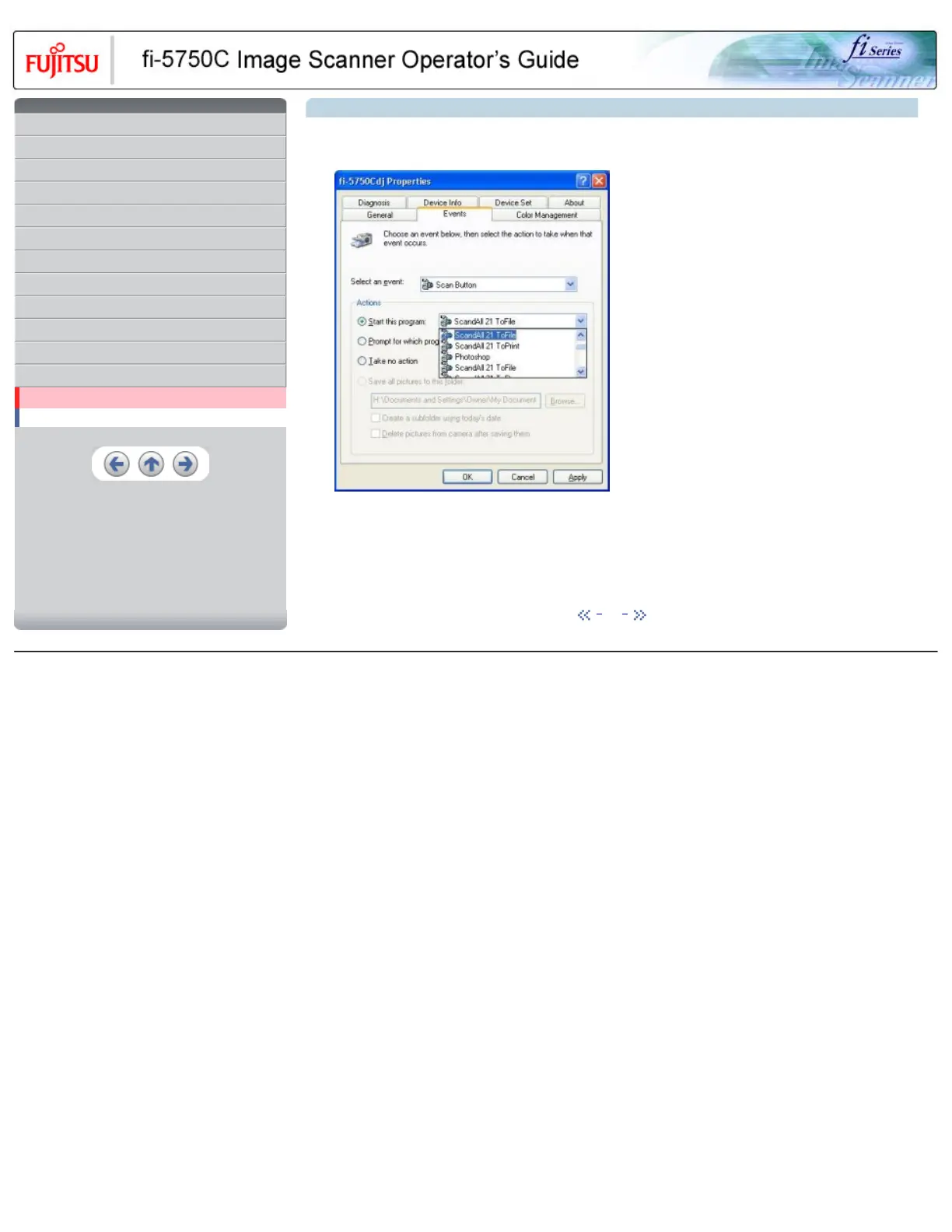
5. Select the application executed by the event. For Windows XP, select [ Performing selected program ] under [ Performing ] and then
select the application to be processed.
6. Click [ OK ]
HINT
When loading documents on the ADF, a pop-up screen may be displayed. In order to avoid displaying the pop-up screen, to select
[ Feeder loaded with paper ] at [ Selecting event ] , and to select [ Nothing to do ] under [ Performing ] and click [ OK ].
The displayed screen may differ slightly according to your OS.
1 | 2 | 3
All Rights Reserved, Copyright (C) PFU LIMITED 2003










 To Next Page