90
3.10 Multi Image Output
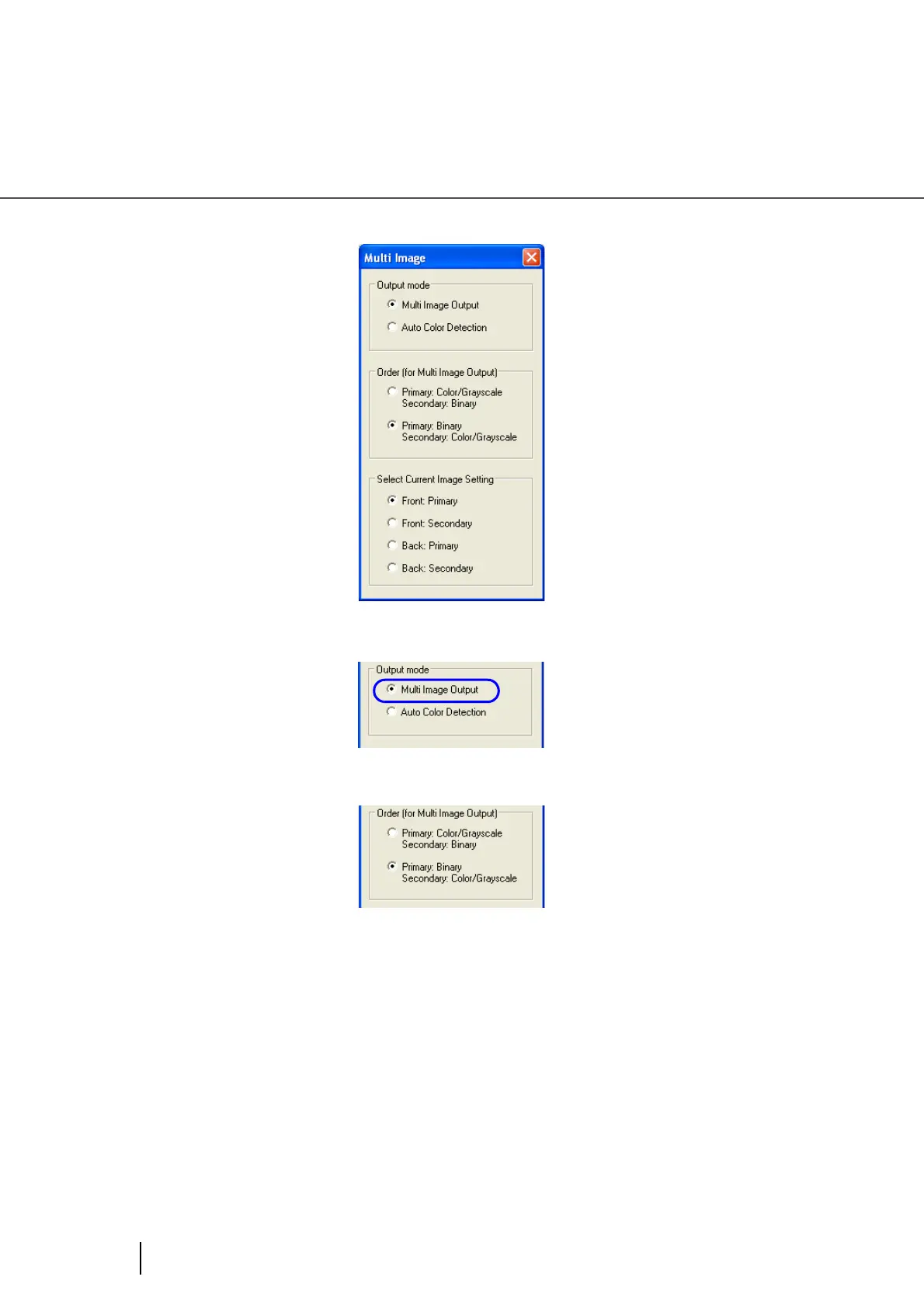
⇒ The [Multi image output] dialog box will be displayed.
3. Select [Multi image output] under “Output mode”.
4. Set the order of the output in “Order (for Multi image output)”.
Primary: Color/Grayscale Secondary: Binary
The output order will be: [Color or Grey scale images] [Binary monochrome images]
Primary: Binary Secundary: Color/Grayscale
The output order will be: [Binary monochrome images] [Color or Grey scale images]










 To Next Page