Section Three
24
SECTION THREE
USING YOUR LIFEBOOK
E SERIES FROM FUJITSU
This section describes the indicators, buttons,
connections and operating modes of your
LifeBook E Series and their use.
STATUS INDICATOR PANEL
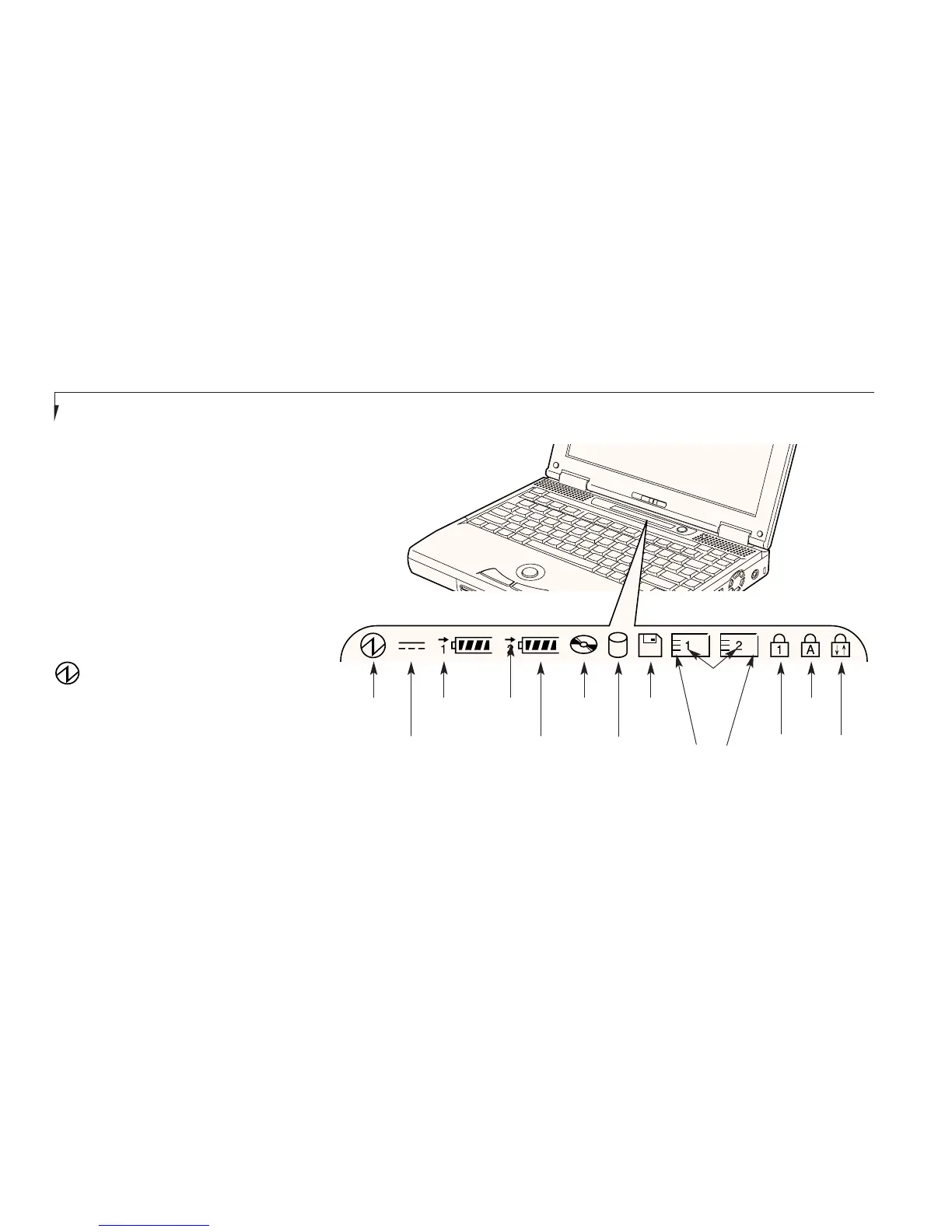
The Status Indicator panel is located in the
recess just above the keyboard. (Figure 3-1.)
The appropriate icon will appear to indicate
the activity of the corresponding component
in your notebook.
Power Indicator
The Power indicator tells you when the system
is operational. It is on steady when there is
power to your notebook, and blinks when the
system is in Suspend mode. It goes off when
the system has entered Save-to-Disk mode, or
the power is turned off from the power switch.
Figure 3-1 Status Indicator Panel
Power Battery
Identifier
DVD/CD-ROM
Drive Access
Hard Drive
Access
AC Adapter
Battery
Level
PC Card
Access Indicator
Floppy Disk
Drive Access
NumLk
CapsLock
ScrLk
Battery
Charging
PC
Card
Slot
Identifier








 To Next Page