EasyManua.ls Logo

Fujitsu LIFEBOOK E744 - User Manual

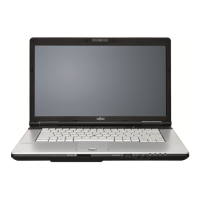
Fujitsu LIFEBOOK E744
95 pages
Print Icon
To Next Page IconTo Next Page
Loading...
System
Operating Manual
FUJITSU LIFEBOOK E734
FUJITSU LIFEBOOK E744
FUJITSU LIFEBOOK E754

Table of Contents

Other manuals for Fujitsu LIFEBOOK E744

Questions and Answers

  • G
    Gregory GonzalezAug 12, 2025
    Why is my Fujitsu LIFEBOOK E744 external monitor blank?
    • G
      gwilliamsAug 12, 2025
      If your Fujitsu laptop's external monitor remains blank, consider the following: * Ensure the monitor is switched on. * Power saving mode might be activated. Press any key to continue. * The brightness might be set too low. Adjust the brightness. * The screen output could be set to the laptop's LCD screen. Use the appropriate key combination to switch the output. * The power or data cables might be improperly connected. Turn off both the monitor and laptop, check the cable connections, and then turn them back on.
  • B
    Benjamin HernandezAug 16, 2025
    Why is my Fujitsu LIFEBOOK E744 Laptop external monitor image unstable?
    • A
      Amanda RomeroAug 16, 2025
      If the external monitor is blank or the image is unstable when connected to your Fujitsu laptop, the wrong external monitor may have been selected, or the wrong screen resolution has been set for the application program. Terminate the application program in Windows by pressing Alt + F4. If the fault persists after closing the program, use the key combination for switching the screen output to switch over to the notebook’s LCD screen. Change the following setting: Set the screen resolution as described in the documentation for your operating system and select monitor 1 or 2 as described in the documentation for your operating system.
  • K
    kevin98Aug 19, 2025
    Why does my Fujitsu LIFEBOOK E744 Laptop keyboard type numerals instead of letters?
    • C
      Corey RussoAug 20, 2025
      If, when entering characters on the keyboard of your Fujitsu laptop, only numerals are written, the virtual numeric keypad of your device is activated. Press the Num key.
  • C
    Christopher RiveraAug 23, 2025
    What to do if my Fujitsu LIFEBOOK E744 Laptop suddenly stops working?
    • L
      Laura GutierrezAug 23, 2025
      If your Fujitsu laptop stops working, here are a few things to check: * It might be in energy-saving mode. Try exiting this mode. * An application may have caused the issue. Close the application or restart the laptop by restarting the operating system or switching it off and on again. * The battery could be dead. In this case, charge the battery, insert a charged one, or connect the mains adapter.
  • A
    Allison AlexanderAug 27, 2025
    Why is my Fujitsu Laptop beeping?
    • C
      Cody LoweAug 27, 2025
      If your Fujitsu laptop is beeping every few seconds, it means the battery is almost flat. Charge the battery as soon as possible.
  • J
    Jonathan GutierrezAug 31, 2025
    Why won't my Fujitsu Laptop print?
    • J
      Jacqueline ClarkAug 31, 2025
      If your Fujitsu laptop's printer isn't printing, check these items: * Ensure the printer is switched on and ready. * Verify the data cable connecting the laptop to the printer is properly connected. * Check if the correct printer driver is loaded.
  • M
    Matthew VincentSep 7, 2025
    What to do if SmartCard reader is not recognised on Fujitsu Laptop?
    • C
      Catherine FrenchSep 7, 2025
      If the SmartCard reader on your Fujitsu laptop isn't recognizing your card, make sure you have inserted your SmartCard into the SmartCard reader with the chip facing upwards and check whether the SmartCard you are using is supported. Your SmartCard must comply with the ISO standard 7816-1, -2, -3 and -4.

Summary

Fujitsu Contact Information

Service and Support

Contact Fujitsu Service and Support for assistance and inquiries.

Maintaining Latest Configuration

Access the Fujitsu Software Download Manager for the latest driver updates.

Notational Conventions

Warning and Information Symbols

Explains symbols indicating potential hazards or important operational information.

Text and Font Conventions

Details the meaning of specific text formatting used in the manual.

Ports and Controls

Front Ports and Features

Identifies ports and controls located on the front of the notebook.

Left Side Ports

Details ports located on the left side of the notebook.

Right and Rear Ports

Describes ports on the right and rear sides of the notebook.

Bottom Ports and Compartments

Details ports and service compartments on the bottom of the notebook.

Important Notes

Safety Precautions

Contains essential safety information and guidelines for working with the notebook.

Radio Component Safety

Additional safety notes for devices with integrated radio components.

Energy Saving Guidelines

Information on reducing power consumption and using energy-saving features.

First-Time Device Setup

Unpacking and Checking

Steps to unpack, inspect for damage, and prepare the device for initial use.

Location and AC Adapter Connection

Guidance on selecting a suitable operating location and connecting the AC adapter.

Initial Power-On and Software Setup

Instructions for switching on the device for the first time and installing additional software.

Working with Your Notebook

Status Indicators Overview

Explains the meaning of status lights indicating power, battery, and system activity.

Keyboard and Input Devices

Covers keyboard layout, key functions, virtual numeric keypad, and touchpad operation.

Battery Management and Replacement

Details on charging, maintenance, storage, and how to remove/install the rechargeable battery.

Connectivity Options

Information on using SIM cards, wireless components, Ethernet, and connecting external devices.

Security Functions

Fingerprint Sensor Setup

Instructions for setting up and using the fingerprint sensor for system security.

Password Management

Guidance on setting and managing BIOS and system passwords for security.

Trusted Platform Module (TPM)

Details on enabling and disabling the TPM for enhanced hardware security.

SmartCard Reader Usage

Information on inserting and using SmartCards for authentication and security.

Troubleshooting and Tips

Common Problem Resolution

Guides users through common issues like date/time errors, screen problems, and keyboard input.

System Startup and Connectivity Issues

Addresses problems with notebook startup, response, and network connectivity.

Error Messages and Diagnostics

Explains BIOS error messages and their corresponding resolutions.

Technical Data

LIFEBOOK Model Specifications

Provides detailed technical specifications for different LIFEBOOK models, including dimensions and memory.

Battery and AC Adapter Specifications

Lists electrical data and specifications for rechargeable batteries and AC adapters.

Manufacturers Notes

Disposal and Environmental Responsibility

Information on recycling batteries and disposing of electronic equipment responsibly.

Regulatory Compliance and Safety Notices

Covers FCC, DOC, UL notices, and RF exposure guidelines.

Energy Efficiency and Sleep Mode

Details the notebook's ENERGY STAR compliance and sleep mode functionality.

Fujitsu LIFEBOOK E744 Specifications

General IconGeneral
Form factorClamshell
Product typeLaptop
Product colorSilver
Bus typeDMI2
SteppingC0
Tjunction100 °C
Processor cache6 MB
Processor cores4
Processor modeli7-4702MQ
System bus rate- GT/s
Processor familyIntel® Core™ i7
Processor seriesIntel Core i7-4700 Mobile series
Processor socketPGA946
Processor threads8
Processor codenameHaswell
Processor frequency2.2 GHz
Processor cache typeSmart Cache
Processor lithography22 nm
Processor manufacturerIntel
Processor front side bus- MHz
PCI Express slots version3.0
Processor boost frequency3.2 GHz
Processor operating modes64-bit
ECC supported by processorNo
PCI Express configurations1x16, 2x8, 1x8+2x4
Thermal Design Power (TDP)37 W
Maximum number of PCI Express lanes16
Motherboard chipsetIntel® QM87
Memory slots2x SO-DIMM
Internal memory8 GB
Memory clock speed1600 MHz
Memory form factorSO-DIMM
Internal memory typeDDR3L-SDRAM
Maximum internal memory16 GB
Memory layout (slots x size)1 x 8 GB
HDD size2.5 \
SSD capacityThe Solid State Drive's storage capacity in Gigabytes.
SSD interfaceSATA III
Storage mediaSSD
Optical drive typeDVD Super Multi
Card reader integratedYes
Total storage capacity256 GB
Compatible memory cardsSD, SDHC, SDXC
Number of SSDs installed1
Display surface-
Display diagonal14 \
Display brightness250 cd/m²
Display resolution1600 x 900 pixels
Native aspect ratio16:9
Contrast ratio (typical)300:1
Maximum resolution2560 x 1600 pixels
On-board graphics card ID0x416
Discrete graphics card modelNot available
Maximum graphics card memory1.696 GB
On-board graphics card modelIntel® HD Graphics 4600
On-board graphics card familyIntel® HD Graphics
On-board graphics card memory0.25 GB
Maximum on-board graphics card memory1.74 GB
On-board graphics card base frequency400 MHz
On-board graphics card DirectX version11.1
On-board graphics card dynamic frequency (max)1150 MHz
Audio systemRealtek ALC3233
Front camera resolution (numeric)2.073 MP
Wi-Fi standards802.11b, 802.11g, Wi-Fi 4 (802.11n)
Bluetooth version4.0
Ethernet LAN data rates10, 100, 1000 Mbit/s
Mobile network generation4G
Charging port typeDC-in jack
USB 2.0 ports quantityUSB 2.0 ports have a data transmission speed of 480 Mbps, and are backwards compatible with USB 1.1 ports. You can connect all kinds of peripheral devices to them.
eSATA/USB 2.0 ports quantity0
USB 3.2 Gen 1 (3.1 Gen 1) Type-A ports quantity3
Keyboard layoutQWERTY
Pointing deviceTouchpad
Keyboard number of keys85
Trial softwareMcAfee Multi Access Security
Bundled softwareAdobe Reader\\r Fujitsu LIFEBOOK Application Panel\\r Fujitsu Display Manager\\r ShockSensor Utility\\r Power Saving Utility\\r Fujitsu Plugfree Network \\r EasyGuide online user documentation\\r Win8: Microsoft Push Button Recovery \\r Win7: Fujitsu Recovery
Operating system installedWindows 7 Professional
Processor codeSR15J
Processor ARK ID75119
Intel TSX-NI version0.00
Processor package size37.5 x 32 x 1.6 mm
Supported instruction setsAVX 2.0, SSE4.1, SSE4.2
Intel Identity Protection Technology version1.00
Battery capacity6700 mAh
Battery life (max)13 h
Number of battery cells6
AC adapter frequency50 - 60 Hz
AC adapter input voltage100 - 240 V
Cable lock slot typeKensington
Password protection typeBIOS, HDD, Supervisor
Operating temperature (T-T)5 - 35 °C
Operating relative humidity (H-H)20 - 85 %
CertificationCE, CB, WEEE
Sustainability certificatesRoHS, EPEAT Gold, ENERGY STAR
Weight and Dimensions IconWeight and Dimensions
Depth231 mm
Width338 mm
Weight1700 g
Height (rear)27 mm
Height (front)20 mm

Related product manuals