Using Your LifeBook E Series
LifeBook E Series from Fujitsu
41
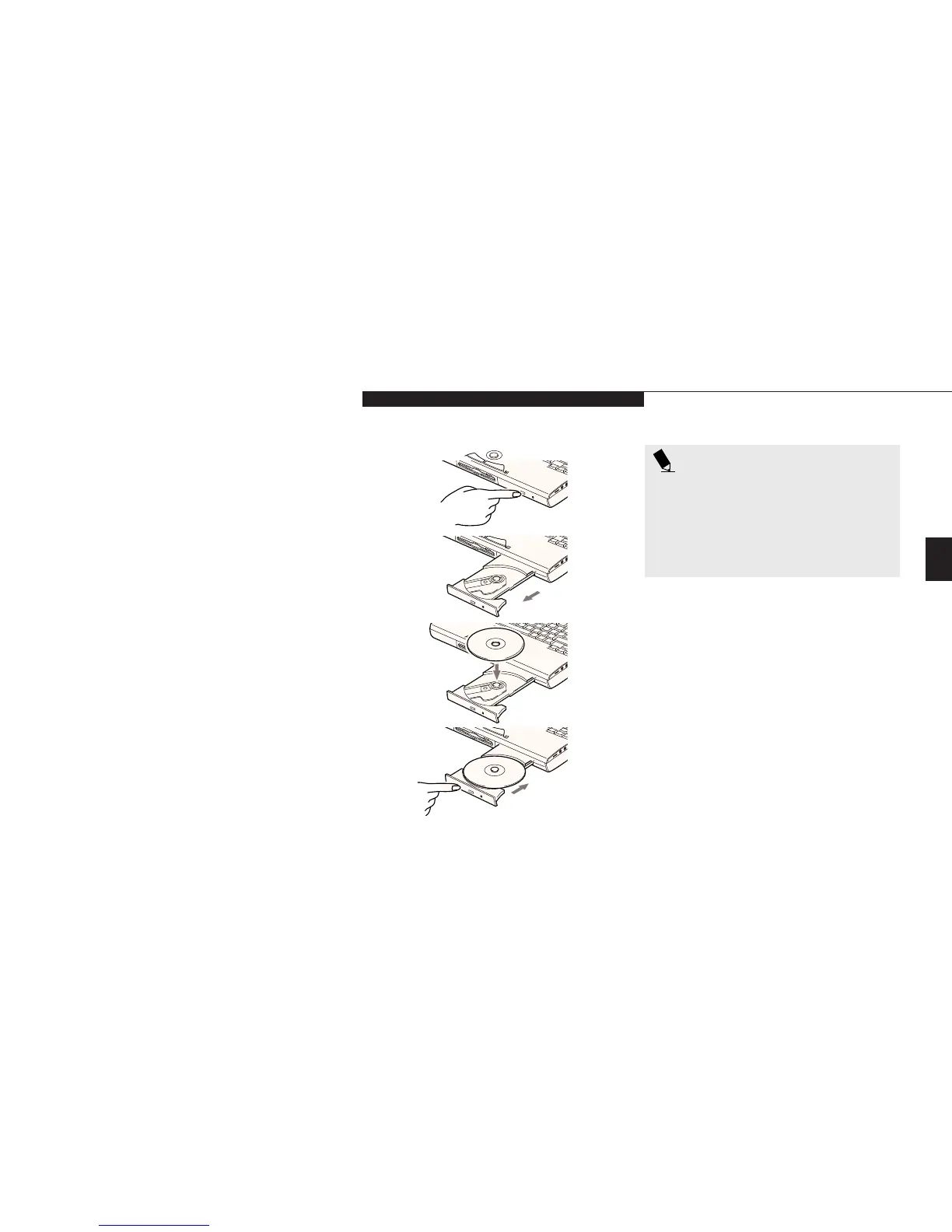
Loading a DVD or CD
■
Make sure that the angle adjustment feet on
the bottom of the notebook are folded
against the bottom of the notebook.
■
Make sure there is power to your notebook.
■
Push, gently but firmly, and release the eject
button on the front of the drive to open
the holder tray, the tray will come out a
short distance. (Figure 3-14.)
■
Gently pull the tray out until a DVD/CD can
be easily placed in the tray.
■
If there was a protective sheet in the tray
when it was shipped, make sure it
has been removed.
■
Place the DVD/CD into the tray, label side up,
with the hole in the center of the DVD/CD
snapped onto the raised circle in the center
of the tray.
■
Close the tray.
■
After the DVD/CD is loaded, it will take a
short time for your notebook to recognize it.
POINT
If you have disabled your DVD/CD
automatic insertion function you will
have to start the DVD/CD from your
desktop, as your notebook will not auto-
matically recognize that the DVD/CD has
been loaded.
Three
Care of DVDs and CD-ROMs
DVDs and CD-ROMs are precision devices and
will function reliably if given reasonable care.
■
Always store your DVD/CD-ROM in its case
when it is not in use.
■
When removing the DVD/CD-ROM from its
case, press down on the holder’s center while
lifting out the DVD/CD-ROM by its edges.
■
Always handle a DVD/CD-ROM by the edges
and avoid touching the surface.
■
Avoid storing any DVD/CD-ROM in
extreme temperatures.
■
Do not bend DVDs/CD-ROMs or set heavy
objects on them.
Figure 3-14 Loading the DVD/CD-ROM Tray








 To Next Page