Four
User Installable Features
LifeBook E Series from Fujitsu
81
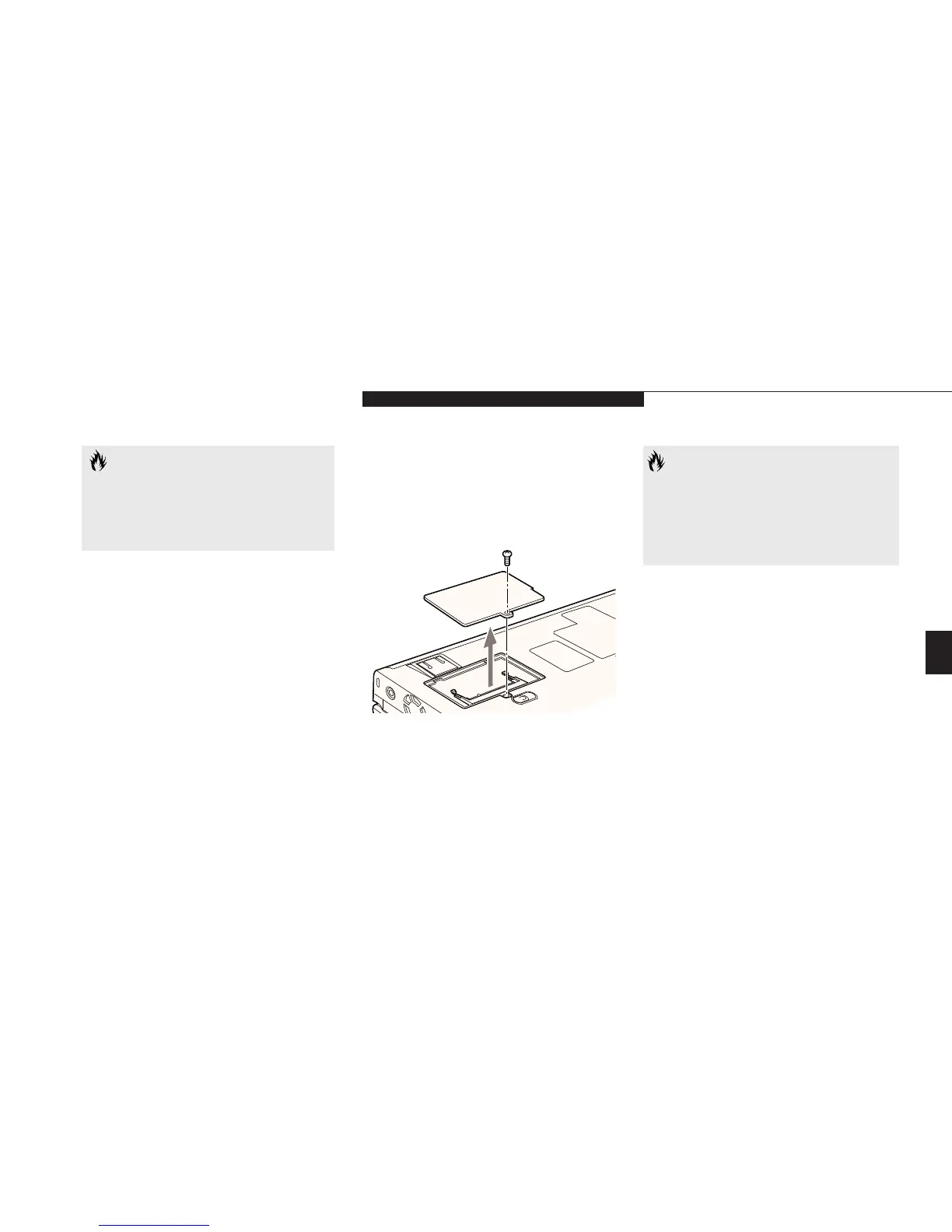
Figure 4-12 Opening the Memory Upgrade
Compartment
To Install a Memory Upgrade Module:
1. Turn off power to your notebook using
the power switch, (see Power Off on pages
21-22), and remove any power adapter
(AC or auto/airline).
2. Make sure that all the connector covers
are closed.
3. Turn the notebook bottom side up, with
the front panel toward you.
4. Remove the screw at the front of the
memory upgrade module compartment.
(See Figure 4-12.)
5. Remove the cover by tilting the front edge
up and then pulling forward until the tabs
on the cover are free. (See Figure 4-12.)
6. Remove the memory upgrade module from
the static guarded sleeve.
CAUTION
Never remove screws except the ones
specifically shown in the directions for
installing and removing the memory
upgrade module.
CAUTION
The memory upgrade module can be
severely damaged by electro-static dis-
charge (ESD). Be sure you are properly
grounded when handling and installing
the module.
7. Align the memory upgrade module with
the part side up. Align the connector edge
of the memory upgrade module with the
connector slot in the compartment. The
connector will be pointing toward the rear
of the notebook. (Figure 4-13.)
8. Insert the memory upgrade module at a
45° angle. (Figure 4-13.) Press the connector
edge of the module firmly down and into
the connector.
9. Press the memory upgrade module down
into the compartment until it lodges under
the retaining clip. You will hear a click when
it is properly in place.








 To Next Page