Getting s tarted
Adjusting height
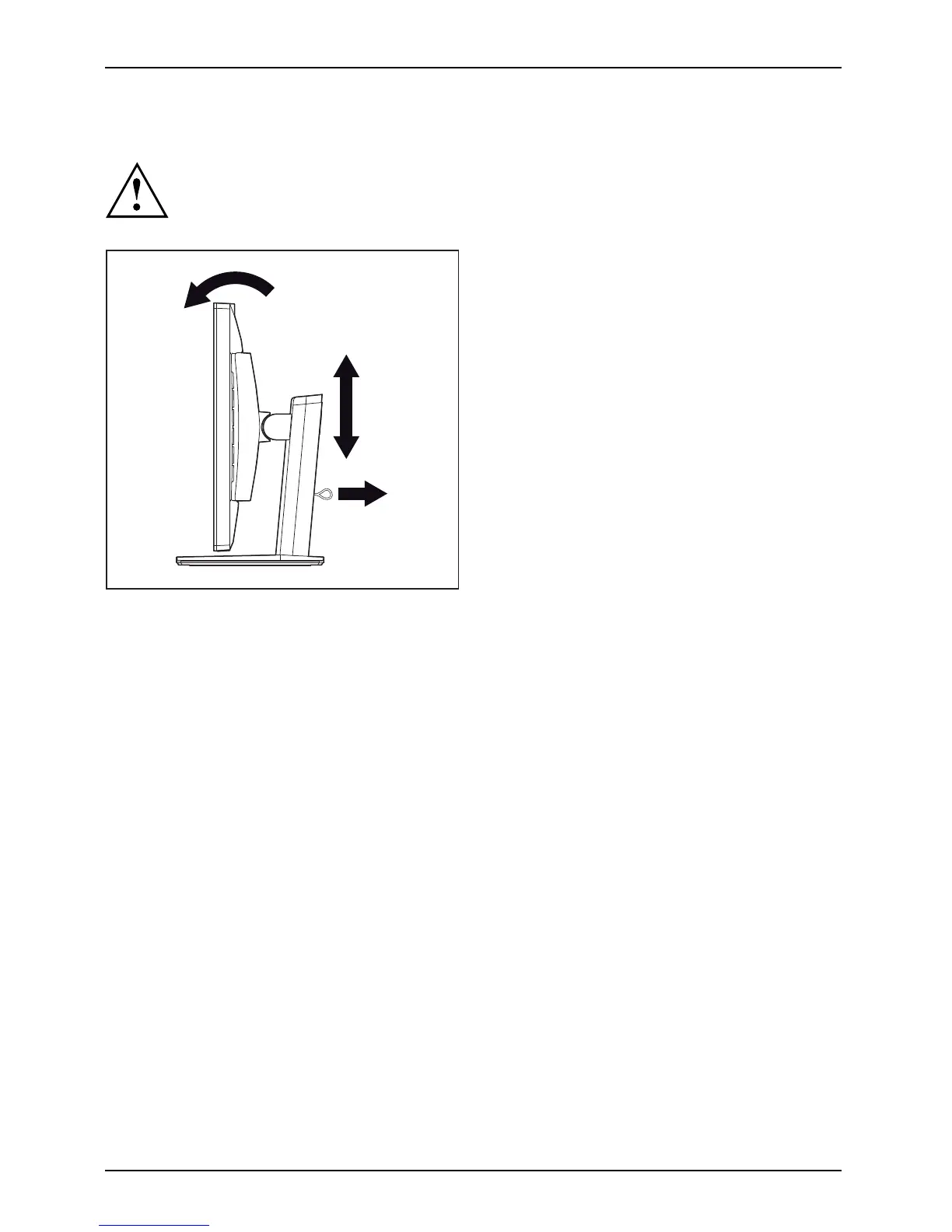
The height adjustment is fixed in the transport position.
1
2
► To free the fixing, remove the locking
pin on the flange (1).
The height of the mon itor can be adjusted
by appro ximately 130 mm.
► Grasp the monitor with both hands on
the right and left edge of the c asing
and move it up or down (2).
Adjusting the i
nclination
The inclination of the monitor can be adjusted by -3° (forward) and +35°
(backwards) from its vertical position.
► Hold the monitor with both hands on the left and right sides of the casing
and m ove it to the desired angle.
14 Fujitsu



 To Next Page