Operation
Locking the ON/OFF button
The ON/OFF switch can be locked to prevent accidental or unauthorised
changes to the monitor settings.
► Touch the
ECO
/ and
INPUT
/ sensors at the same time for a few seconds.
The message Power button loc
ked / unlocked is displayed.
Proceed in the same way to r
elease the locked ON /OF F switch again.
Changing the m onitor se
ttings using the OSD menu
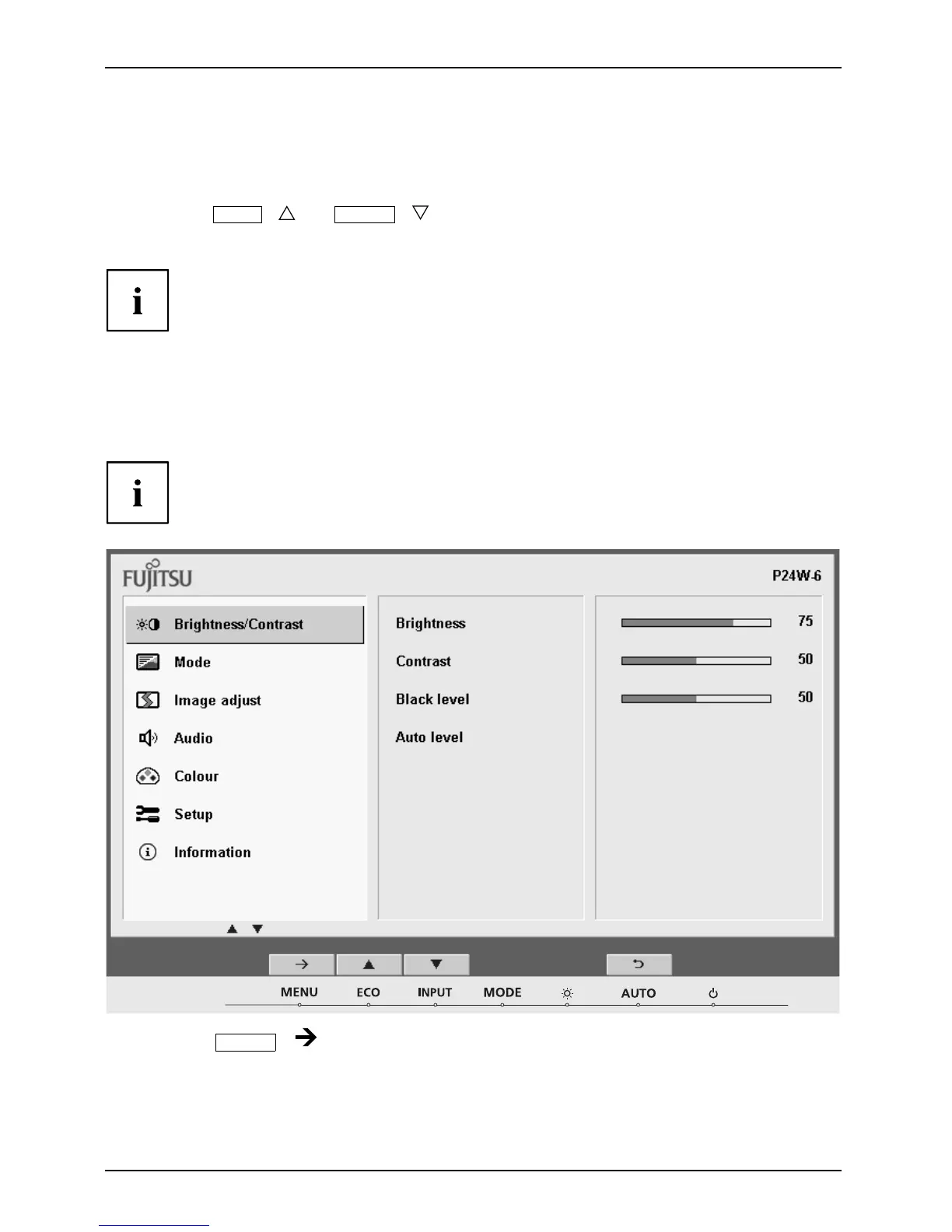
With the buttons on the control panel, you can call up and use the integrated
OSD (On-Screen display) menu.
The English menu names are used in the following description (default setting).
► Touch the
MENU
/ sensor to activate the OSD me nu.
The main menu appears, with icons for the setting functions.
The first symbol, (Brightness/Contrast), is highlighted and the associated functions
are visible in the right-ha nd menu field.
22 Fujitsu











 To Next Page