3. Local Port Operation
Users can access attached devices via the OSD interface on their s3-0801/1601
switch.
3.1 Main Dialog Box Functions
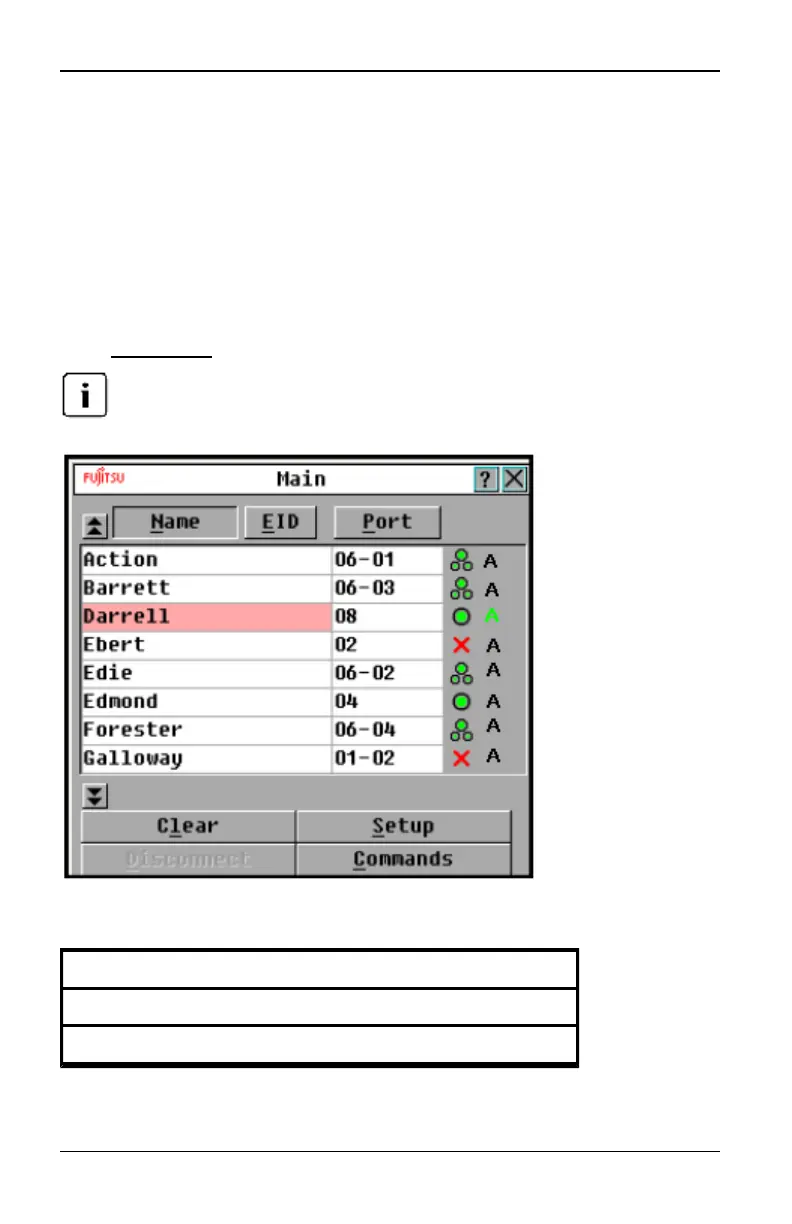
To access the OSD interface Main dialog box:
Press Print Screen to launch the OSD interface. The Main dialog box will appear.
If the OSDPassword has been enabled, you will be prompted to enter a password
before you can launch the interface.
Figure 3.1. OSDInterface Main Dialog Box
Button Function
Clear Clear alloffline IQ modules.
Disconnect Disconnect the KVM session.
Table 3.1: Main Dialog Box Functions
590-1035-640A
9



 To Next Page