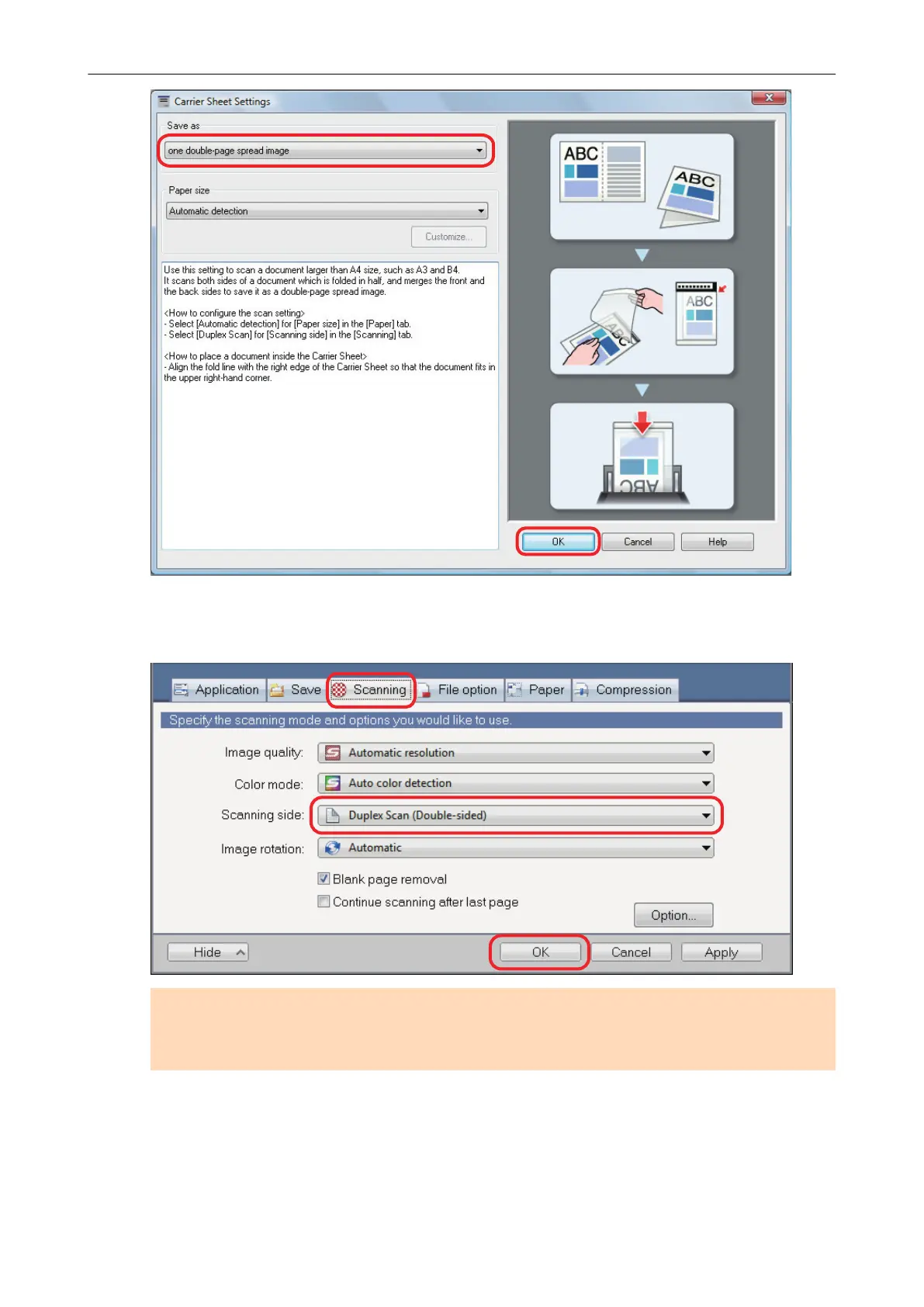
4. In [Scanning side] in the [Scanning] tab, select [Duplex Scan (Double-sided)]
and click the [OK] button.
ATTENTION
If [Simplex Scan (Single-sided)] is selected, the ScanSnap outputs the same result as performing
a simplex scan in [two separate images (front and back)] mode.
5. Place the document inside the Carrier Sheet.
1. Fold the document in half with the sides to be scanned facing out.
Fold it tightly and smooth out any creases.
Scanning Documents with iX1600 / iX1500 / iX1400
204



 To Next Page
 Loading...












