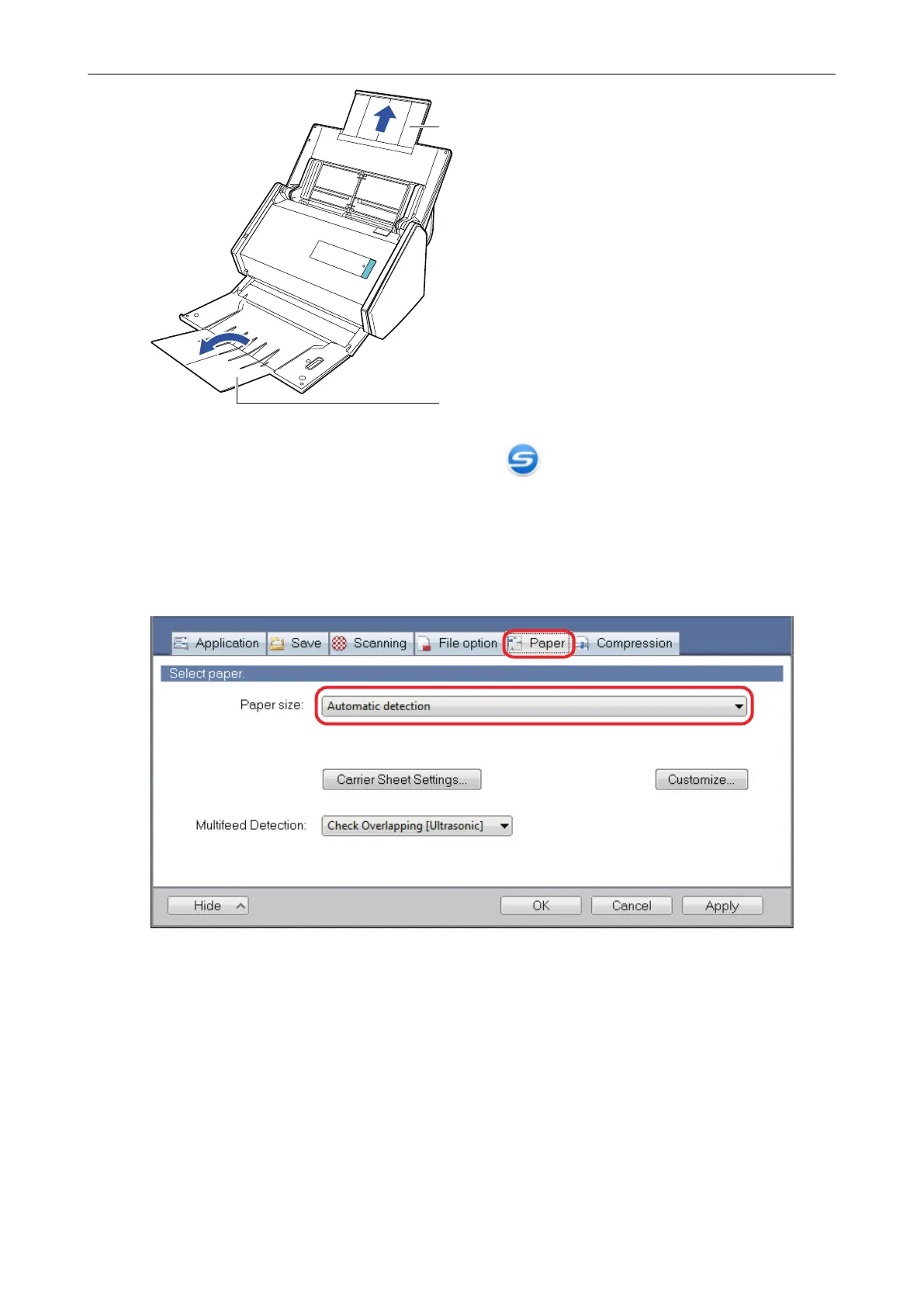
4. Right-click the ScanSnap Manager icon in the notification area located
at the far right of the taskbar, and select the [Scan Button Settings] from the
"Right-Click Menu" (page 87).
a The ScanSnap setup window appears.
5. In the [Paper] tab, select [Automatic detection] in [Paper size].
6. Select [None] in [Multifeed Detection].
Scanning Documents with iX500
227



 To Next Page
 Loading...












