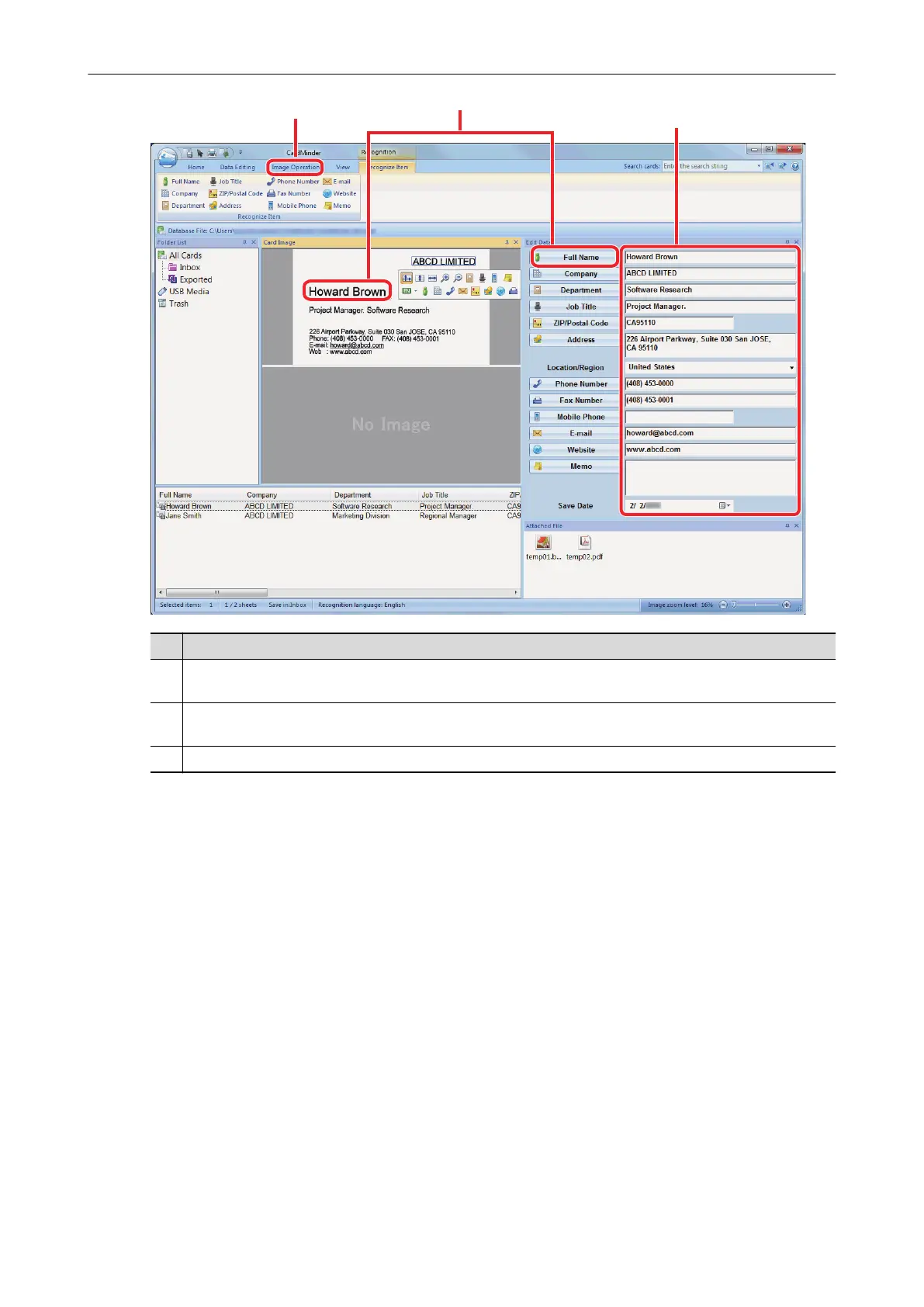
No. Description
1 In the [Image Operation] tab, you can perform corrections, such as rotating the card image or switching
the front and back images.
2 By selecting character strings in the card image and then clicking the buttons of the appropriate fields in
the Edit Data pane, you can redo the recognition process on the selected areas.
3 You can directly correct the text of each field in the Edit Data pane.
6. Exit CardMinder.
To exit CardMinder, click the application button and then click the [Exit] button in the menu that
appears.
What You Can Do with CardMinder
359



 To Next Page
 Loading...












