For details, refer to "Automatic Power OFF (iX1600 / iX1500 / iX1400 / iX500 / iX100 / SV600 /
S1300i)" (page 100).
ATTENTION
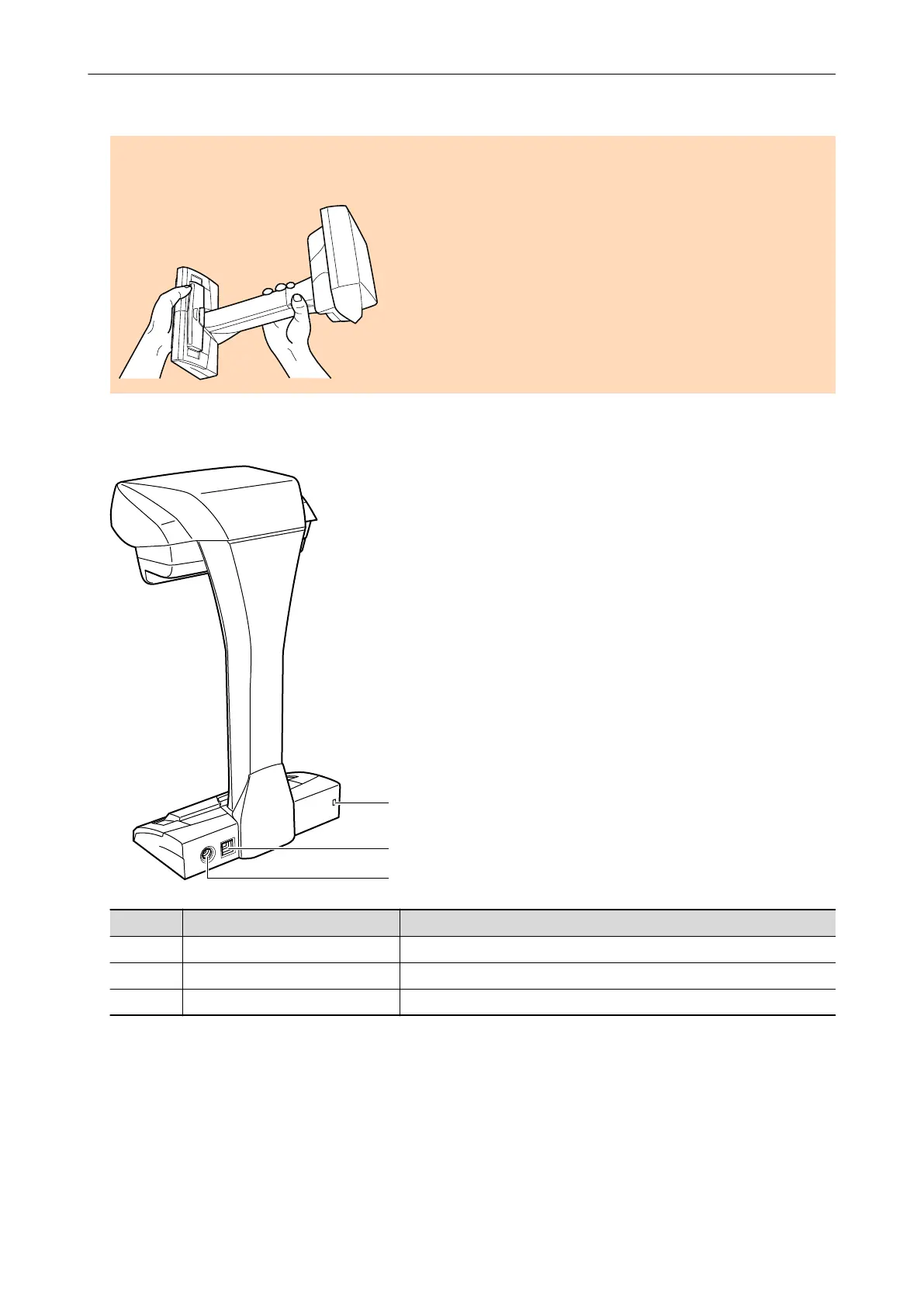
When carrying the ScanSnap, hold its base and neck. Do not carry the scanner by the head.
Back
No. Name Description
9 Security cable slot Used to connect an anti-theft security cable (commercially available).
10 USB connector Used to connect a USB cable.
11 Power connector Used to connect the AC cable.
Scanning Unit
Operates when documents are scanned.
Parts and Functions
77



 To Next Page
 Loading...












