5 User Interface
5.5 Filter dialog box
You can specify which table entries are displayed in a table using the tabs in
the Filtering for Column <column name> dialog box. Tables display all
rows by default. You can filter a table based on a column and:
l a specific value (Standard tab)
l a value range, which may comprise several values (Customize tab)
To open the dialog box, click the filter icon in a table header. A filter icon
is displayed for each column that can be filtered.
5.5.1 Standard (Filter dialog box)
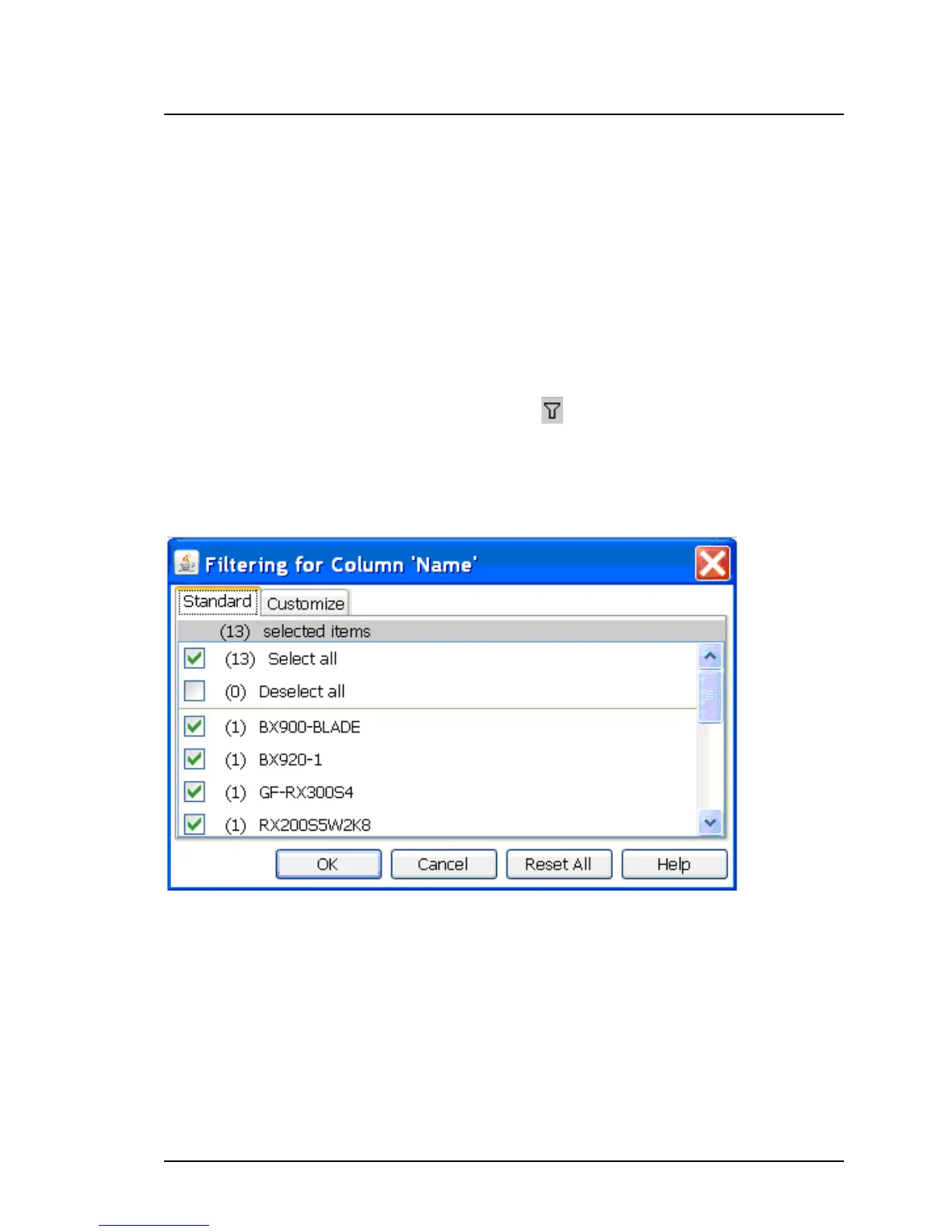
Figure 62: Standard tab in the Filter dialog box
The Standard tab lists all values and the frequency with which they occur in
the selected column:
Select all selects all table rows for display
Deselect all deselects all table rows
<value> shows all table rows with the selected value
196 ServerView Update Management



 To Next Page