12.SUMMARY SCREEN
2
2
O1: Off A1: 10.0V
O2: Off A2: 5.0V
Outputs - Base
O3: Off
O4: Off
O5: Off
O6: Off
1
22
Inputs - Base
HI1:Off S1:93.6 psi
HI2:Off S2:32.0 psi
HI3:Off S3:379.7 psi
I1:On S4:7.0 °C
I2:Off S5:Falha
I3:Off S6:15.4°C
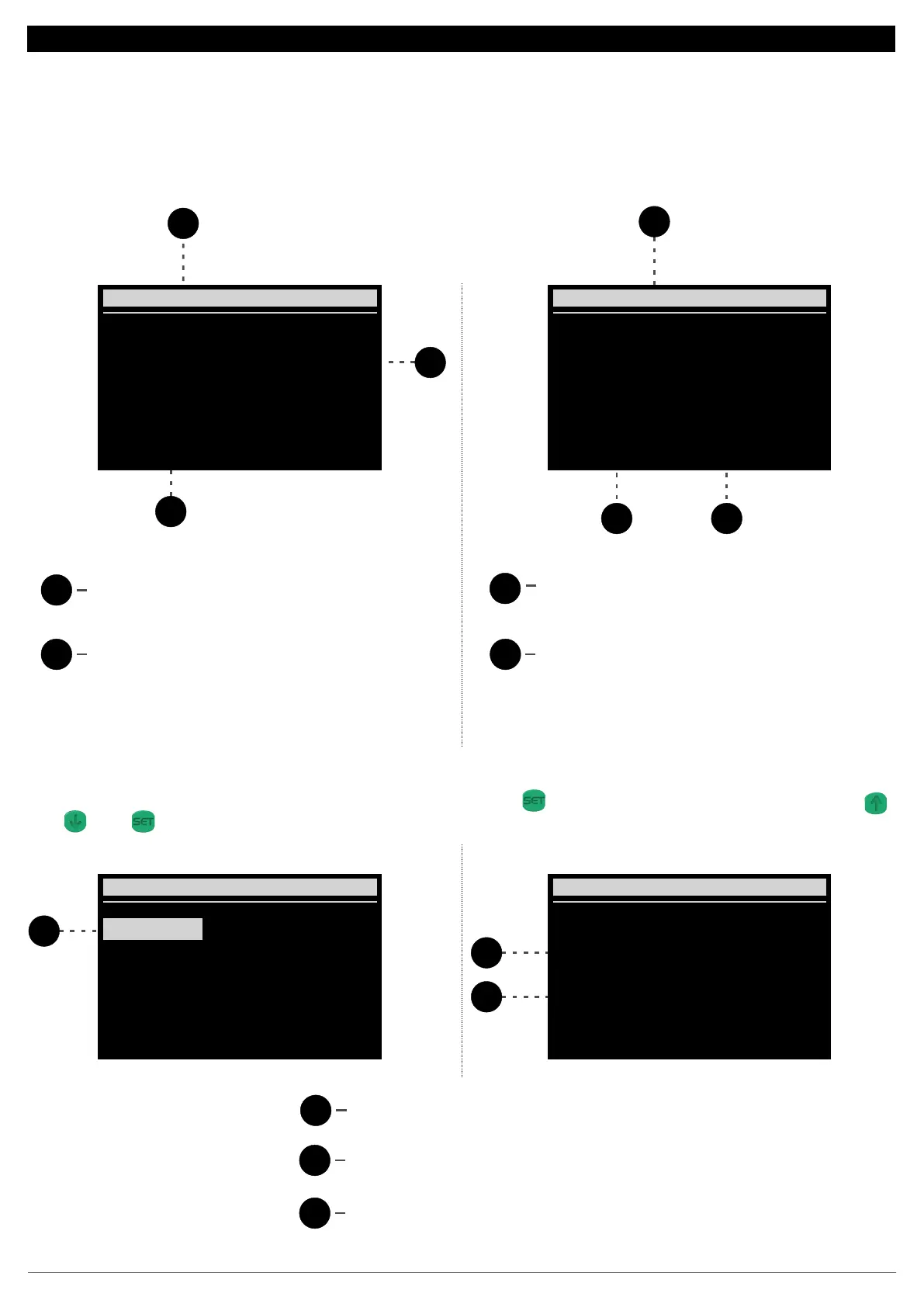
Indicates which equipment is being viewed
2
1
Indicates the status or value of the output
Indicates the selected item
1
2
3
Indicates the connected pressure switch
Indicates the function of the selected item
1
2
Indicates the status or value of the input
Indicates which equipment and item are being
viewed
12.7. Inputs and outputs:
The input and output menu allows you to view the status of all inputs and outputs of the RCK-862 plus and its configured expansion modules, as well
as to check their function.
To see which function is assigned to a particular output or input, press the key navigate to the desired item using the keys SET DO
and press again.DDD SET
1
1
O2: Off A2: 5.0V
Outputs - Base
O3: Off
O4: Off
O5: Off
O6: Off
O1: Off A1: 10.0V
Sucction 1
Compressor 1
Output main
Input - Base 02
2
3
17


 To Next Page
 Loading...