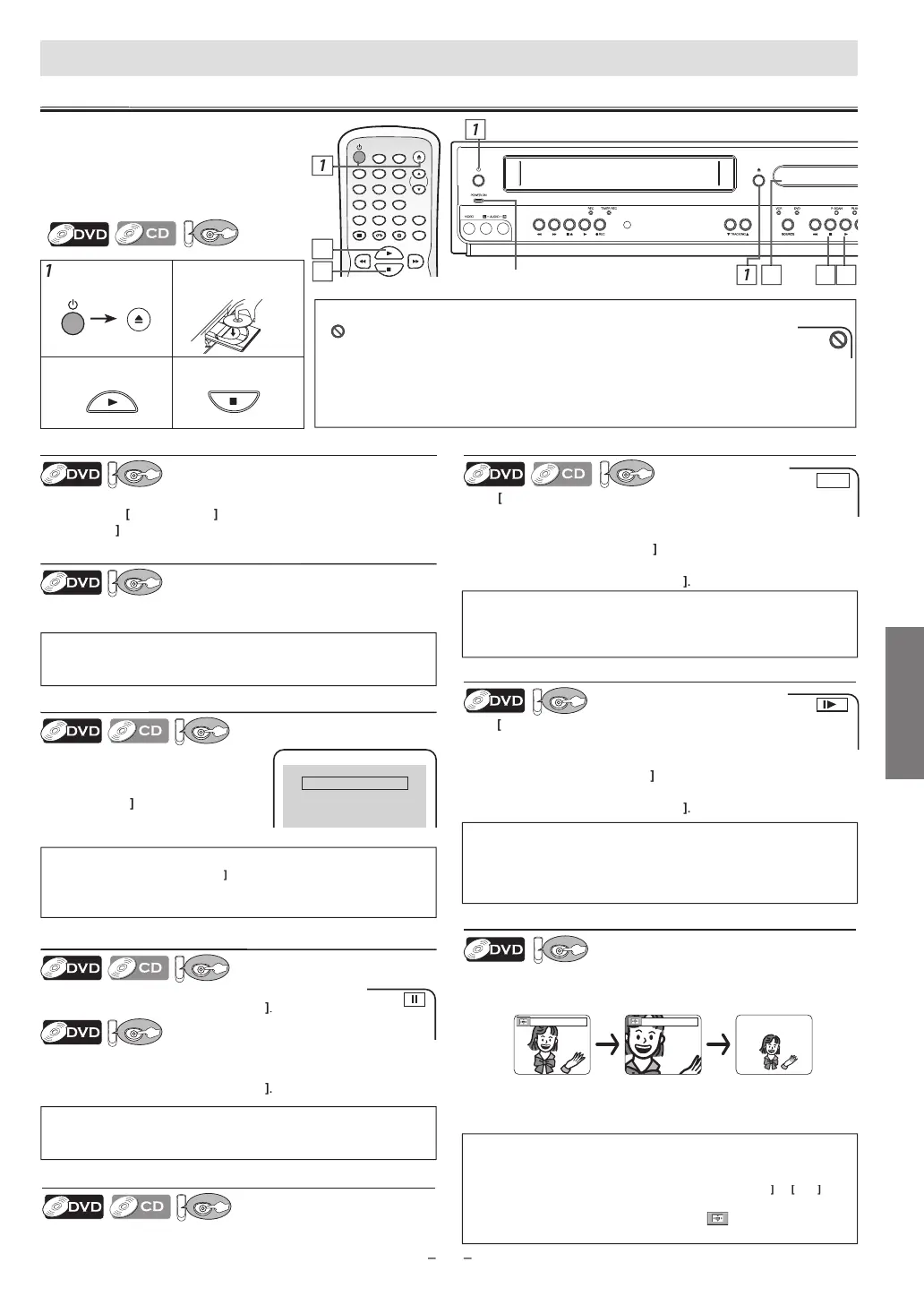
DVD FUNCTIONS
%.'#4
6+/'45'6
64#%-+0)
/1&'
&+52.#; 8%4 &8&
52''&
+0276
5'.'%6
+10
123
456
78
0
9
VD F
NCTI
N
4
Lights up when power is on
4
ote
s
Zoom
unction does not work while the disc menu is displayed
4x zoom is not avai
a
e on some
iscs.
T
e picture may
e
istorte
w
en you press
PAUSE
repeate
y in t
e zoom mo
e
In t
e zoom mo
e, it automatica
y c
anges x2 (x4) to t
e zoome
position gui
e
ote
s
For DVD, fast forward or reverse search speed is different dependin
on the
isc. A
roximate s
eed is 1(2
)
2(
)
3(20
4(50
)
5(10
.
For audio CD a
roximate s
eed is 1(
)
2(
)
3(30
.
Pause an
Ste
-
-Ste
P
a
ac
ress
PAUSE
uring p
ay
ac
.
o continue p
ay
ac
, press
PLAY B
he disc goes forward b
one frame each time
PAUSE
is
pressed in the pause mode.
o continue pla
back, press
PLAY B
Fast Forward
Reverse Search
Pr
repeate
uring p
a
ac
elect the re
uired forward or reverse s
eed.
o use [PREV H ], [NEXT
] on t
is Uni
ressing an
o
ing
PREV H
NEXT
on t
is Unit wi
also change
orward or reverse playback speed
To continue p
ay
ac
, press
PLAY
D
sc Men
Some
iscs contain menus w
ic
a
ow you to customize DVD
p
ay
ac
. Use
to se
ect an item, t
en press
K
or
PLAY
a
in
U
a Menu Screen
urin
P
a
ac
ress
DISC MENU
to ca
up t
e
isc menu
ress
TITLE
to ca
up t
e tit
e menu.
Resume Pla
bac
Pr
STOP
during pla
back.
Resume messa
e will appear on the
V
r
n
Pr
PLAY
pla
back will resume
from the point at which pla
back was
sto
ed.
Press 'PLAY' to play from here.
To play the beginning,
press 'STOP' first and then 'PLAY'.
Resume ON
Note
s
ma
appear at the top-right on the TV screen when the operation is prohibited b
h
i
r
hi
ni
Some DVD ma
be pla
ed from title 2 or 3 due to specific programs.
During the pla
back of a 2-la
ered disc, pictures ma
stop for a moment. This happens while the 1st
la
er is being switched to the 2nd la
er. This is not a malfunction.
Y
can change the on-screen language for DVD function in “PLAYER MENU” menu. Refer to page 20
Note(s)
For DVD, set “STILL MODE” to “FIELD” in “DISPLAY” menu if
ictures in
the pause mode are blurred. Re
er to pages 20-21
ote
s
Slow forward or reverse speed is different dependin
on the disc.
Approximate spee
is 1(1/16x), 2(1/8x), 3(1/2x)
Set “STILL MODE” to “FIELD” in “DISPLAY” menu if
ictures in the slow
pla
back mode are blurred. Refer to pages 20-21
m
Press [ZOOM]
uring pla
back
2
Press [ZOOM]
epeatedl
to select the required zoom factor:
2x
4x or off
Pres
/
B
to s
i
e t
e zoome
picture across t
e TV
4) To exit zoom mo
e, press [ZOOM] to se
ect OFF
B
f
r
urn on the TV, ampli
ier and an
other
components w
ic
are connecte
to t
is
ni
M
k
r
h
TV
n
i
r
iv
r
(not supplied) are set to the correct
c
anne
S
ow Forwar
Reverse Searc
ress
repeate
y in t
e pause mo
e to
elect the required
orward or reverse speed
se
PREV H
,
NEXT
n t
is
nit
Pressing an
o
ing
PREV H
or
NEXT G
on t
is Unit in t
e
pause mode will also change forward or reverse playback speed.
To continue p
ay
ac
, press
PLAY
Note
s
To cancel resume,
ress
ST
P
one more time in the Sto
mode
The resume pla
back in
ormation sta
s on even when the power is
turned off, as long as the disc sta
s in the Unit
Note
s
• Menu operations may vary depending on the disc. Re
er to the manual
accompanying the disc for details
T
se
PRE
]
[NEXT
n t
is
nit
Press once to ski
cha
ters, tracks or titles to a desired
oint.
e.g.
DV
In
r
i
wi
h
Label Facing Up.
o start p
ay
ac
o stop p
ay
ac



 To Next Page