DVD FUNCTIONS
22
NTR
L LEVEL
ALL: all
arental locks are cancelled
Level 8: DVD software of any grades (adult/general/children) can be played back.
Levels 7 to 2:
nl
DVD so
tware intended
or general use and children can be pla
ed back.
Level 1: only DVD so
tware intended
or children can be played back, with those intend
d for adult and general use prohibited
TIPS F
R LEVEL
8 [ADULT]: DVD software of any grades (adult/general/children) can be played back.
7 [NC-17]: no one under 17 admitted
6 [R]: restricted; under 17 requires accompan
ing parent or adult guardian
5 [PGR]: parenta
gui
ance recommen
e
4
PG13
: unsuitable for children under 13
3 [PG]: parental
uidance su
este
2 [G]:
eneral audienc
1
KID SAFE
: suitable for childre
nter your new
4-
igit passwor
(except
for 4737)
Enter
our
esire
4-
igit
assword (ex
ect for 4737)
I
you have set a password
lread
, enter the current 4-digit
passwor
Enter current 4-di
it password
Note
s
Record the
assword in
case you
orget it
If
ou forget the
assword,
res
[4]
7]
[3]
[7
at step 4,
then enter
our new
assword. Password will
be cleared and parental
v
wi
“ALL”
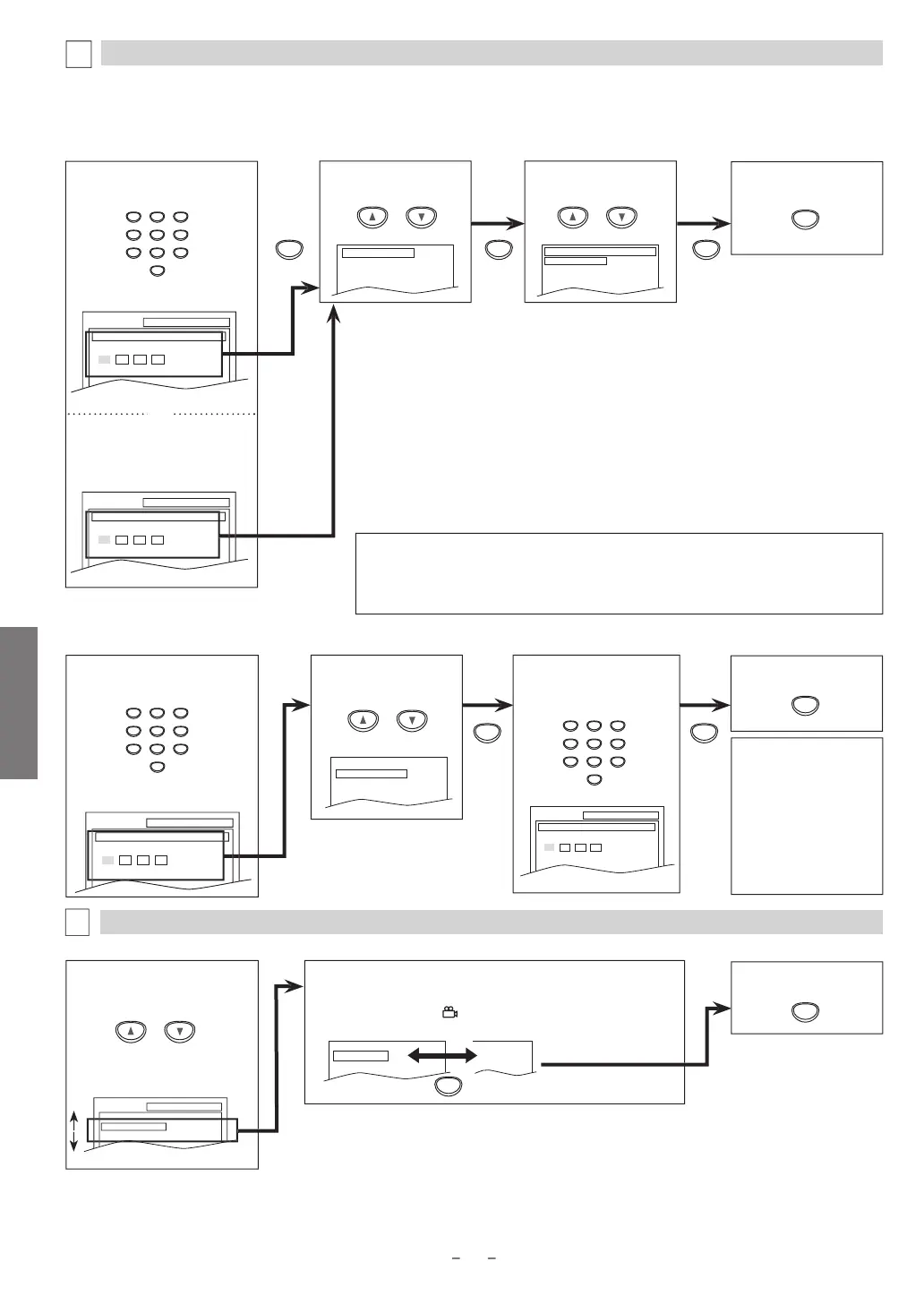
SETUP PARENTAL
PASSWORD
Enter current password.
SETUP PARENTAL
PASSWORD
Please enter a 4-digit password.
l
“PARENTAL
LEVEL
PARENTAL Sett
n
This
unction prevents Unit
rom pla
ing material inappropriate
or children
P
r
nt
L
v
arental level allows
ou to set the rating levels on
our DVD so
tware. Pla
back will stop i
the ratings exceed the levels
ou set. Follow
steps 1 to 3 in the “CUSTOM Menu” section on page 20
To Change the Password
or Parental Control
You can change your password
or parental controls. Follow steps 1 to 3 in the “CUSTOM Menu” section on page 20.
A
ENTAL men
PASSWORD CHANGE
PARENTAL LEVEL ALL
Select the desired level.
PARENTAL LEVEL
ALL
8 [ADULT]
7 [NC-17]
6 [R]
Se
ect “PASSWORD
CHANGE”
PASSWORD CHANGE
PARENTAL LEVEL ALL
SETUP PARENTAL
PASSWORD
Enter current password.
SETUP PARENTAL
PASSWORD
Please enter a 4-digit password.
PARENTAL m
n
OTHERS Sett
ng
ou can change the other
unctions. Follow steps 1 to 3 in the “CUSTOM Menu” section on page 20.
l
h
ir
i
m
THER
m
n
T
xi
h
m
n
ANGLE IC
N
(De
ault: ON
Set to “ON” to
isp
ay
when multiple camera angles are
avai
a
e
uring DVD p
ay
ac
ote
s
• Some DVD-video ma
not respond to “PARENTAL“ setting. Make sure this function works with
our DVD-vi
eo
• The resume in
ormation will be cleared i
you change the parental level when the resume
n
rm
i
n i
n
or o
r
ontinued on next pa
e



 To Next Page